■■■■■■■■■■■■■■■■■■■■■■
2 Setup and configuration
900 Touch Control
■■■■■■■■
11
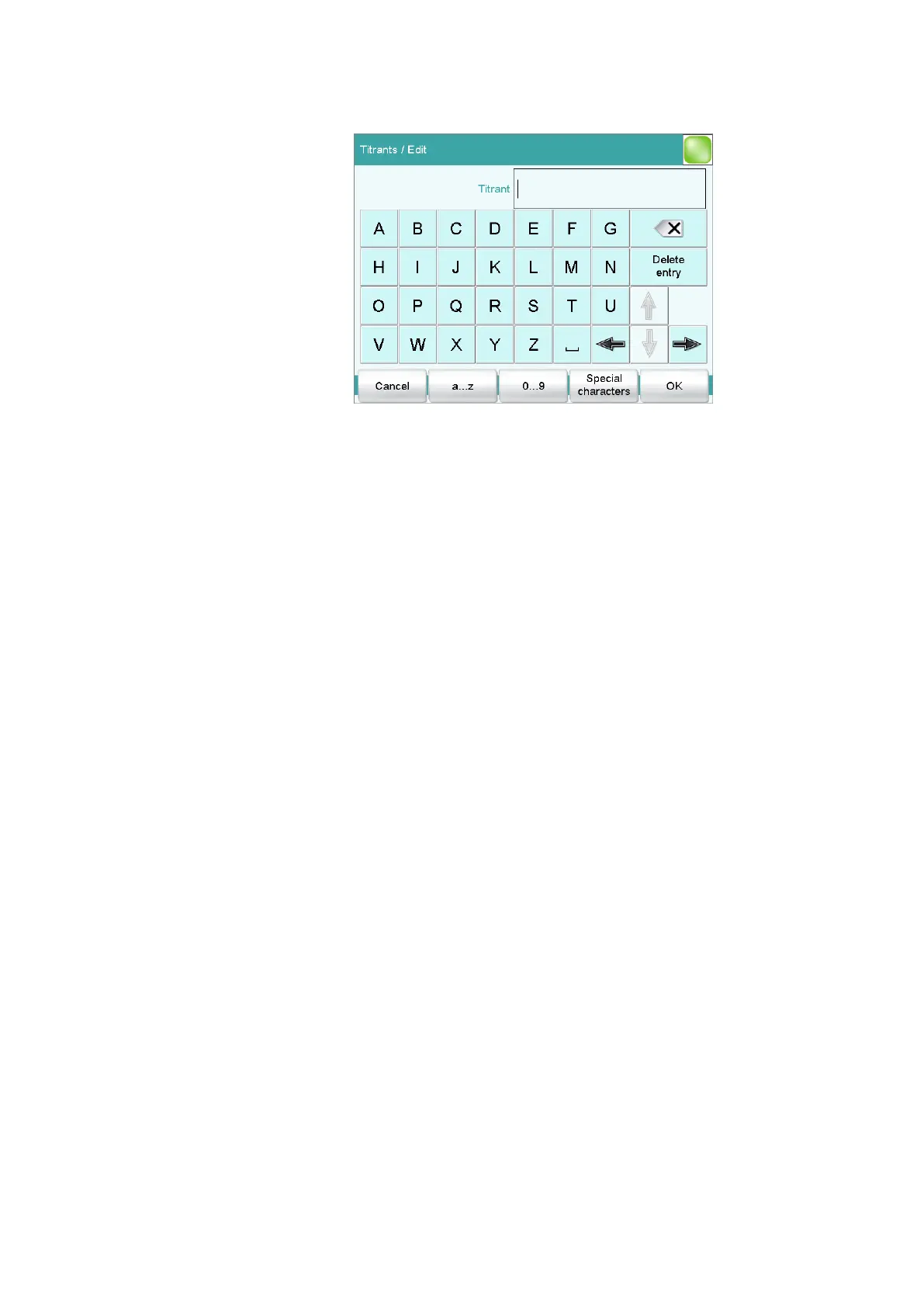
■ Tap on the input field Titrant.
The text editor permits the entry of letters of the alphabet, digits
and mathematical characters.
■ The functions are:
– [a…z] switches over to lower case letters.
– [0…9] switches to digits and mathematical signs.
– [Special characters] switches over to special characters
(additional special characters are available under [More]).
– [A…Z] switches over to upper case letters.
– Backspace (upper right) deletes the character to the left of
the cursor.
– [Delete entry] deletes the entire input field.
– The arrow keys move the cursor.
■ Enter a name for the titrant.
■ Use [OK] to confirm the entry and close the text editor.
Pressing [Cancel] would undo the entry.
■ Enter additional data entries, e.g. for the concentration or the
titer.
The 900 Touch Control manual contains additional information
regarding the settings which can be specified for titrants.
The new titrant has been entered in the list. The cylinder size and the
type of the buret unit are displayed. In the Dos.device column can
be seen whether or not and at which connector and instrument the
titrant is attached.















 To Next Page