■■■■■■■■■■■■■■■■■■■■■■
4 Carrying out an extended titration
900 Touch Control
■■■■■■■■
31
4 Carrying out an extended titration
4.1 Statistics function
The statistics function can calculate the mean value and the absolute and
relative standard deviations (s abs and s rel) from several determinations.
The calculation is carried out continuously, i.e. the calculation is updated
after every determination that is carried out until the defined number of
determinations has been reached.
Several results can be calculated for one determination, all of which can
be incorporated in the statistical calculation.
Activating the statistics
1
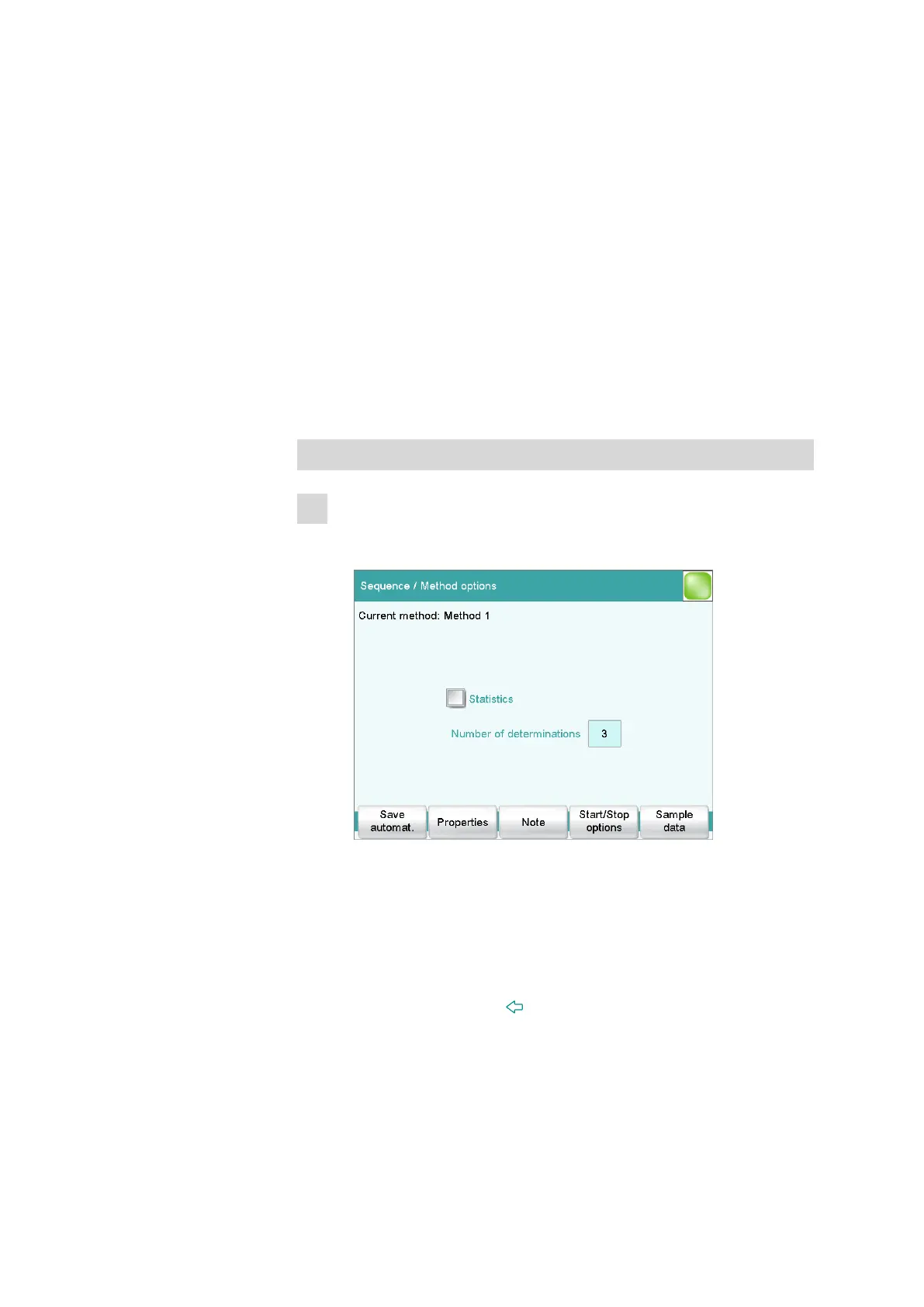
Editing the method options
■ In the main dialog, tap on [Edit parameters].
■ Tap on [Method options].
Here you can define the statistics function for this method. You
can specify the number of determinations for which the respective
statistical calculations are to be carried out.
These settings apply for all determinations which are carried out
with this method.
■ Tap on the check box Statistics.
■ Enter a value under Number of determinations.
■ Tap on the fixed key [ ].
■ Select the CALC command and tap on [Edit command].
The second calculation Content (mol/L) should not be incorpo-
rated in the statistical calculation.
■ Select the result name Content (mol/L) and tap on [Edit].















 To Next Page