3.3 Carrying out the determination
■■■■■■■■■■■■■■■■■■■■■■
30
■■■■■■■■
900 Touch Control
3.3.5 Printing a report manually
You can have the report of a determination printed out manually.
Print report
1
Opening the print dialog
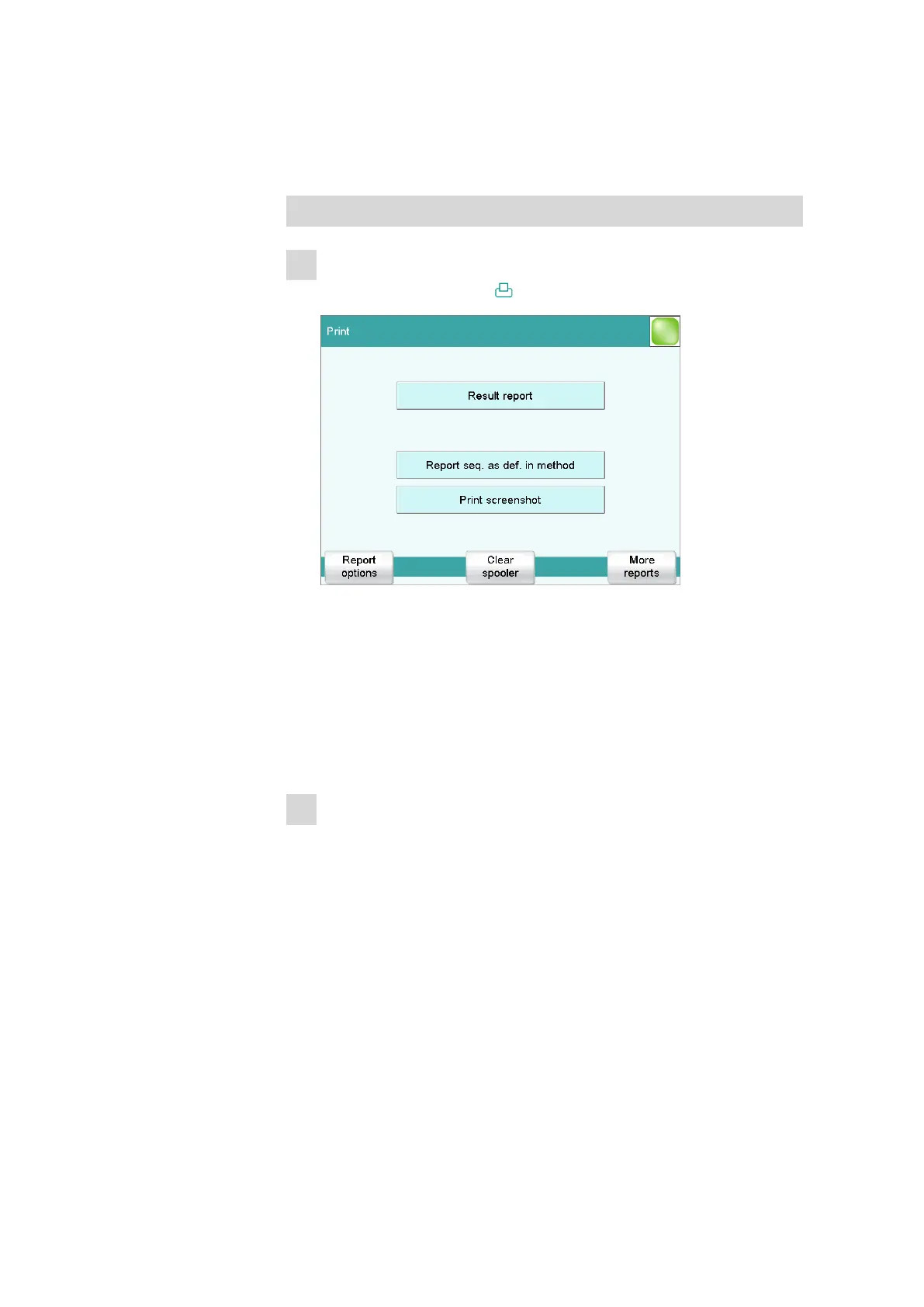
■ Tap on the fixed key [ ].
Numerous reports are available to you for printing in the print dialog.
At the top you will see the report which belongs to the previously
displayed dialog window. In the case of the result window, this will
be the result report. You can also print out the same report(s) which
were defined in the method (result report and curve report).
Numerous other reports, e.g. measuring point list, parameters report
or titrant list, can also be selected under [More reports].
2
Initiating the printing
■ Tap on the selected report
or
■ under [More reports], select another report and tap on [Print].















 To Next Page