■■■■■■■■■■■■■■■■■■■■■■
3 Carrying out simple titrations
900 Touch Control
■■■■■■■■
23
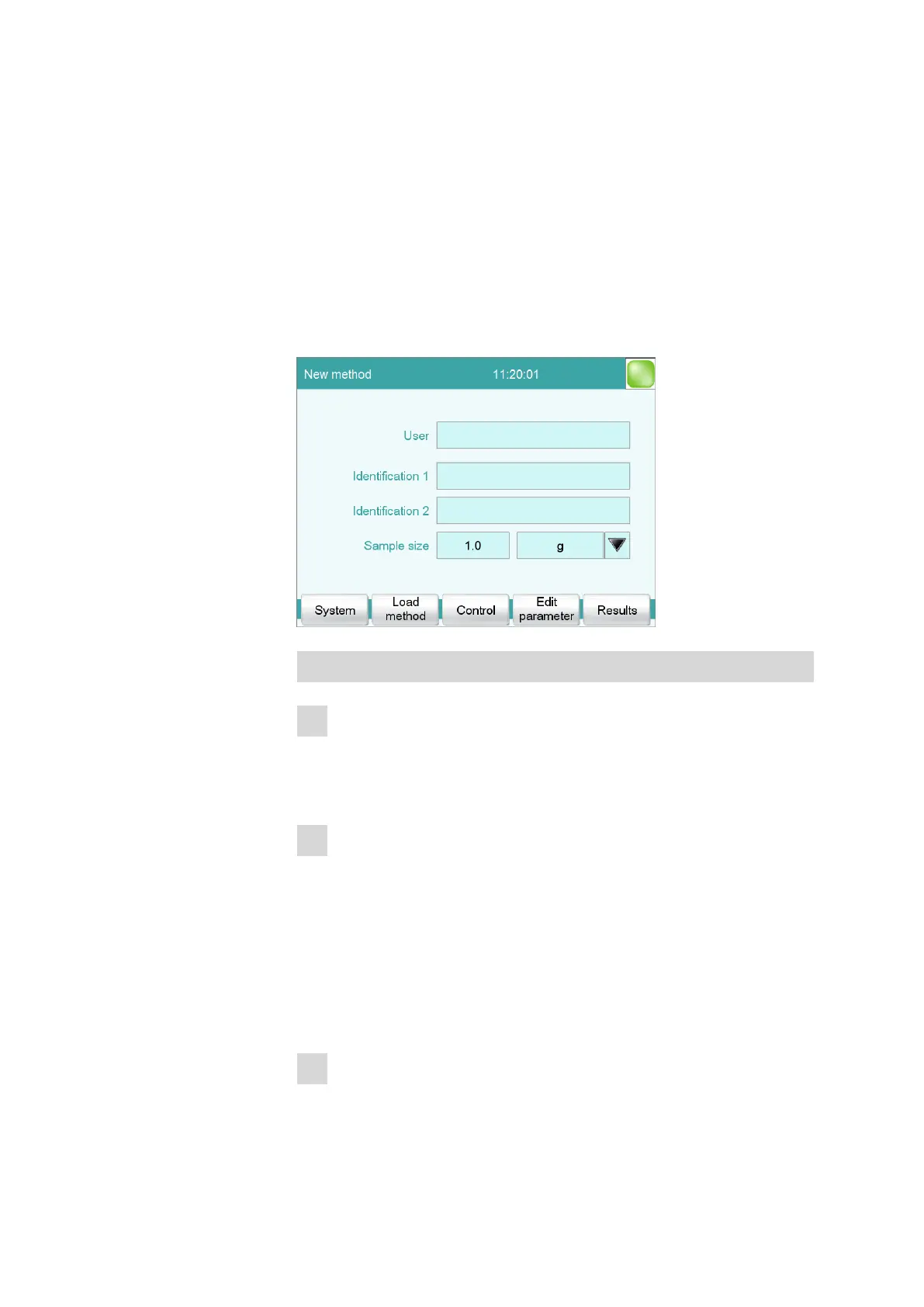
3.2 Entering user name and sample data
There are two possibilities to enter sample data, such as e.g. the sample
size, in the instrument. For sample series with a lot of different samples,
the sample table can be used. For single determinations or sample series
with the same sample data, it can be entered on the main page of the
instrument dialog.
For the first determination, for testing the created method, enter the data
on the main page.
Entering data
1
Entering the user name
■ Tap on the input field User.
■ Enter your name.
■ Confirm the entry with [OK].
2
Entering the sample identifications
■ Tap on the input field Identification 1.
■ Enter a designation for your sample (e.g. type of sample or an
analysis number).
■ Confirm the entry with [OK].
■ Tap on the input field Identification 2.
■ Enter a further designation for the sample (e.g. batch number or
sampling date).
■ Confirm the entry with [OK].
3
Entering the sample size
■ Tap on the input field Sample size.















 To Next Page