■■■■■■■■■■■■■■■■■■■■■■
4 Carrying out an extended titration
900 Touch Control
■■■■■■■■
41
4.7 Displaying statistics data
You can have the statistics data displayed after the titrations. Proceed as
follows:
1
Opening the statistics page
■ In the main dialog, tap on [Results].
■ Tap on [Statistics].
The mean value of the result is displayed in the statistical overview.
2
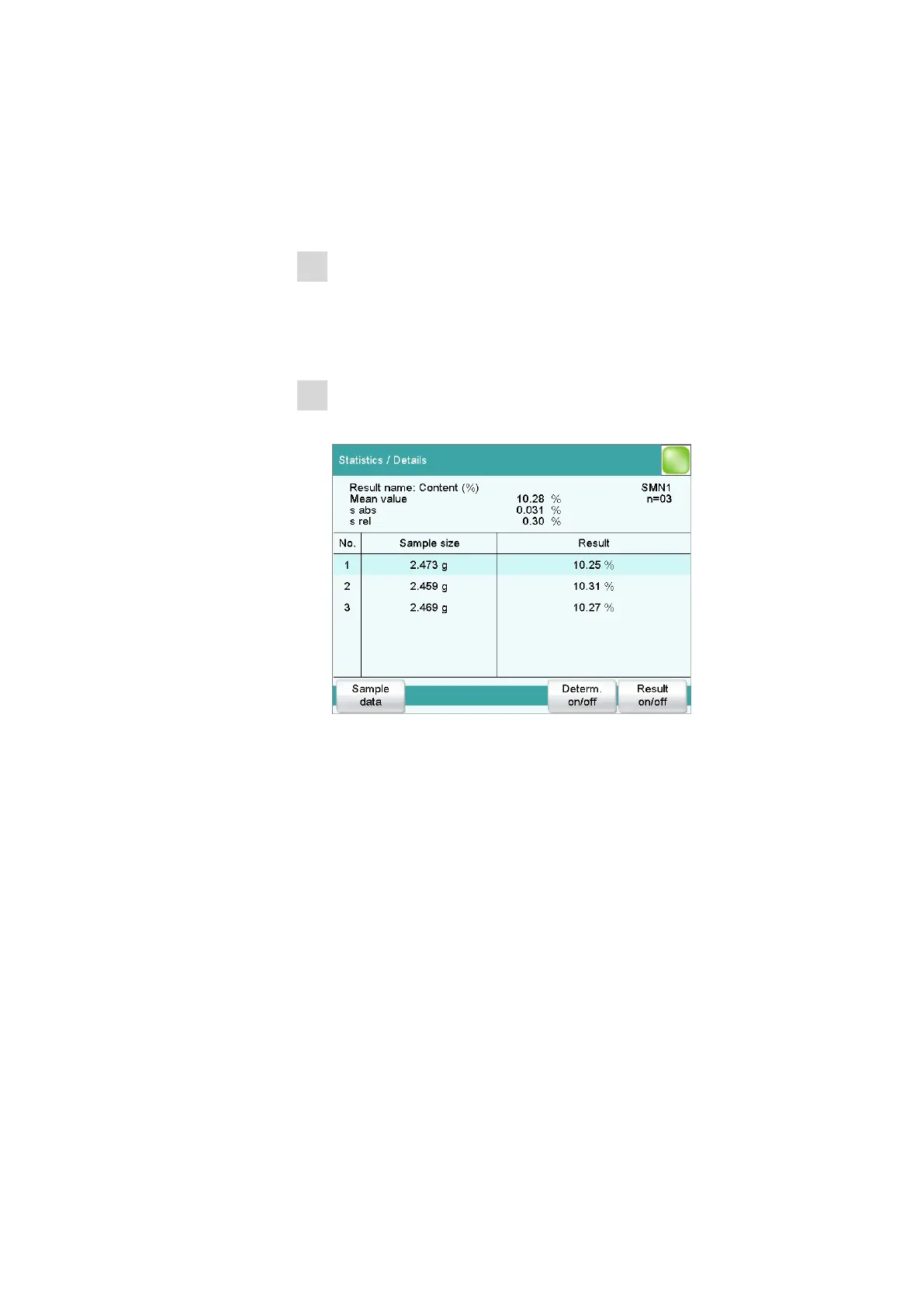
Displaying statistics data
Tap on [Details].
In the upper part of the display you will see the mean value of the
result as well as the absolute and the relative standard deviation. The
single results of the titrations are listed in a table.
If you would like to exclude a titration from the statistical calculation, you
can select it and then tap on [Result on/off] or [Determ. on/off]. The
recalculation of the statistics data will be performed immediately.
If you would like to add other titrations to the statistics, you can do this in
the statistical overview.















 To Next Page