4.2 Saving the determination and the PC/LIMS report
■■■■■■■■■■■■■■■■■■■■■■
32
■■■■■■■■
900 Touch Control
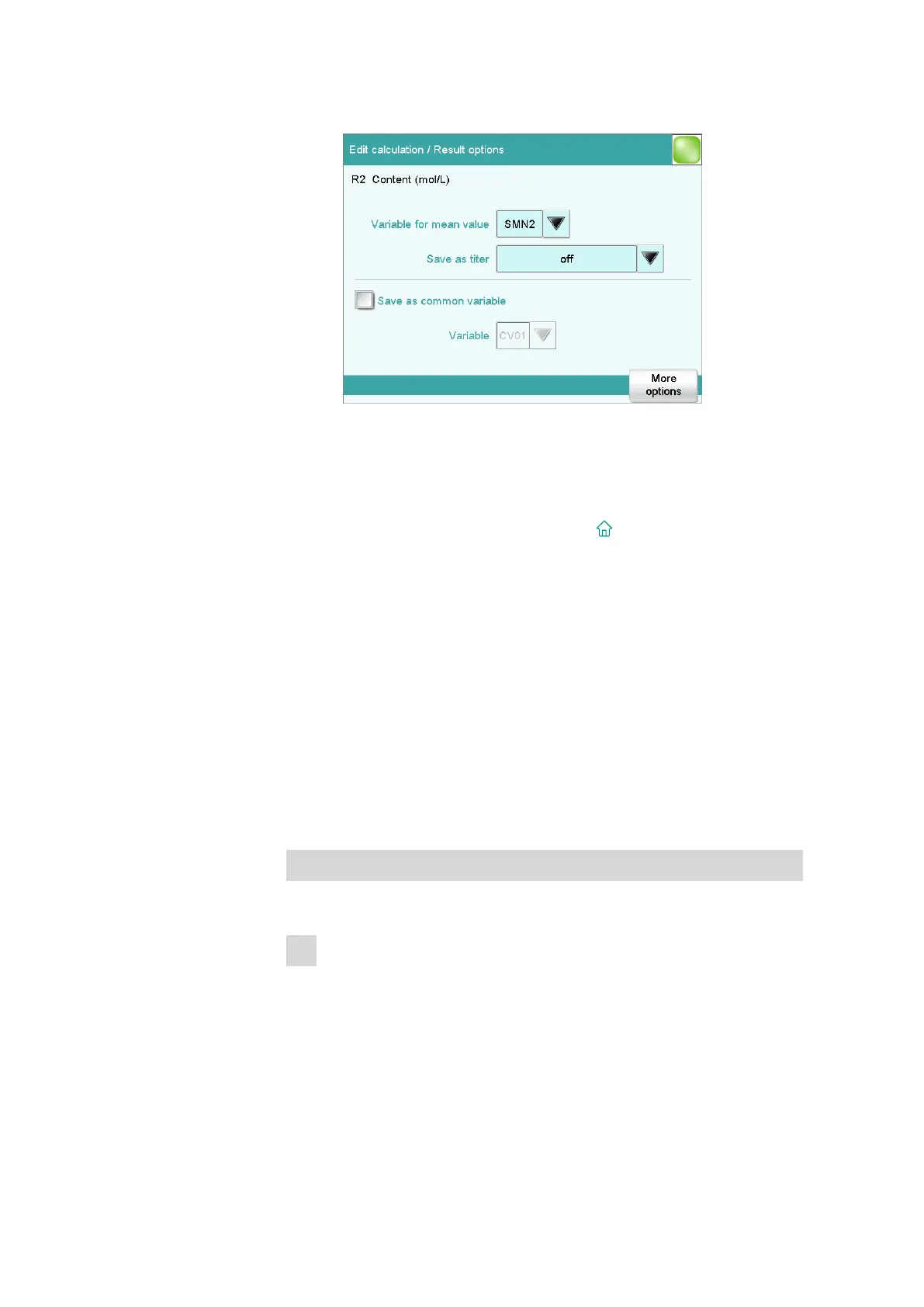
■ Tap on [Result options].
■ The variable name under which the calculated mean value is to be
stored is specified under Variable for mean value. You can
change this variable assignment in order to deactivate the statisti-
cal calculation for this result.
■ Tap on the selection symbol next to SMN2 and select off.
■ Return to the main dialog with the [ ] fixed key.
4.2 Saving the determination and the PC/LIMS report
You can have the determination data (measuring point list, results, etc.) of
a titration which has been carried out saved automatically. This makes it
possible to reprocess or print out this data later. You can save the determi-
nations to a USB storage medium or to a drive in a PC network.
If you would like to manage the determination data in a database on a
PC, then you can save it in a report called PC/LIMS report or transfer it
directly to a PC through a serial connection. The tiBase database from
Metrohm is available to you for administering the determination data on
the PC.
Defining the automatic saving
Proceed as follows:
1
Opening the method options
■ In the main dialog, tap on [Edit parameters].
■ Tap on [Method options].















 To Next Page