■■■■■■■■■■■■■■■■■■■■■■
4 Carrying out an extended titration
900 Touch Control
■■■■■■■■
33
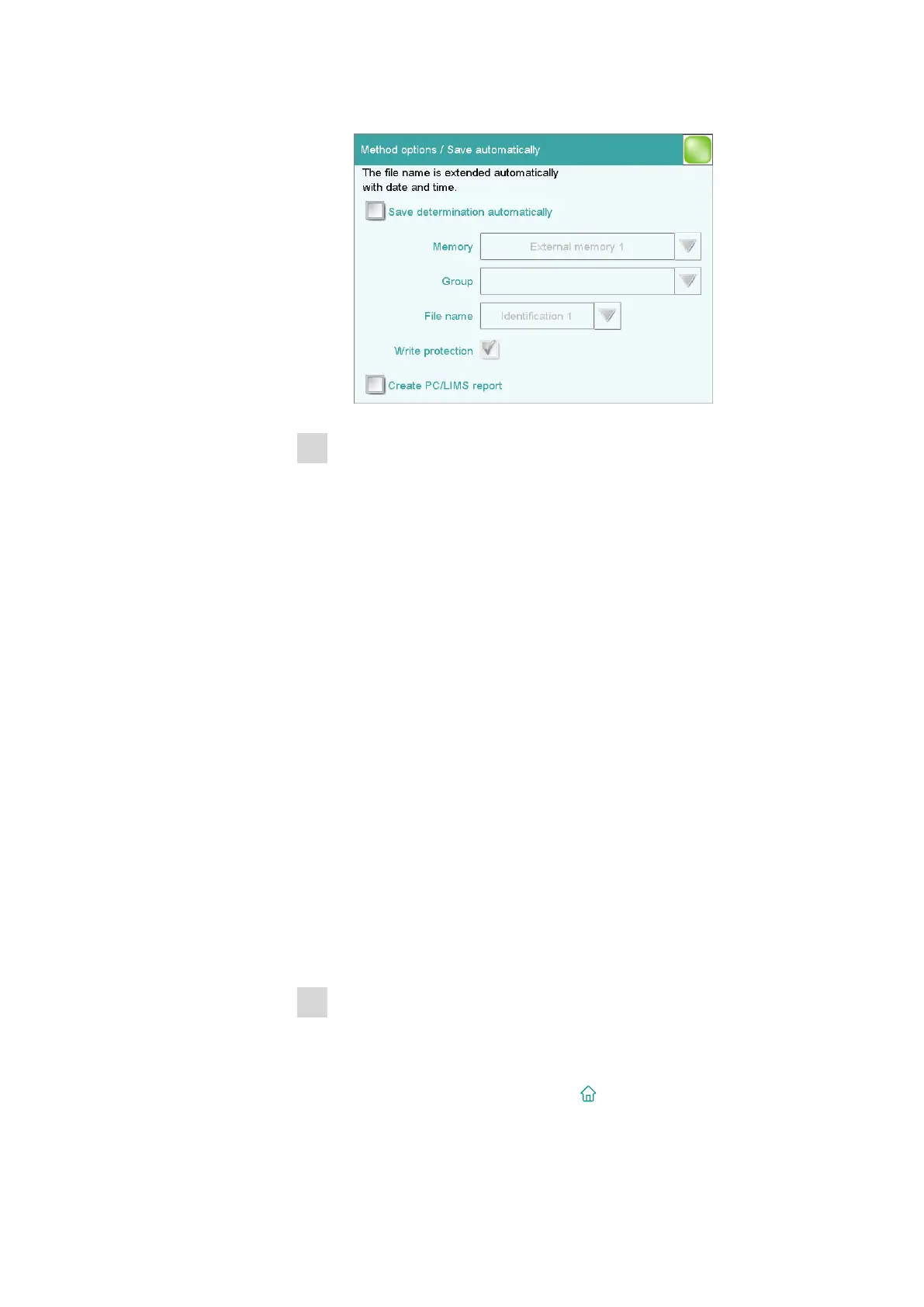
■ Tap on [Save automat.].
2
Activating Save determination
■ Tap on the check box Save determination automatically.
■ Select the memory location under Memory. You can choose
between External memory 1 (e.g., a USB flash drive) or Shared
memory (memory location in a computer network).
A USB flash drive (external memory) must be plugged in on the
900 Touch Control before a determination is carried out. This
memory location must already be defined in the device manager
at the time of the selection of a shared memory location in a
computer network. Before a determination is carried out, the 900
Touch Control must be connected to the network with an Ether-
net cable.
■ Tap on the selection symbol under Group to select an existing
group or to create a new group.
The determination data can be stored on the storage medium in
various groups (= folders on the storage medium). You can create
groups of your own by tapping on the input field Group.
■ Define the designation for the file name.
Two sample identifications or the method name are available for
selection. If you tap on the input field File name, then you can
enter a designation of your own for the file name.
■ Activate or deactivate write protection.
You can protect the original determination data against overwrit-
ing.
3
Activating the PC/LIMS report
■ Tap on the check box Create PC/LIMS report.
Define the memory location for the PC/LIMS report in the device
manager.
■ Return to the main dialog with [ ].















 To Next Page