3.1 Creating a titration method
■■■■■■■■■■■■■■■■■■■■■■
22
■■■■■■■■
900 Touch Control
■ Tap on [ ] three times.
Saving a method
1
Saving a method
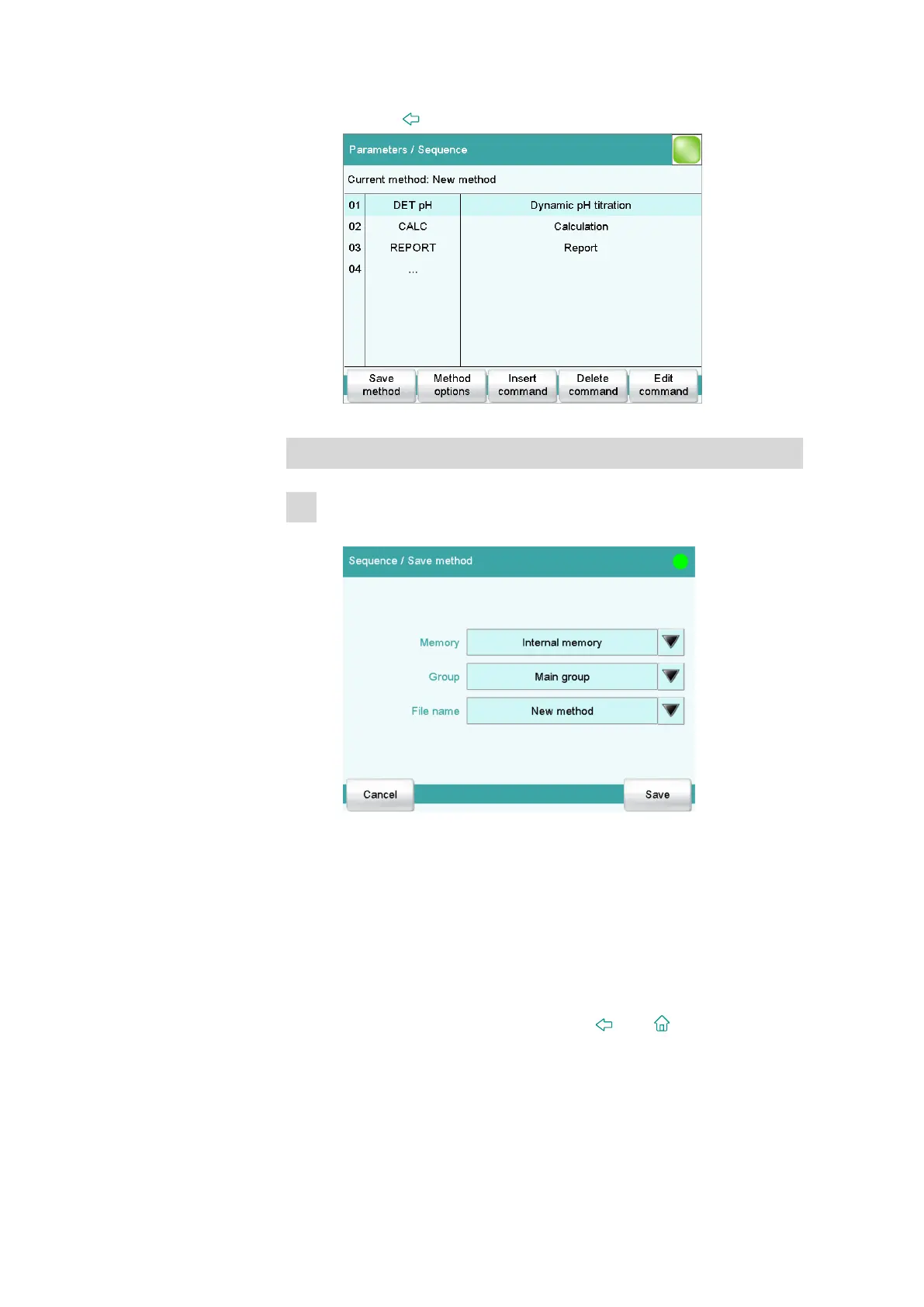
■ Tap on [Save method].
You can save the method in the instrument's internal memory, on
a USB storage medium or in a shared data directory in a network.
In addition, you can also create different groups and/or folders for
the methods.
■ Tap on the input field File name.
■ Enter a name for the method.
■ Use [OK] to confirm the entry and close the text editor.
■ Save the method by tapping on [Save].
The method is stored in the Main group folder.
■ Return to the main dialog with the [
] or [ ] fixed key.















 To Next Page