■■■■■■■■■■■■■■■■■■■■■■
3 Carrying out simple titrations
900 Touch Control
■■■■■■■■
21
3
Defining the curve display
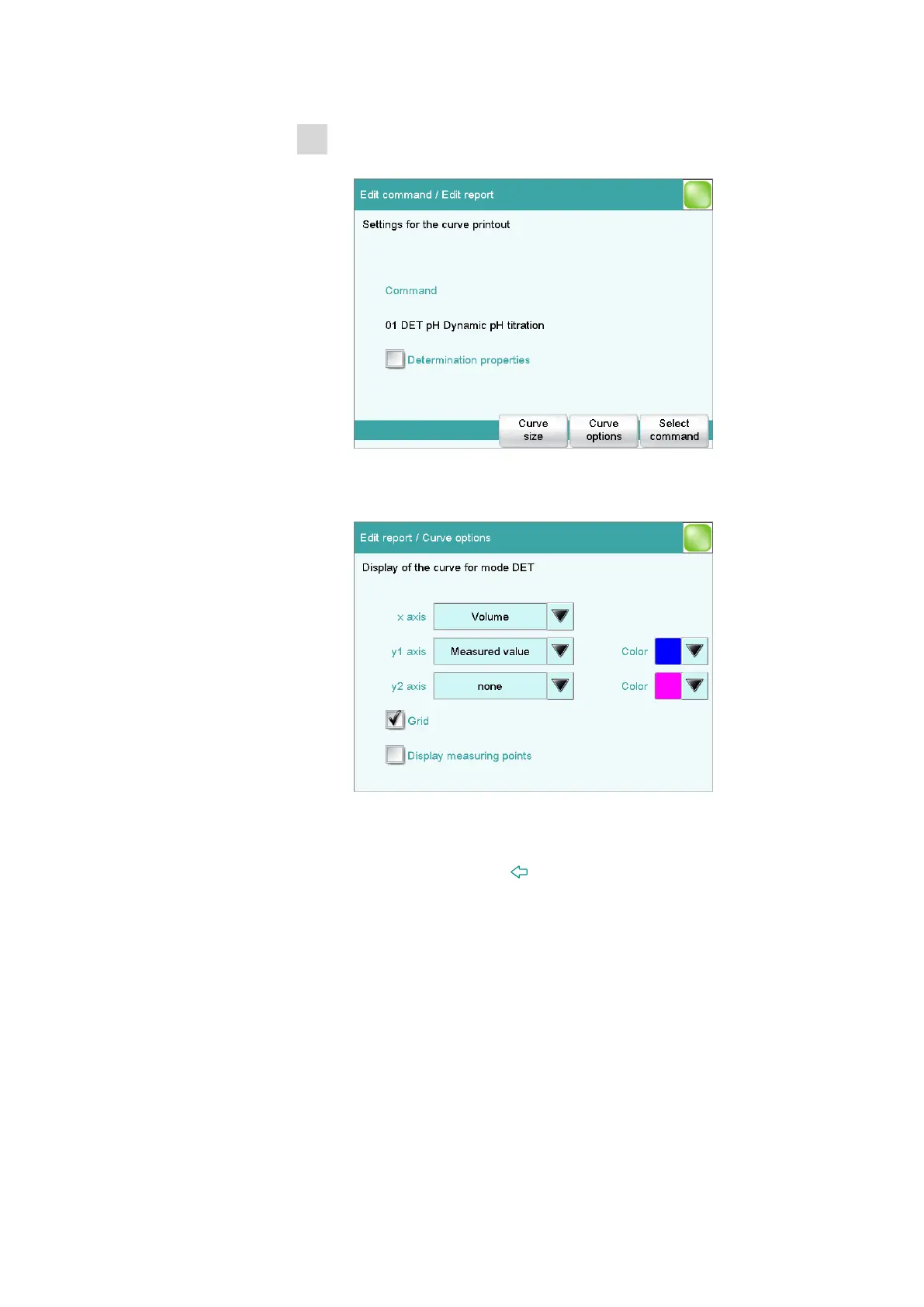
■ Select Curve and tap on [Edit].
Various settings can be established for the output of the titration
curve.
■ Tap on [Curve options].
Here you can, for example, select the colors for the measurement
curve or add a second type of curve.
Tap on the input field y2 axis and then select ERC. Afterwards,
close the dialog with [ ] or [Select].
The ERC curve (1st derivative) will be printed out along with the
standard titration curve as a result.















 To Next Page