■■■■■■■■■■■■■■■■■■■■■■
5 Setting up the user administration
900 Touch Control
■■■■■■■■
45
Setting the login options
NOTICE
The following steps are possible only if the user has administrator rights.
Proceed as follows:
1
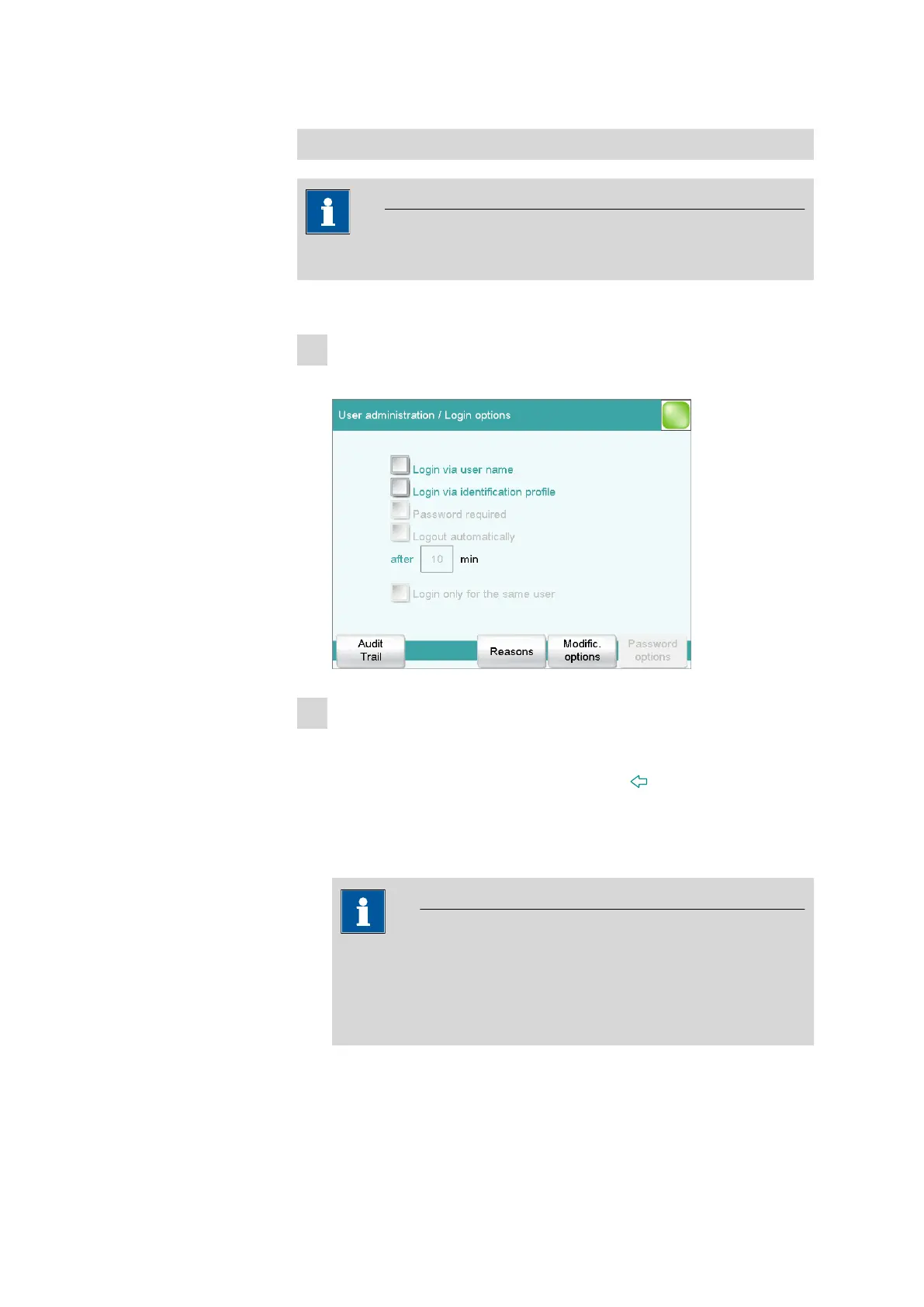
Opening the login options
■ In the user administration, tap on [Login options].
2
Activating login with ID profile
■ Activate Login via identification profile.
■ Deactivate all other settings.
■ Return to the user administration with [ ].
You can confirm the request following the creation of ID profiles with
[Yes] if you have created an ID profile beforehand. Make sure that
the USB flash drive is plugged in.
NOTICE
If you have not yet created any ID profiles, then you must confirm
the request with [No]. Then you can deactivate the Login via
identification profile and create an ID profile in the user admin-
istration.
Confirm any messages which may appear with [Yes].
An automatic login will now take place.















 To Next Page