Operating Instructions Synchroprint 5000
Operating instructions SP5000 V1-0.docx Page 38 of 52
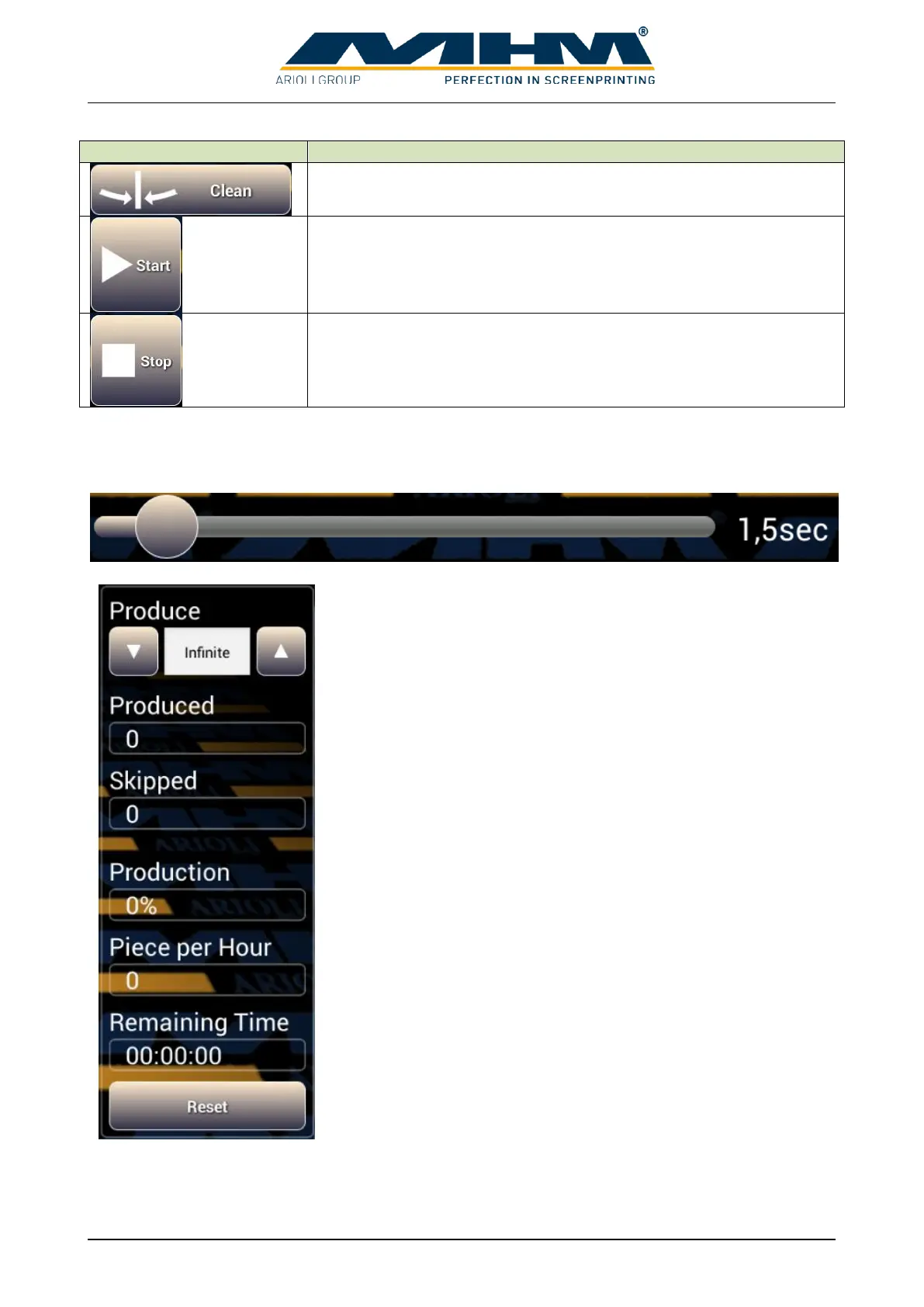
Moves the tables into the clean/half index position.
Starts the automatic production. When a working cycle is finished
the next index move starts automatically. An optional foot switch can
be used to pause before next index move.
Interrupts the running print job after the actual working cycle.
The slider delays the next index move. This can be used to give operators more time to do their
work. Shift the round button to the left or right to change the desired time. The actual adjusted delay
time is displayed on the right.
Determines the desired quantity of the production job. The value
can be changed with the up and down arrows or by direct number
input after touching the field
Displays the number of items which have been produced since the
last “RESET”.
Displays the amount of skipped tables since the last reset.
Displays status of the actual job in percentage.
Displays the hourly output of the machine at actual speed.
Estimated remaining time for actual print job at actual speed.
Clear the counters “Produced” and “Skipped”.


 To Next Page