Operating Instructions Synchroprint 5000
Operating instructions SP5000 V1-0.docx Page 43 of 52
9.8.1. Adjust
Use “Adjust” for machine setup, cleaning and adjustment. Turning the SELECT knob alternates
between different displays. The following displays are possible:
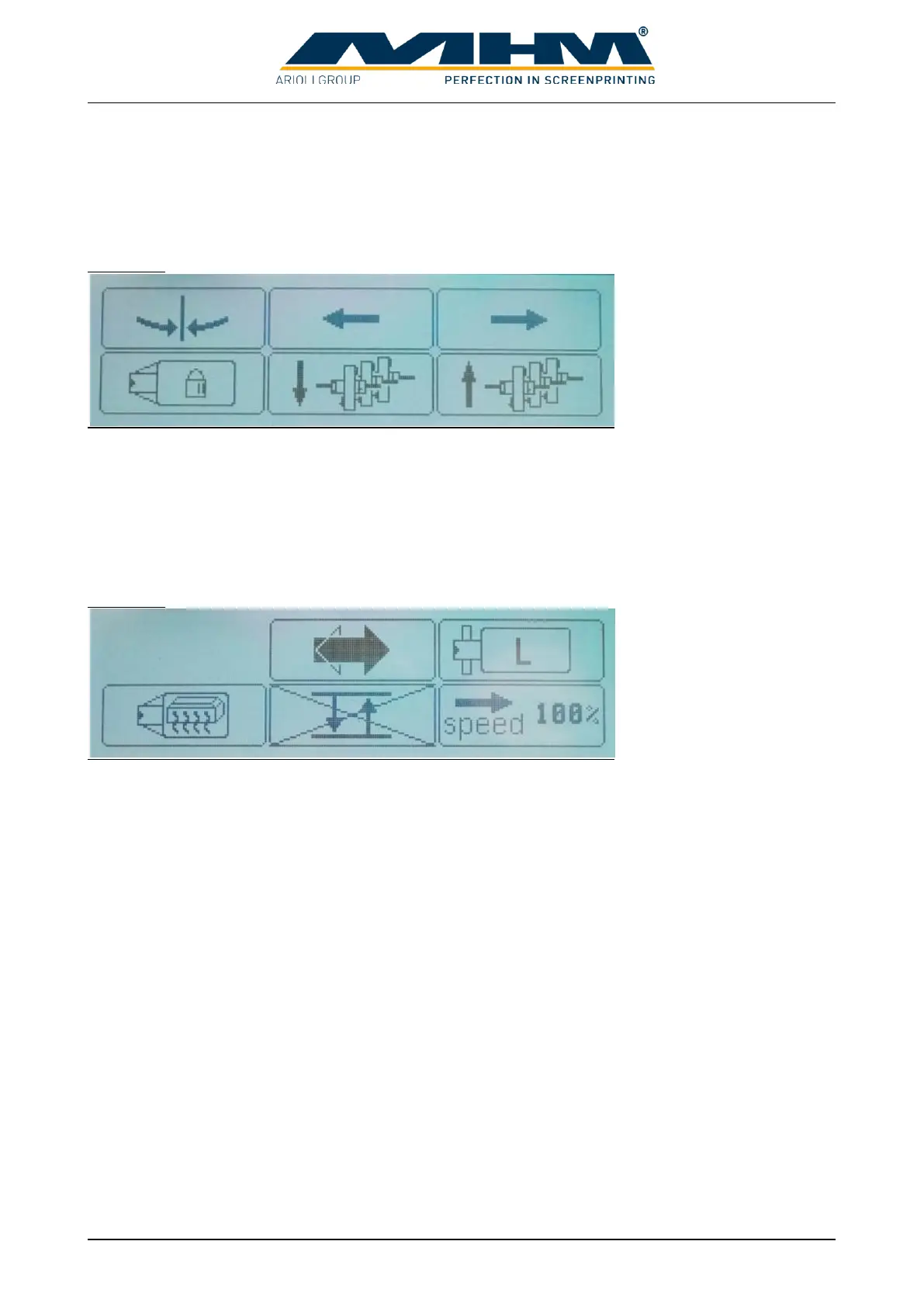
Display 1:
F1 Moves the tables to the clean/half index position.
F2 Indexes/moves the tables to the next print station on the left.
F3 Indexes/moves the tables to the next print station on the right.
F4 Allows the operator to lock or release the pallets.
F5 Moves all squeegees to the outer position.
F6 Moves all squeegees to the inner position.
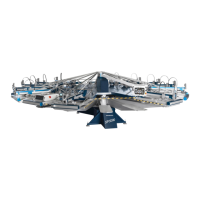
Display 2:
F2 Defines the direction of movement.
F3 Selects the used pallet size. Table drive parameters will be adapted automatically for
highest possible production capacity. A wrong adjustment can cause disturbances or reduced
production capacity. Possible pallet sizes are Small (50x70cm), Medium (70x100cm) and
Large (80x110xm).
F4 Warming up the pallets to working temperature. For this only active drying stations
are used. Warming up is necessary to get the same print results from the beginning.
F5 Not available at Synchroprint
F6 Parameter for index speed. Input in percentage of maximum index speed. Value can
be changed in 5% steps from 50% to 100%.


 To Next Page