Operating Instructions Synchroprint 5000
Operating instructions SP5000 V1-0.docx Page 32 of 52
9.6. Operating the machine with tablet „m-touch pro“
Operation is carried out by touching the displayed buttons on the tablet. To change between the
menu images touch the respective area at the top of the screen. The active menu image can be
identified by the grey background color. Touching the screen with two fingers and moving them up
or down moves the view to the machine. Moving the fingers together or apart changes the
enlargement.
Machine can be controlled by the following menu images:
Adjust
Manually
Automatic
Basic Setup
Help
9.6.1. Adjust
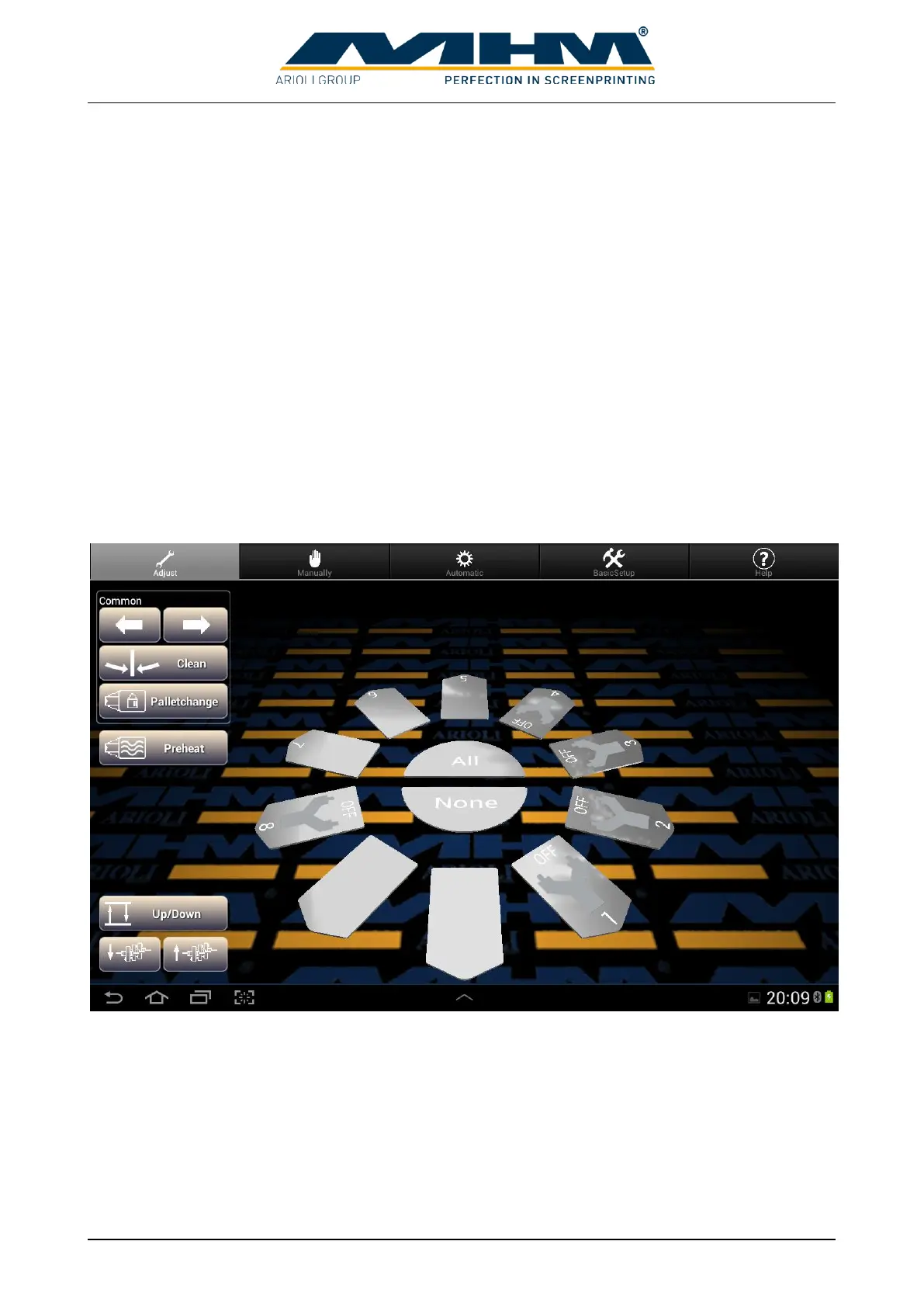
Use “Adjust” to configure the machine for the print job.
The machine setup is displayed in the center of the machine. To change the setup, first choose the
affected station by touching on it and then change its configuration. The station can be deselected
by touching it again. It is possible to select more than one stations, active stations are displayed in
red color. Possible settings for chosen stations are displayed on the right site of the Image. Using
the buttons ALL and NONE quickly selects all stations or no station.


 To Next Page