Operating Instructions Synchroprint 5000
Operating instructions SP5000 V1-0.docx Page 40 of 52
9.6.5. Help
“Help” supports you at troubleshooting and controlling the machine.
9.7. Blocked operation
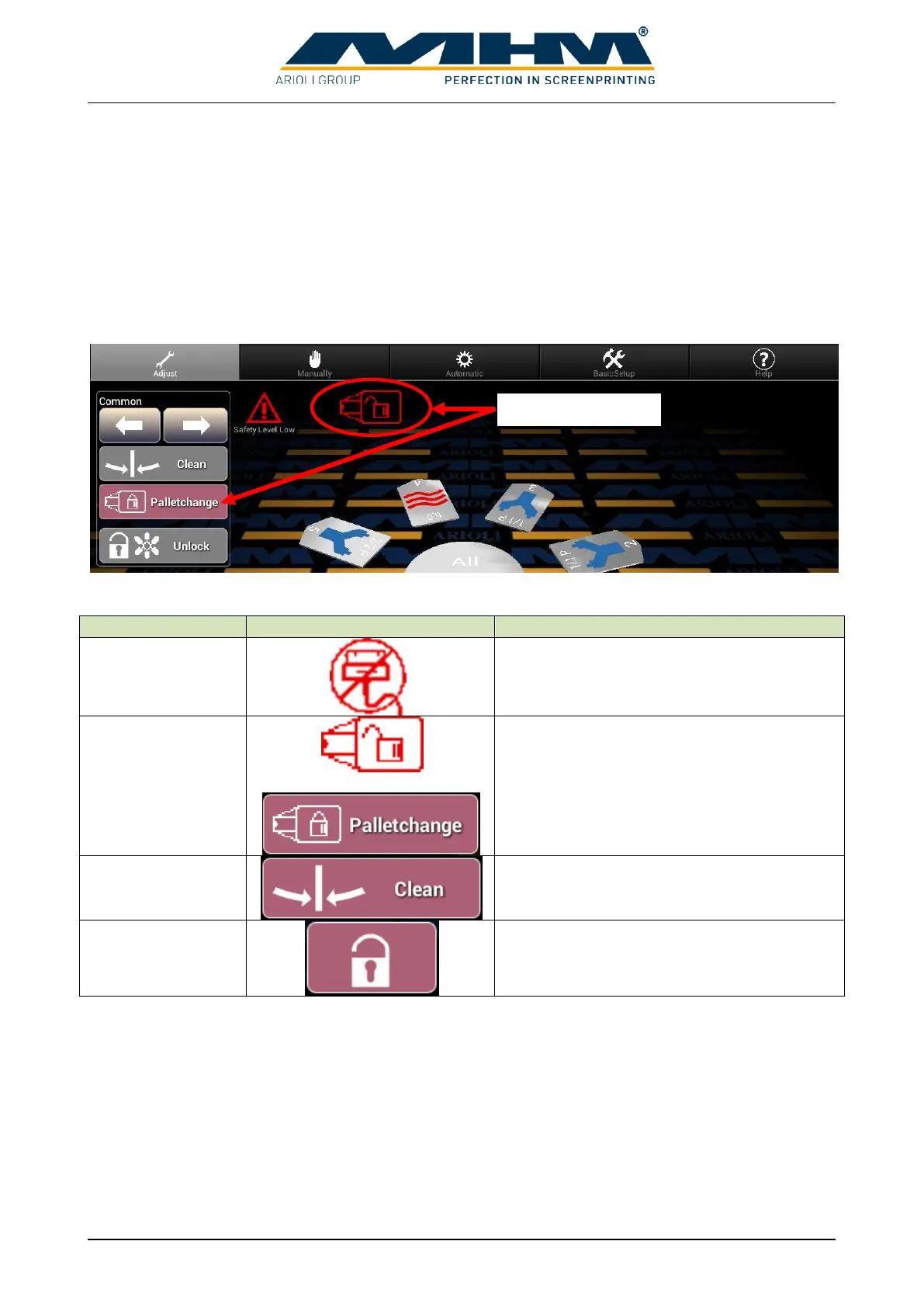
In several working positions operation will be blocked automatically. The reason for blocking will
be displayed by a symbol or pressed buttons on the tablet. To operate the machine again the
blocking reason must be eliminated.
The following reasons block machine operation:
Description / trouble-shooting
The tablet is not connected to machine
control.
Palletchange function is active.
Tables are on clean position.


 To Next Page