Microair Avionics M760 Transceiver Installation & User Manual
M760Q Install & User Manual 01R12.doc Page 14 of 36 30
th
March 2010
3.11 AUXILIARY AUDIO
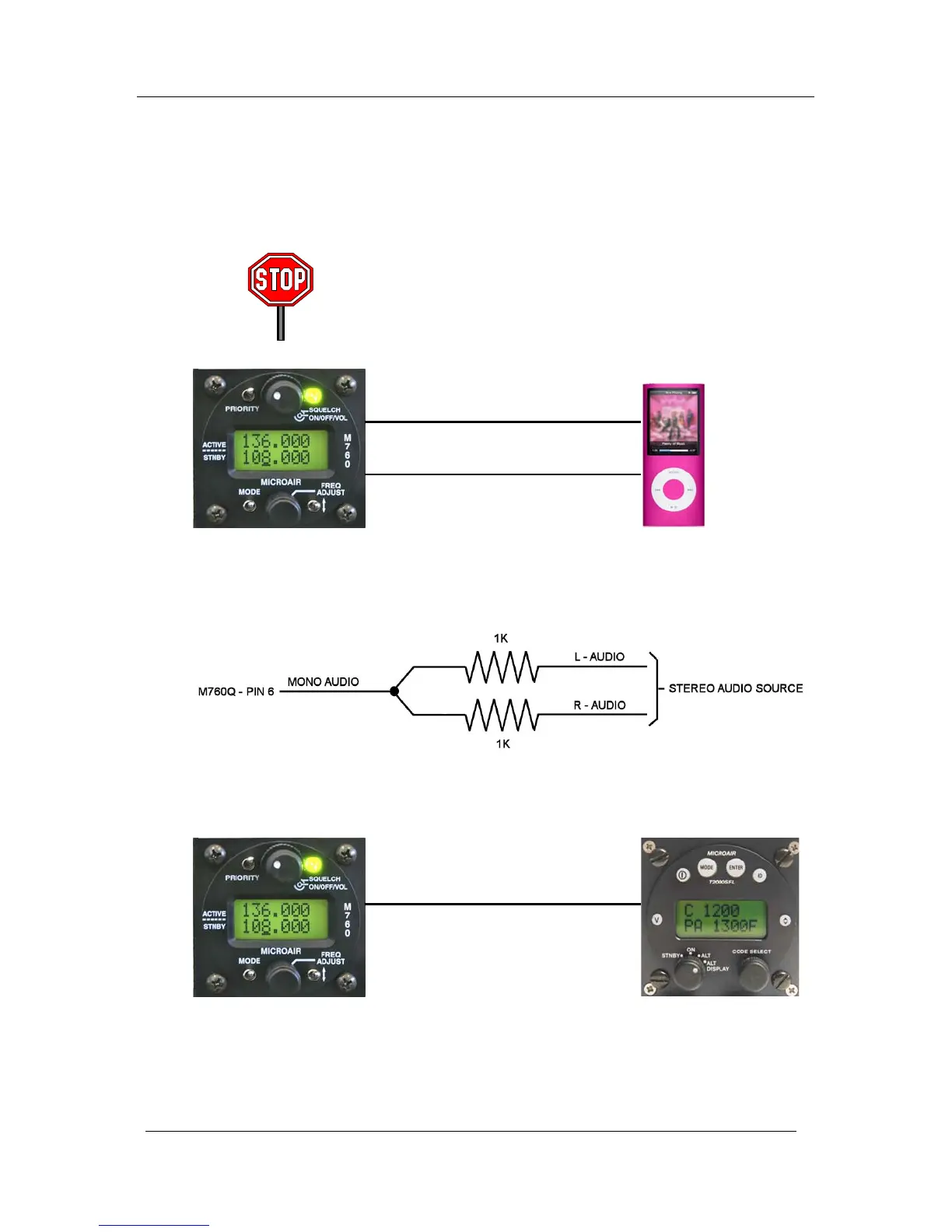
The M760 Q can accept a line level audio input via pin 6 of the DB15 connector. The volume of this
audio can be set by the auxiliary equipment, but will be muted down to a low level when the VOX
intercom is triggered, or a signal is received. The auxiliary audio will remain muted for approx 1 second
after intercom or receiver activity has finished, before rising again to the set volume.
Do not attempt to feed the speaker output of a car stereo directly into
pin 6. The audio level is too high and will damage the audio system
of the M760, and void the warranty. Input only line (headphone)
level audio.
The auxiliary audio input is mono. Most music sources will have a stereo output consistent of left (L) and
right (R) audio channels. L and R audios must be combined before connection to pin 6 of the M760Q.
The auxiliary audio can be used to input the altitude alert warnings from the Microair T2000SFL
transponder.
Audio signal
Audio ground
Pin 6
Pin 11,12
Pin 6 Pin 1



 To Next Page