Microair Avionics M760 Transceiver Installation & User Manual
M760Q Install & User Manual 01R12.doc Page 28 of 36 30
th
March 2010
6.0 PROGRAM MENU
The M760 can be started in program mode by holding the mode switch down and turning on. The mode
switch must be held down while the display goes through the start-up sequence, and ends with
PROGRAM MENU on the display.
Rotate the frequency adjust knob to scroll through the Program Mode Menu items. Use the remote
memory button or the toggle switch to select the menu item.
PROGRAM MENU
CD
VOX
MONITOR
NEW MEM
EDIT MEM
EXIT
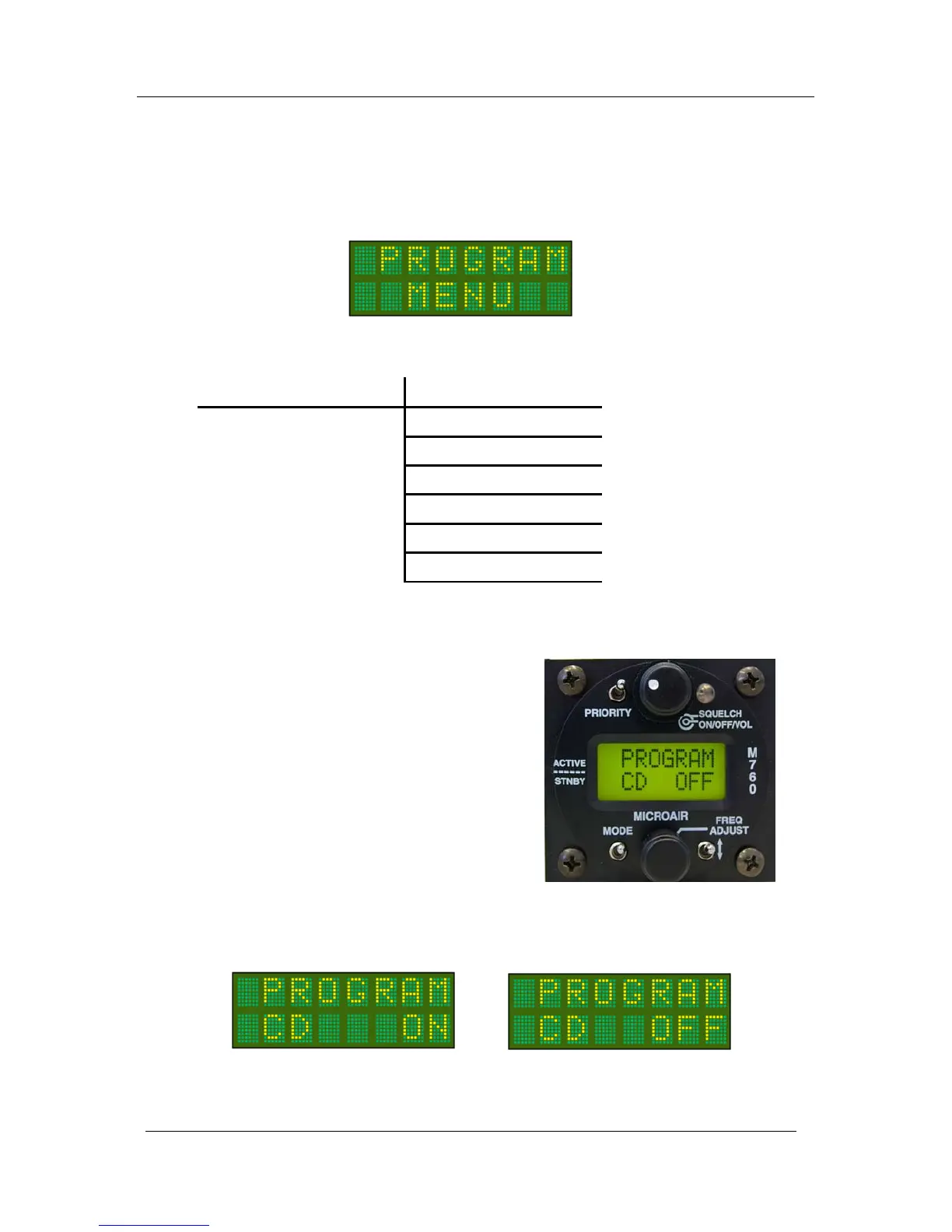
6.1 CD LOCKOUT
When CD Lockout is set ON the M760 will not
permit the PTT button to operate if a radio signal is
currently being received.
If the user attempts to transmit by pressing the PTT
button, the M760 will not transmit.
The signal being received will be heard in the
headphones or speaker.
When CD Lockout is set OFF the M760 will permit
the PTT to operate if a radio signal is currently being
received.
Background:
In high traffic areas such as circuit patterns, there is often a high level of radio traffic. There is also a high
instance of two aircraft trying to transmit at the same time. When this occurs the two transmissions interfere
with each other, and neither call can be properly received.
The CD Lockout is toggled by pressing the Toggle Switch. The factory default is to have the CD
lockout OFF.



 To Next Page