Microair Avionics M760 Transceiver Installation & User Manual
M760Q Install & User Manual 01R12.doc Page 21 of 36 30
th
March 2010
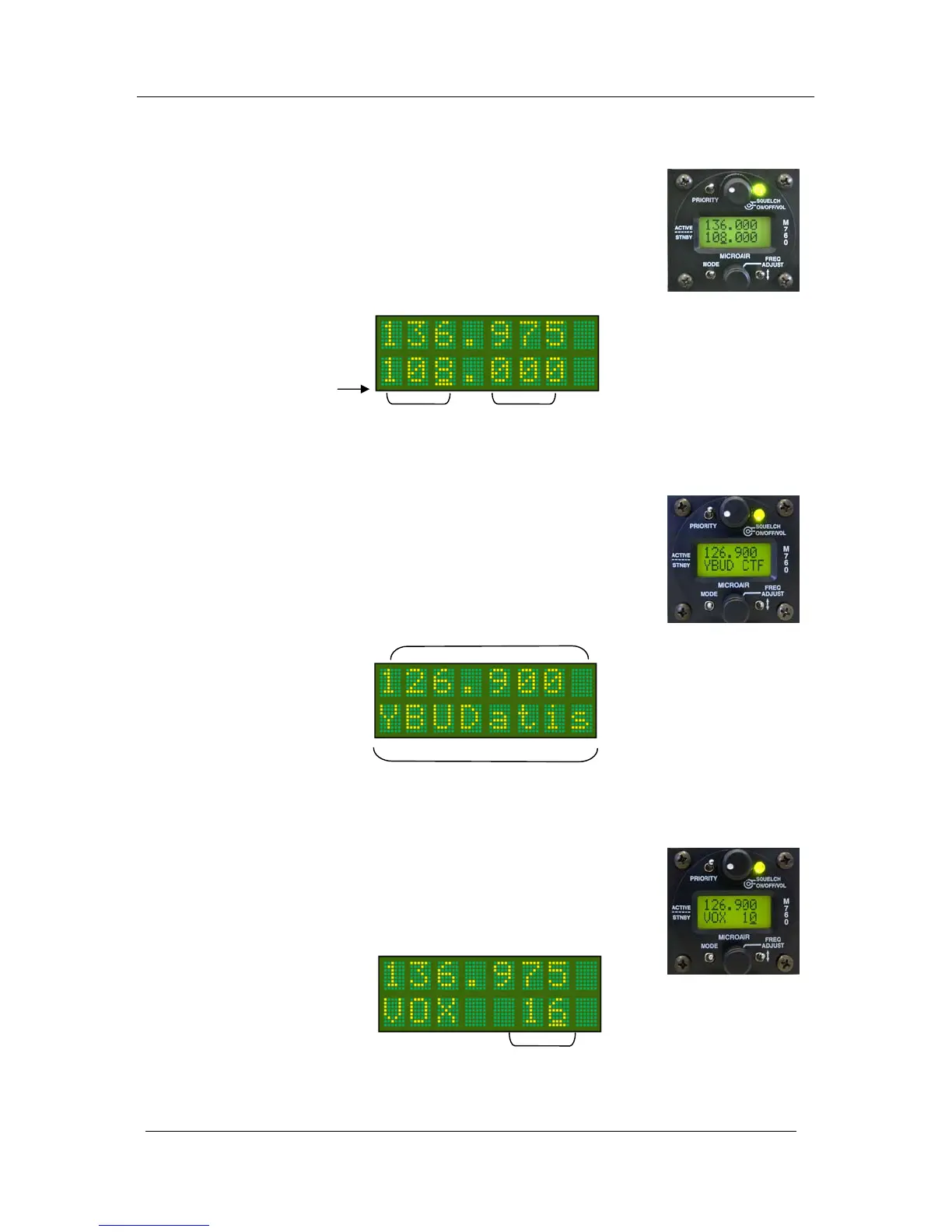
Cursor
4.6 FREQUENCY ADJUST KNOB
The frequency adjust knob is used to change display values and characters.
Rotate the knob to scroll values or characters up or down. Press the frequency
adjust knob inwards briefly to move the cursor to the next display item to
adjust.
In the active/standby mode, only the standby frequency can be changed
directly, the active frequency cannot be directly altered by the frequency
adjust knob.
In channel mode the user can scroll alphabetically by turning the frequency
adjust knob. The user can scroll alphabetically through stored memory
channels, by airport ID (YBUD) and radio service type (CTF).
Refer to section 6.4 for the input and section 6.5 for the amendment of a
memory channel.
In VOX mode the threshold level can be adjusted up or down by turning the
frequency adjust knob.
Adjustment is restricted to values between 1 (mic on continuously) and 42
(very insensitive – shout).
MHz KHz
Channel Name
Channel Frequency



 To Next Page