Microair Avionics M760 Transceiver Installation & User Manual
M760Q Install & User Manual 01R12.doc Page 18 of 36 30
th
March 2010
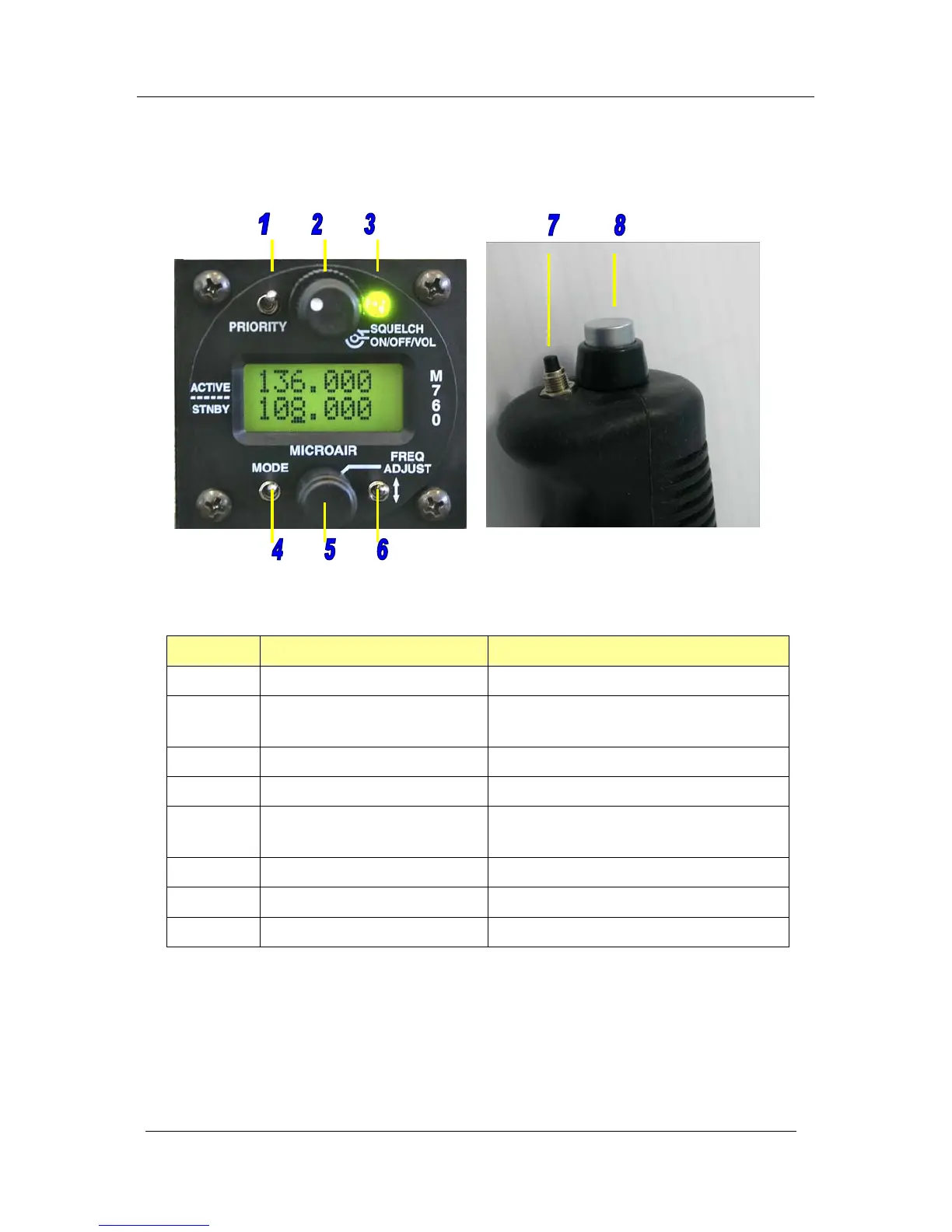
4.0 OPERATIONAL CONTROLS
Front Face Control Column
ITEM CONTROL DESCRIPTION
1 Priority Switch Momentary push down switch
2 Volume / On / Squelch Click On - Rotate knob for volume
Rotate ring for squelch
3 Receiver / Transmit Annunciator Red / Green LED
4 Mode Switch Momentary push down switch
5 Frequency Adjust Knob Rotate to adjust value
Press to move cursor
6 Toggle Switch Momentary push down switch
7 Remote Memory Button Momentary push button
8 Push to talk (PTT) Button Momentary push button



 To Next Page