Microair Avionics M760 Transceiver Installation & User Manual
M760Q Install & User Manual 01R12.doc Page 30 of 36 30
th
March 2010
6.4 NEW MEMORY CHANNEL
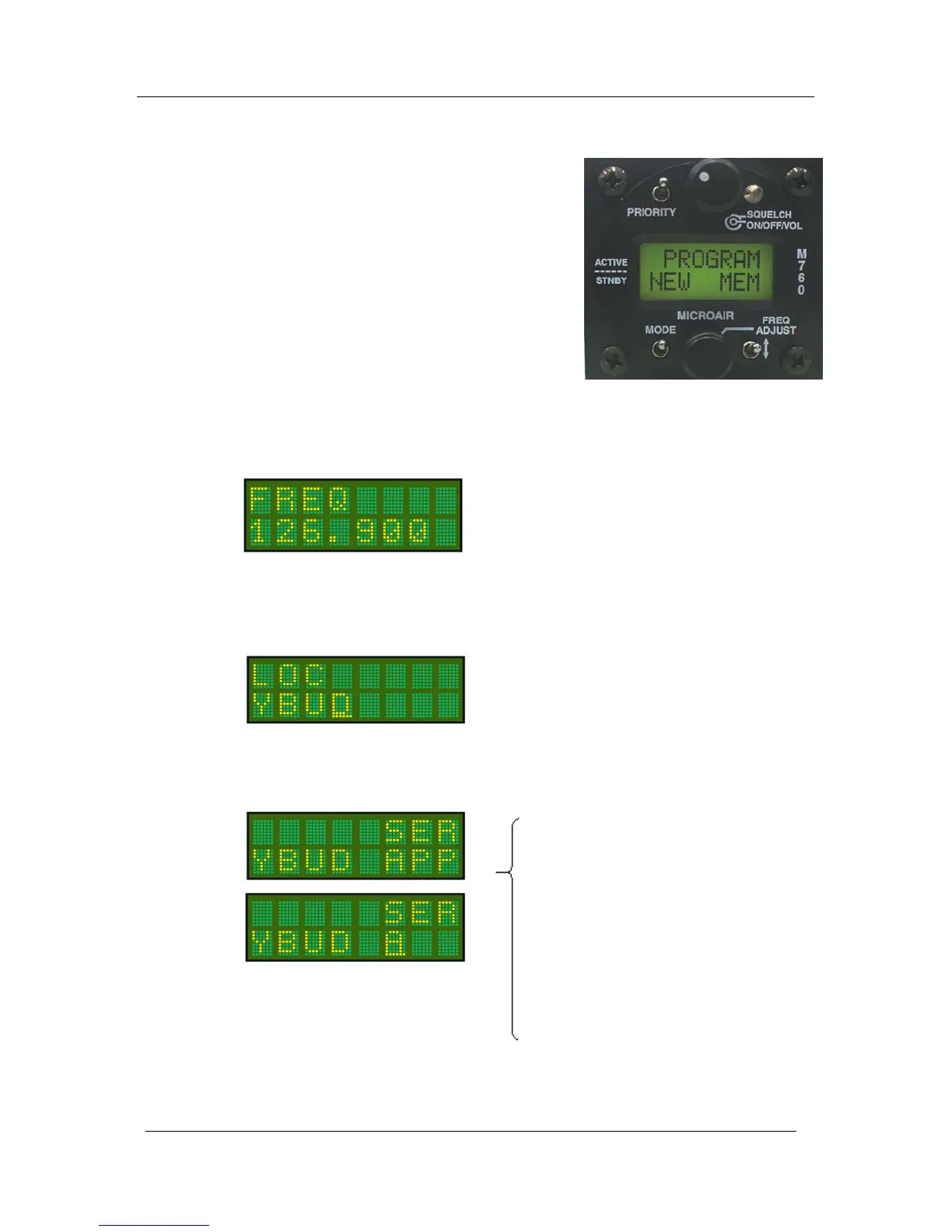
This option allows the user to program a new channel into
one of 99 memories. The next available memory will
automatically be selected.
To load a new channel the user must enter the frequency,
location, and service type. The location is typically the airport
ID, but the user may enter any 4 character description. The
service type can be selected from a list, or the user can enter
any 3 character description.
Press the toggle switch briefly to enter the NEW MEM
function.
6.4.1 SET FREQUENCY
Using the frequency adjust knob, set the frequency for the selected memory channel. The cursor can be
cycled through the MHz and KHz by pressing the frequency adjust knob. Once the frequency is set,
press the remote memory button or the toggle switch briefly.
6.4.2 SET LOCATION
Using the frequency adjust knob, set the name for the selected memory channel. The cursor can be
cycled through the character positions by pressing the frequency adjust knob. Once the name is set,
press the remote memory button or the toggle switch briefly.
6.4.3 SET SERVICE
Using the frequency adjust knob, select the service type for the frequency / location from the following
list options:
The blank option allows the user to enter a three
character service description. Scroll top the blank
option and press the frequency adjust knob briefly
to access the editing cursor.
Once the service type is selected or entered, press the toggle switch briefly. The word SAVED is
displayed, and then the display returns to the Program Menu.
APP Approach
ARR Arrival
ATF Air Traffic Frequency
ATS Automatic Terminal Information Service
(ATIS)
AWS Automatic Weather Observing Service (AWOS)
CLR Clearance / Delivery
CTF Common Traffic Advisory Frequency (CTAF)
DEP Departure
FIA Flight Information Area
FSS Flight Service Station
GND Ground
MF Mandatory Frequency
PAL Pilot Activated Lighting
TWR Tower Frequency
UNI Unicom
blank User defined service (3 characters)
Cycle cursor between MHz, and KHz, by pressing
the frequency adjust knob inwards briefly. Rotate
the frequency adjust knob to change value.
Cycle cursor between character positions, by
pressing the frequency adjust knob inwards briefly.
Rotate the frequency adjust knob to change the
character.



 To Next Page