Microair Avionics M760 Transceiver Installation & User Manual
M760Q Install & User Manual 01R12.doc Page 25 of 36 30
th
March 2010
Monitor mode can be cancelled by pressing the remote memory button or toggle switch briefly. The ‘M’
character is no longer displayed at the right hand side of the display.
If the mode switch is pressed to move from active/standby mode to channel mode, the monitor function
is disengaged.
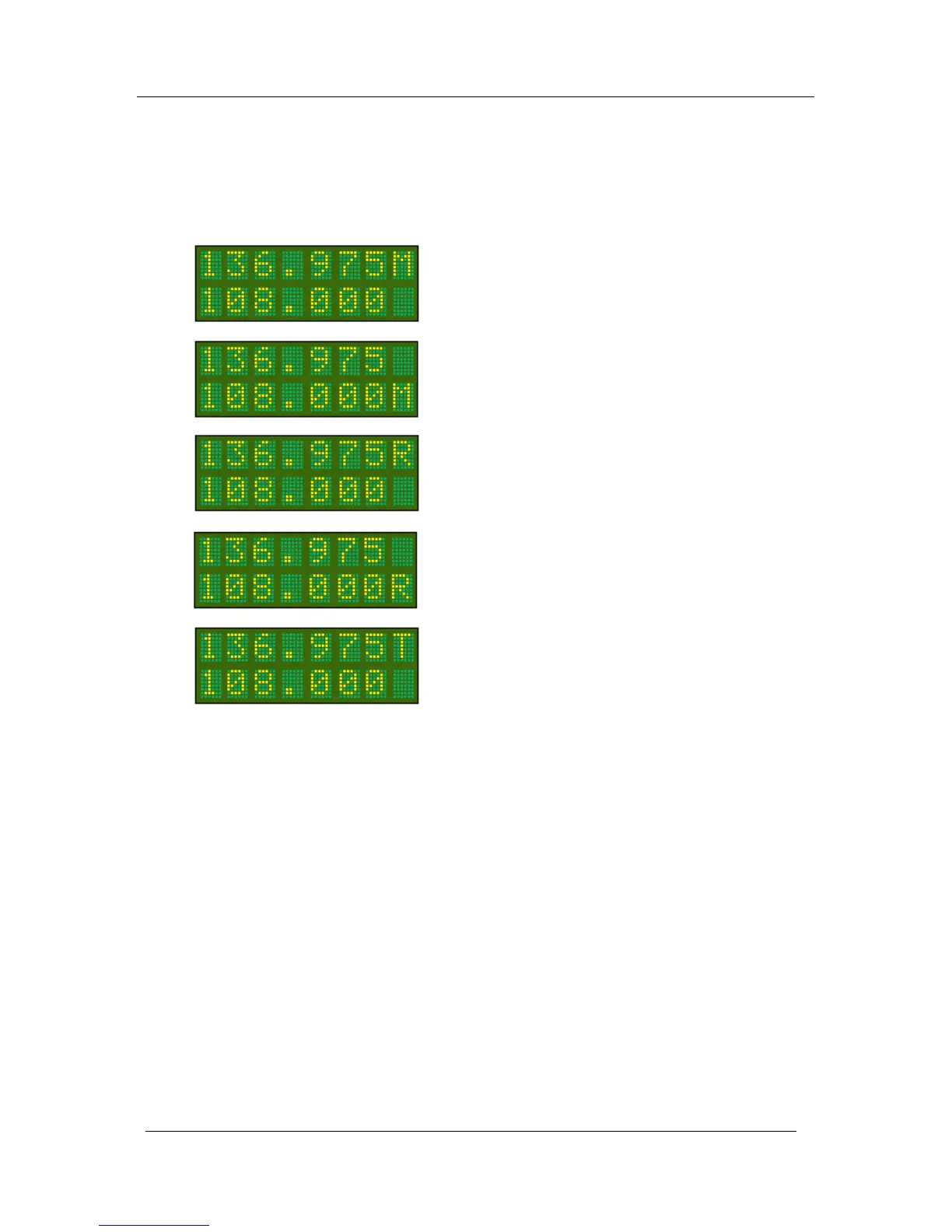
Monitor Mode
Receiving on ACTIVE frequency
Monitor Mode
Receiving on STANDBY frequency
Monitor Mode
Transmitting on ACTIVE frequency
Monitor Mode
Monitoring on STANDBY frequency
Monitor Mode
Monitoring on ACTIVE frequency



 To Next Page