© Microhard Systems Inc. CONFIDENTIAL 116
IP9xx Series
6.0 Configuration
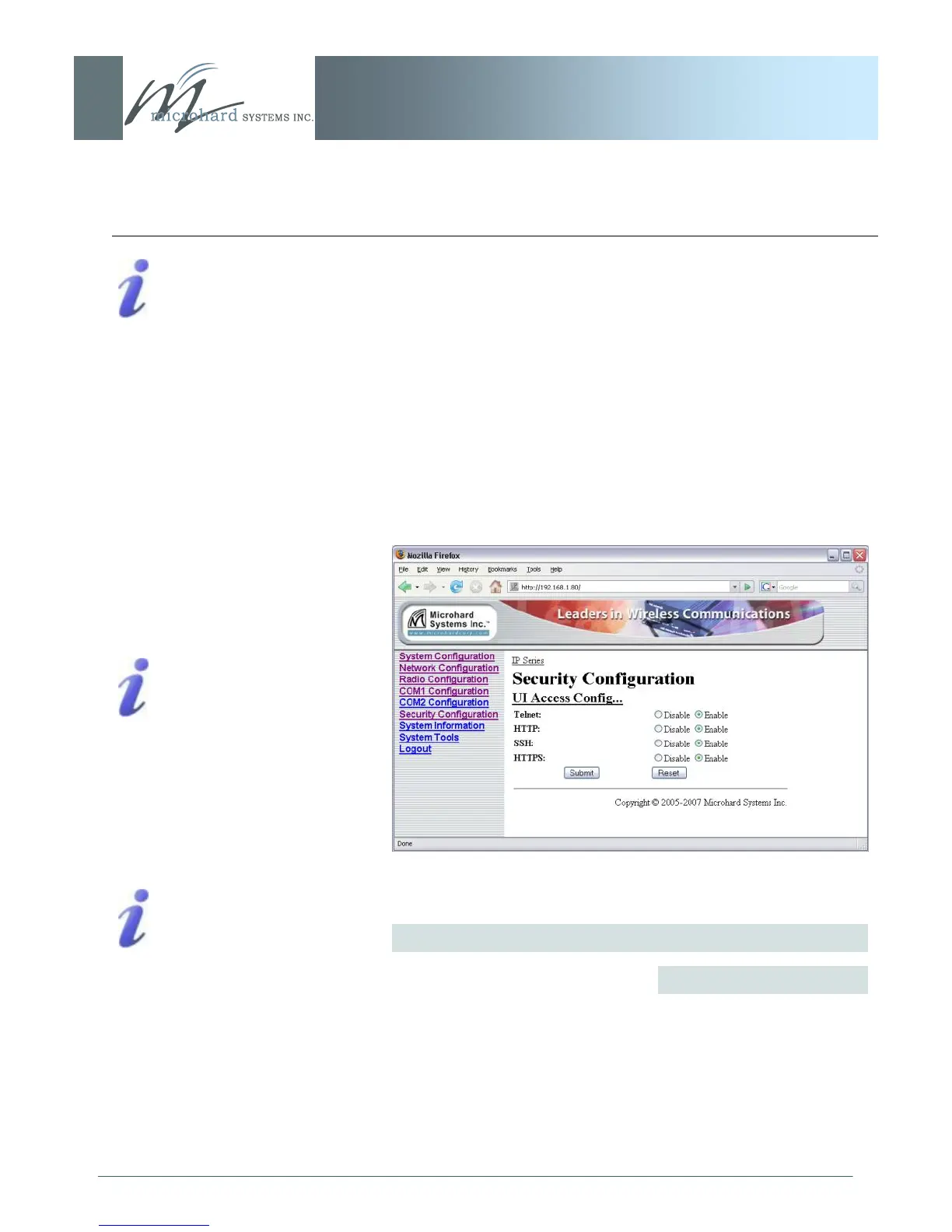
6.1.7.5 UI (User Interface) Access Configuration
Image 6AC: Security Config. Menu, UI Access Config. Submenu
User Interface (UI) Access Configuration. By default, all UI access
options are available, and include:
Telnet
HTTP
SSH (if optioned)
HTTPS (if optioned)
For security reasons, any or all may be disabled.
UI Access Configuration
Telnet: A user command
which uses the TCP/IP
protocol to access a remote
device.
Format, from DOS prompt:
>telnet 192.168.1.50
where the IP address is that
of the target device.
If the above IP address is that
of an IP Series accessible via
the network, the user will
arrive at the unit‘s LogOn
window.
For a secure connection, see
HTTP: HyperText Transfer
Protocol. The standard
protocol for transferring data
between a Web server and a
Web browser.
The IP Series has a built-in
Web server.
SSH: Secure Shell. A
protocol used to create a
secure connection between
two devices. It provides
authentication and encryption.
Designed as a replacement
for Telnet, which is not
secure.
Values
Disable
Discoverable
Changeable
continued...



 To Next Page