© Microhard Systems Inc. CONFIDENTIAL 52
IP9xx Series
6.0 Configuration
6.1.4.1 Local IP Configuration
6.1.4.1.2 Router
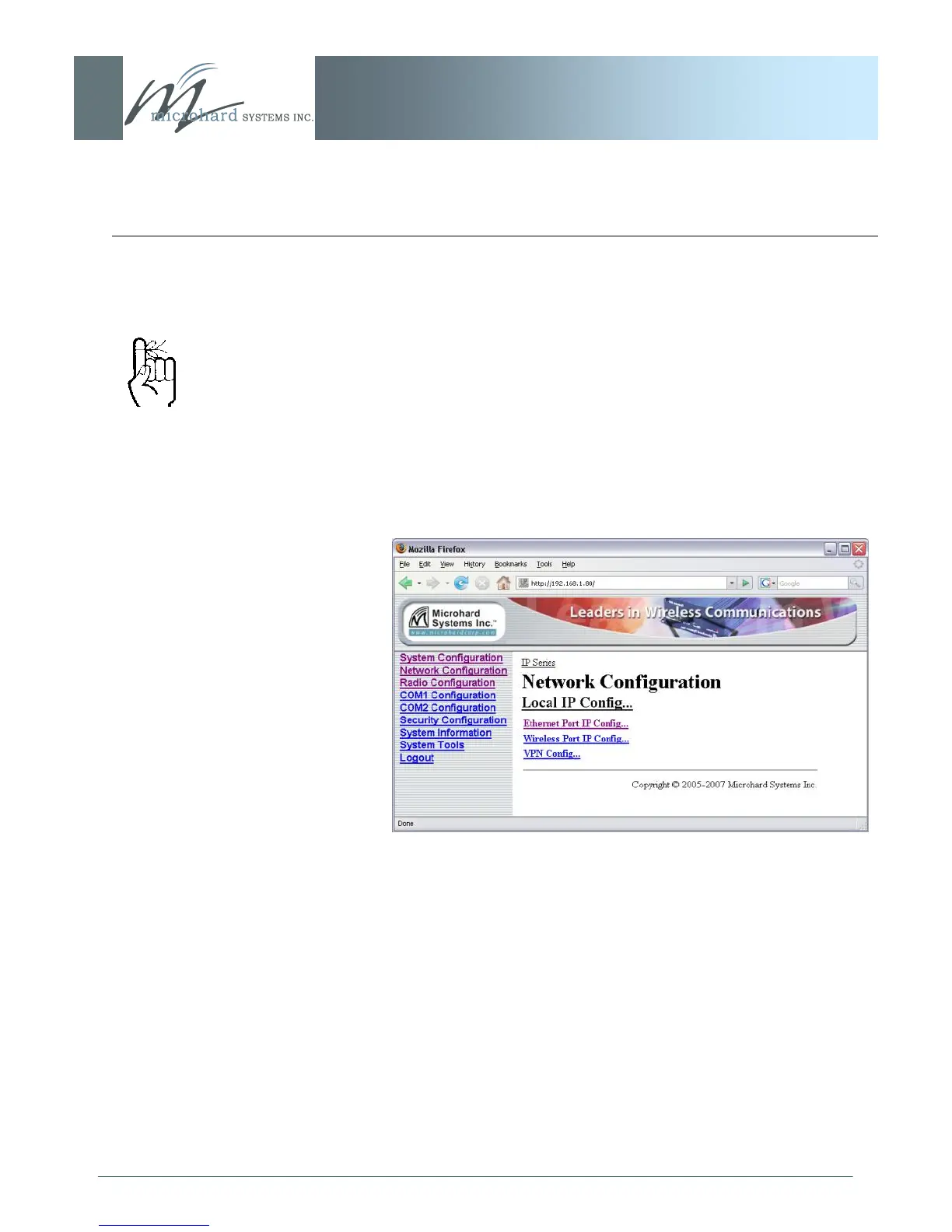
Image 6G: Network Configuration (Router), Local IP Configuration
Submenu
If the IP Series unit has been configured as a Router (under the
System Configuration menu), the Network Configuration will
present some additional options to those presented if the unit was
configured as a Bridge.
The Ethernet Port IP Configuration applies to the ‗wired‘ port (at
rear of IP Series unit), which may also be considered as the WAN
(Wide Area Network) port.
The Wireless Port IP Configuration applies to the LAN (Local Area
Network): the LAN consists of the devices, and IP Series units,
connected to each other via the wireless (radio) network.
Refer to the preceding section for configuring the Ethernet Port,
keeping in mind that the settings apply only to the ‗wired‘
connection of the MASTER unit.
There are two other options to be discussed further on the following
pages:
Wireless Port IP Configuration
VPN Configuration
Only the MASTER IP Series
unit may be configured as a
Router.



 To Next Page