© Microhard Systems Inc. CONFIDENTIAL 75
IP9xx Series
6.0 Configuration
6.1.4.7 VLAN (Continued)
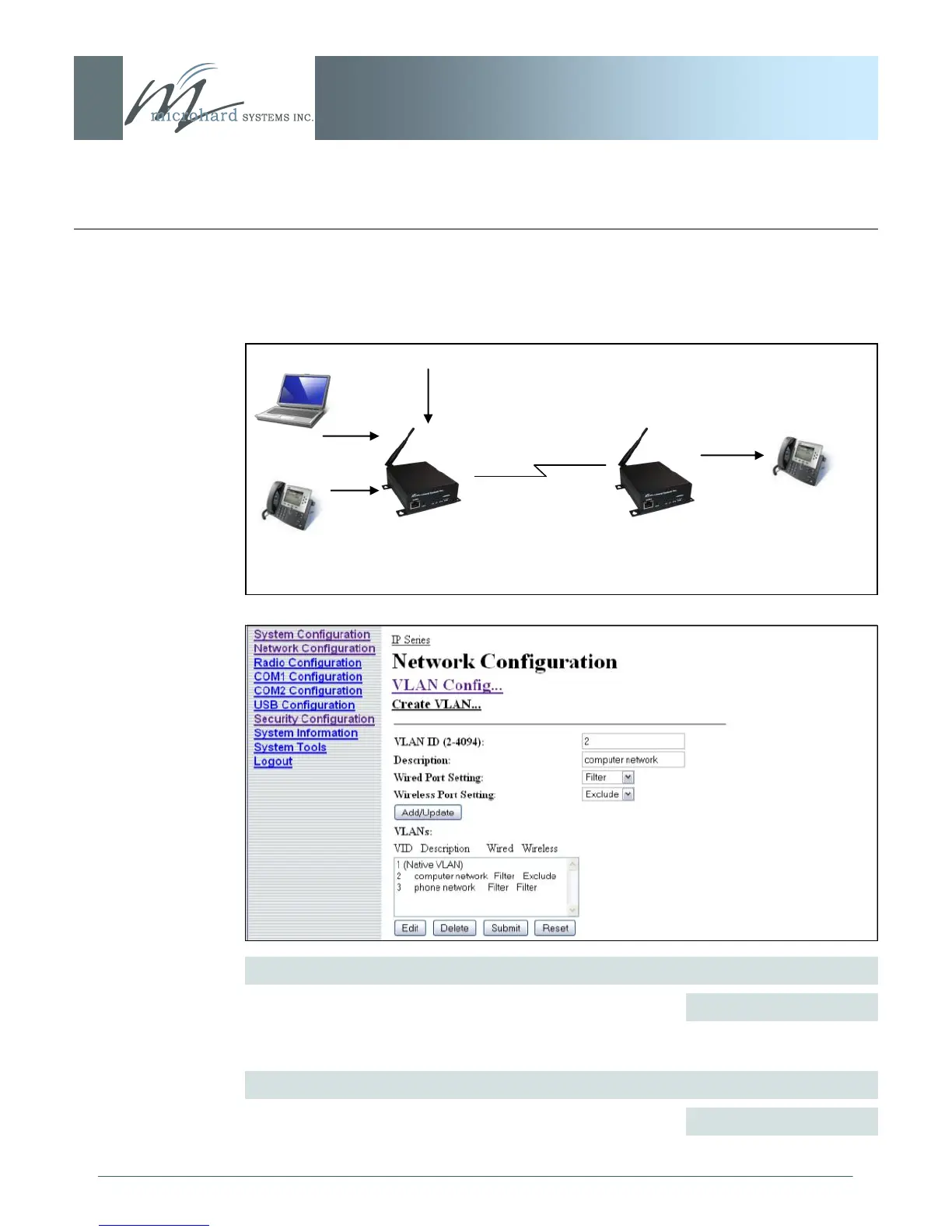
In the example below, The VLAN feature can be used to filter data so that only the data
between the IP Phones (VLAN3) are transmitted on the wireless link.
VLAN Status
Use the VLAN Status option to enable or disable the VLAN
functionality on the radio. The default value is disable.
Disable / enable
Values (selection)
Management VLAN (VLAN ID)
Once VLAN us enabled, it uses a default value of 1 for the
Native VLAN for management purposes.
1
Values
Serial Data
(Untagged)
Computer (VLAN2)
IP Phone (VLAN3)
IP Phone (VLAN3)
Example



 To Next Page