IP920 Operating Manual: Chapter 4 Configuration 41
Recovery from Command Line FTP
In case the unit needs to be upgraded from recovery mode, the following
procedure should be taken. Recovery images have file extension *.img.
Download recovery image and save it into a known directory;
Start up a command line window from the system;
Change current directory to where the package file is located;
Cycle power on the IP920 unit with CFG button pressed and held
down until “SYS” LED is observed in fast flash mode;
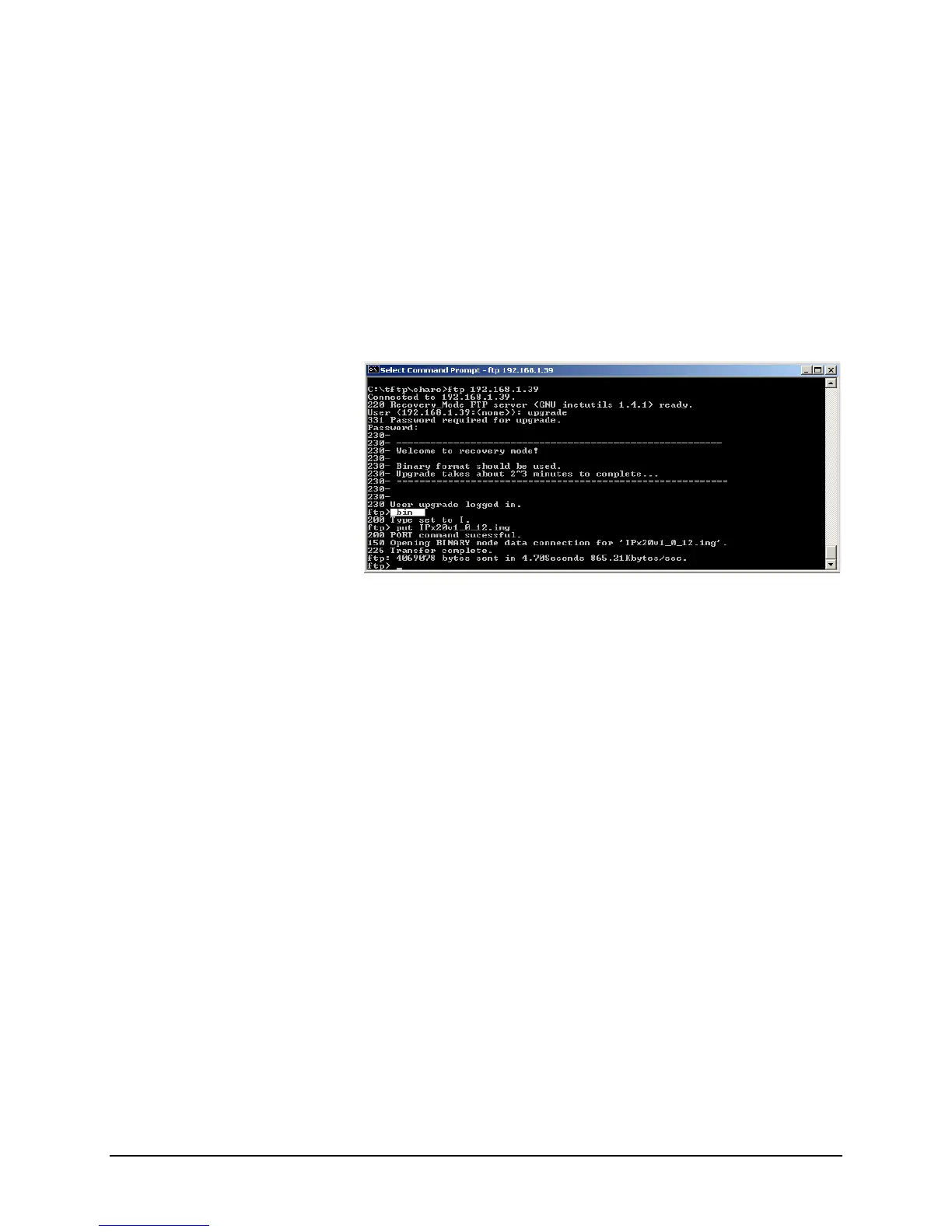
Start a FTP session as shown below; the IP address is set to a
default 192.168.1.39;
Figure 21 Command Line Recovery
Provide proper user name and password to login;
Change transfer protocol to BINARY mode;
Push package upgrade file into the system with “put” command;
Package upgrade takes more than 2 minutes to complete. The
“SYS” LED changes from fast flash to slow flash to indicate
upgrading is in process;
The unit automatically reboots after the recovery procedure is
completed.



 To Next Page