Additional settings
76
Code
The Additional settings menu incorporates relevant functions and sys-
tem settings which require an enhanced knowledge of machine repro-
cessing. Access to the menu can therefore be protected by a four
digit code.
It is not possible to block individual options or use multiple codes at
the same time.
If a code is lost, a new code must be issued by Miele Service.
Entering a PIN
code
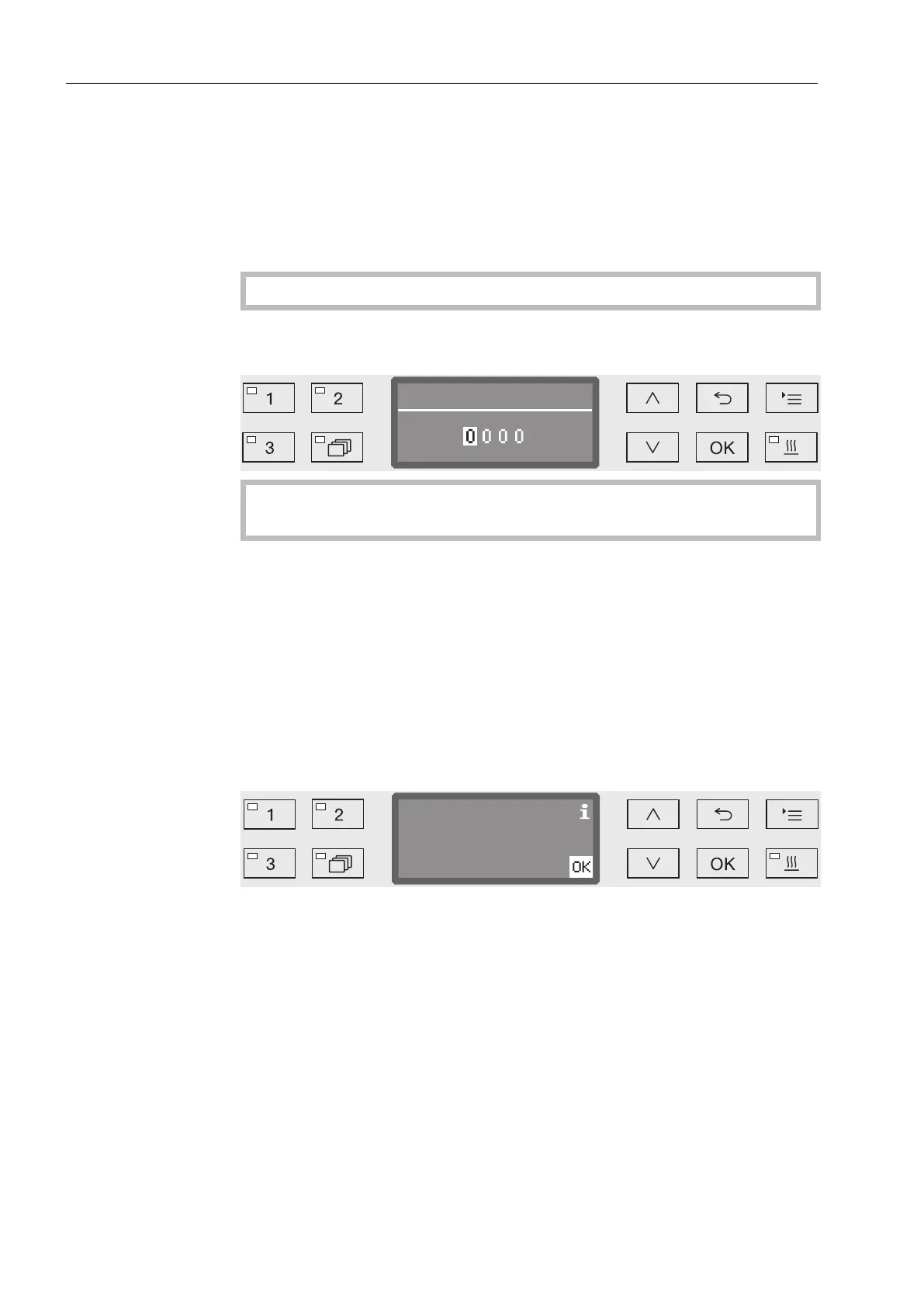
If access to the Additional settings menu is blocked, you will be
prompted to enter the code when it is selected.
If you do not have the code, contact a user with appropriate ac-
cess rights or cancel the process using the button.
Use the arrow buttons (higher) and (lower) to enter the relevant
digits.
Confirm each digit individually with the OK button.
When the OK button is pressed, the display jumps automatically to
the next input position. You cannot go back to the previous entry. If a
mistake is made, the process must be canceled using the button
and repeated. Entered digits are replaced by a * symbol.
If all digits are entered correctly, the menu will be released.
If an incorrect entry is made, an error message will appear.
Confirm the message with OK.
Access remains blocked and the display reverts to the menu selec-
tion.


 To Next Page