Additional settings
88
Renaming a dis-
pensing system
If necessary, you can add an additional term to the designations of
the dispensing systems “DOS1” etc., e.g. “DOS1 detergent”. The des-
ignation “DOS” with the associated number cannot be changed.
Use this option to document all changes to factory settings in case
of a subsequent Miele Service call requirement.
If the option
- Change name
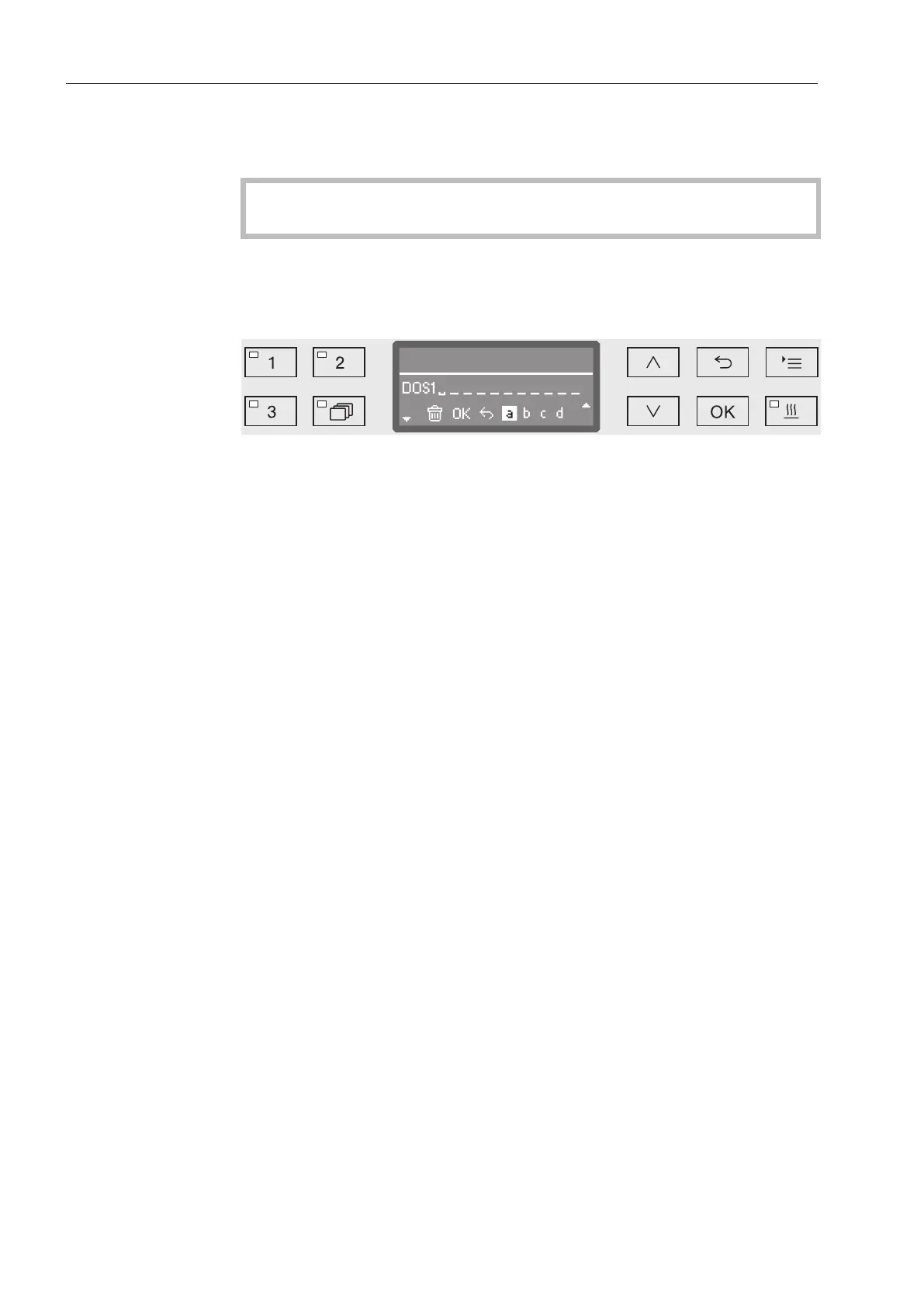
has been selected, the display changes to the following view:
The current name is shown on the second line of the display. This can
be changed using the options shown in the bottom line. The top line
shows which option has been selected from the bottom line.
Names may consist of up to 15 characters including spaces. The fol-
lowing options are available:
- Letters from A to Z;
each new word will start with a capital letter.
- Numbers from 0 to 9.
- Space characters .
- Use the symbol to delete the last position.
- The name is saved when the OK symbol in the display is selected.
The display will then revert to the initial menu.
- The symbol in the display or the button end the process with-
out saving the name change. The display reverts to the initial menu.
Use the arrow buttons (right) and (left) to move the cursor to
the option you require.
Confirm each entry with OK.
Test program
Various programs are available for monitoring cleaning performance
in routine testing.
See “Maintenance” for more information on these programs.


 To Next Page