Operating the washing machine
14
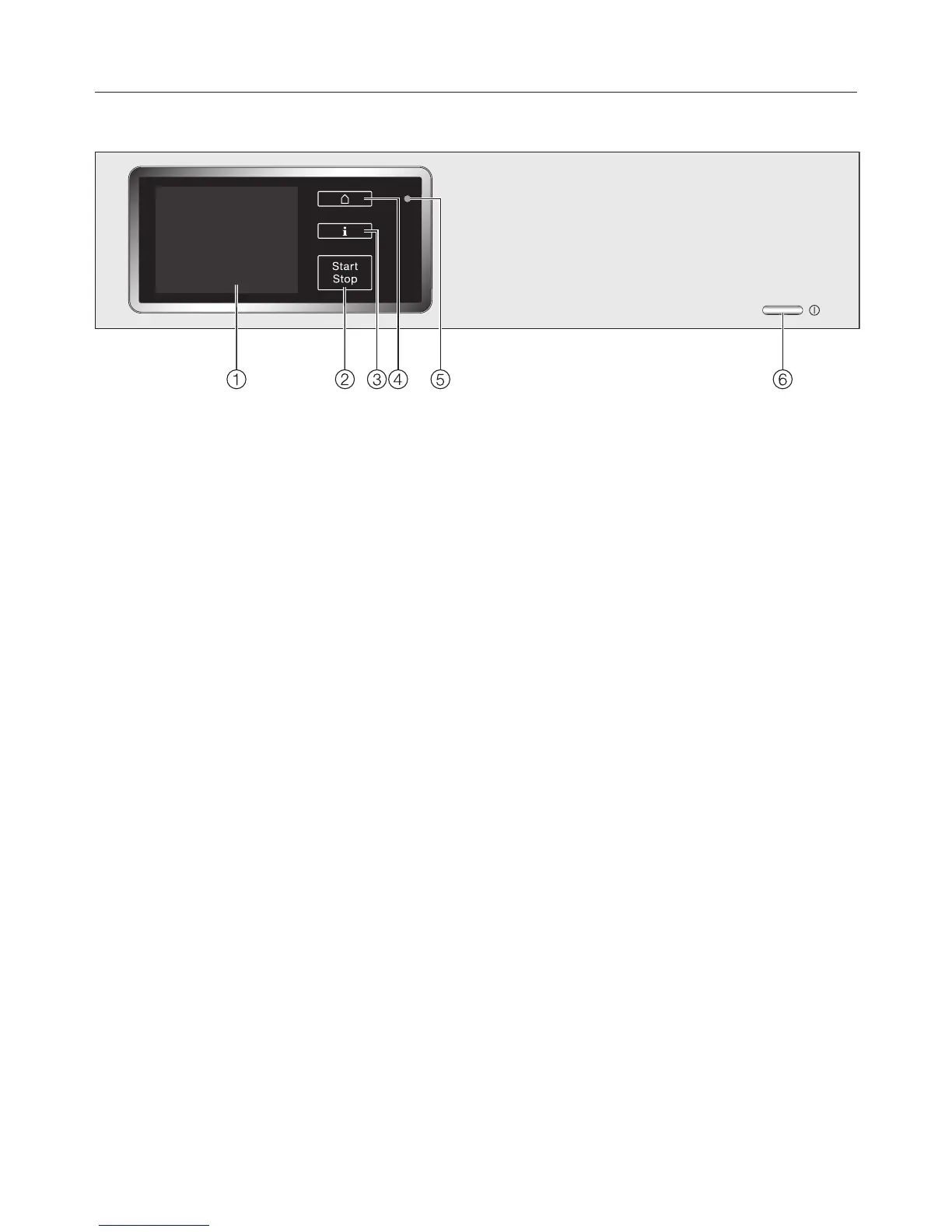
Control panel
a
Touch display
See the next page for more
information.
b
Start/Stop sensor
For starting the programme selected
and cancelling a programme once it
has started. The programme selected
can be started as soon as the sensor
starts flashing.
c
sensor
The sensor lights up when
information about the menu in the
display is available.
d
sensor
For returning to the main menu.
Values set previously are not saved.
e
Optical interface
For service technicians.
f
button
For switching the washing machine
on and off. To save energy, the
washing machine will switch off
automatically 15 minutes after the
end of the programme / Anti-crease
phase or after being switched on if
no other selection is made.


 To Next Page