User Manual
www.milesight.com 54
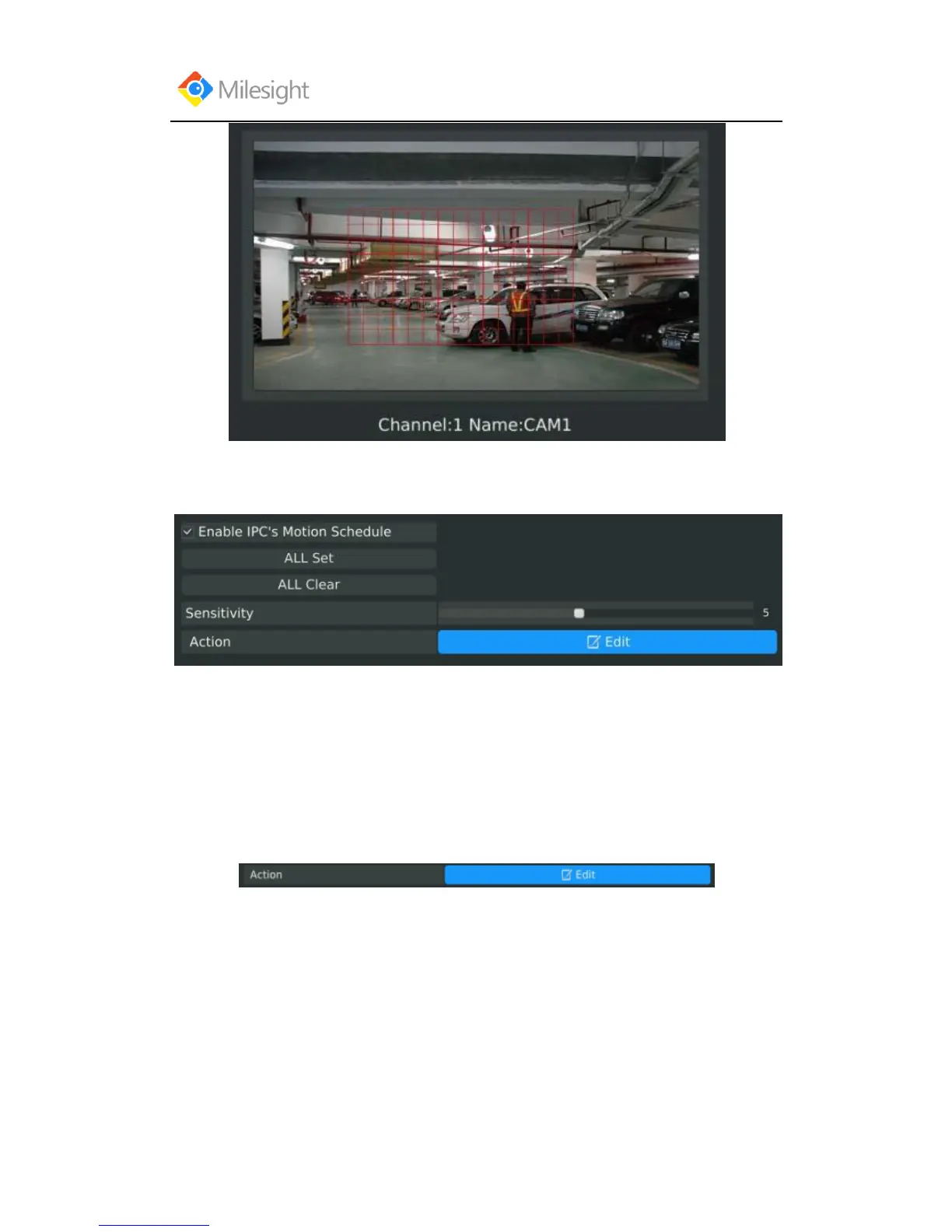
And meanwhile the area will be synchronized in IPC.
Step2. Select the schedule, sensitivity and trigger area for motion detection.
[Enable IPC‟s Motion Schedule]: If it is enabled here, motion detect will take effect 7*24h; If it
is not enabled, motion detect will take effect as the schedule which is set on the IPC web.
[All Set]: Set all area as the trigger area;
[All Clear]: Clear all trigger area;
[Sensitivity]: Set sensitivity for motion detection, range from 1 to 10.It will synchronize to IPC if
you set sensitivity here;
[Action]: Edit action once motion is detected, refers to next step;
Step3. Select the desired channel and click [Edit] to configure motion detection action.



 To Next Page