OM-230693 Page 24
F
Complete Parts List is available at www.MillerWelds.com
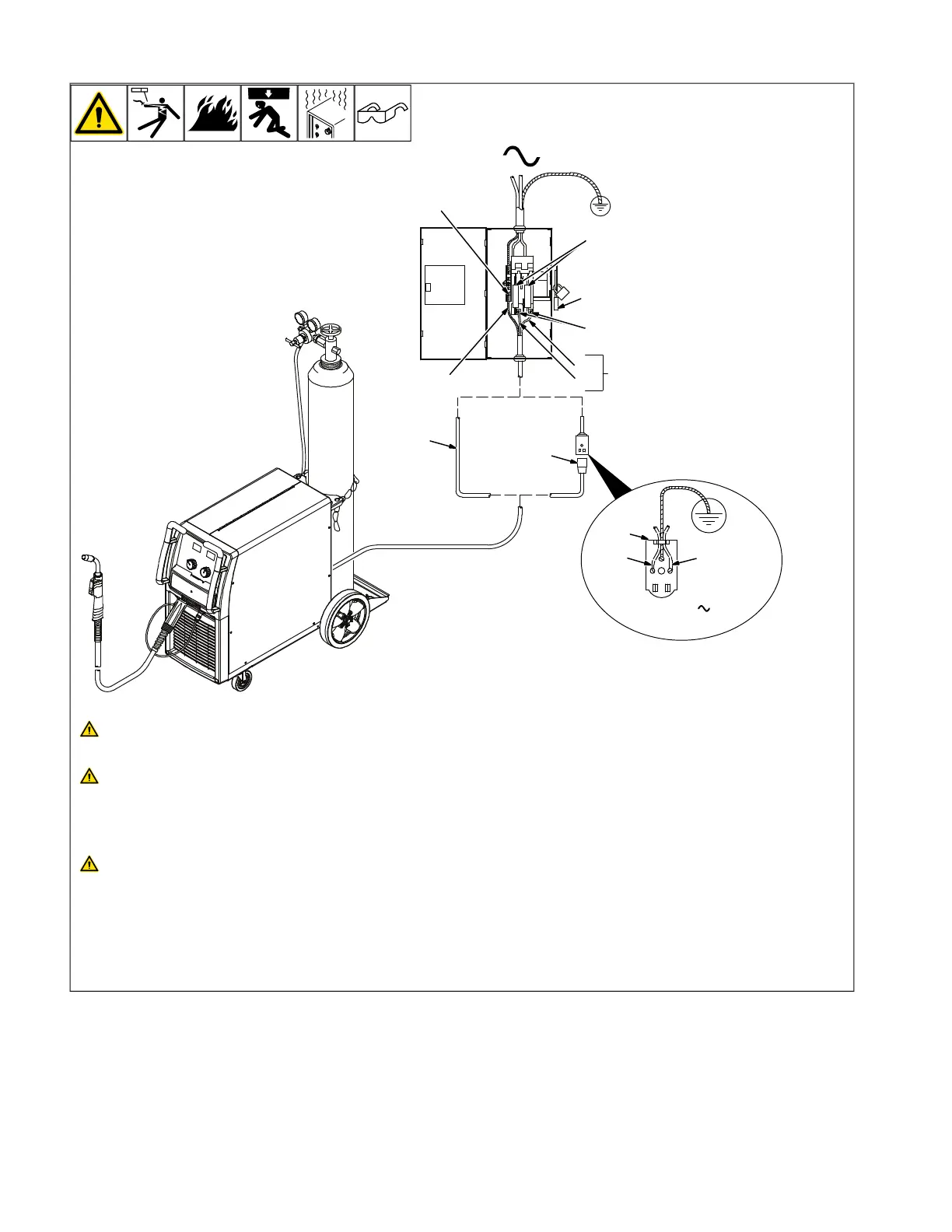
5-14. Connecting Input Power
804912-A
L1L2
240 VAC, 1
2
1
3
1
=GND/PE Earth Ground
4
L1
L2
8
7
5
6
9
Installation must meet all National
and Local Codes —have only quali-
fied persons make this installation.
Disconnect and lockout/tagout input
power before connecting input con-
ductors from unit. Follow estab-
lished procedures regarding the
installation and removal of lockout/
tagout devices.
Always connect green or green/yel-
low conductor to supply grounding
terminal first, and never to a line
terminal.
See rating label on unit and check input volt-
age available at site.
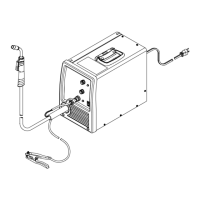
1 Plug (NEMA Type 6-50P)
2 Receptacle [NEMA Type 6-50R (Cus-
tomer Supplied)]
3 Input Power Cord
Connect directly to line disconnect device if
hard wiring is required.
4 Disconnect Device (switch shown in the
OFF position)
5 Disconnect Device Grounding Terminal
6 Disconnect Device Line Terminals
7 Green Or Green/Yellow Grounding
Conductor
8 Black And White Input Conductor (L1
And L2)
Connect green or green/yellow grounding
conductor to disconnect device grounding
terminal first.
Connect input conductors L1 and L2 to dis-
connect device line terminals.
9 Over-Current Protection
Select type and size of over-current protec-
tion using Electrical Service Guide (fused
disconnect switch shown).
Connect plug to receptacle if hard wiring
method is not used.
Close and secure door on disconnect de-
vice. Follow established lockout/tagout pro-
cedures to put unit in service.





 To Next Page