Other functions
34 Elix® Essential 3, 5, 10, 15 (UV) / RiOs™ Essential 5, 8, 16, 24
Saving display energy - ECO mode
When this function is activated, the ECO mode is used to save energy when the display is
not used. It shuts down the system’s display backlight after a 15 min period of non-use.
The ECO mode is disabled by pressing a keypad button or when a warning message is
displayed by the system (error code or warning symbol).
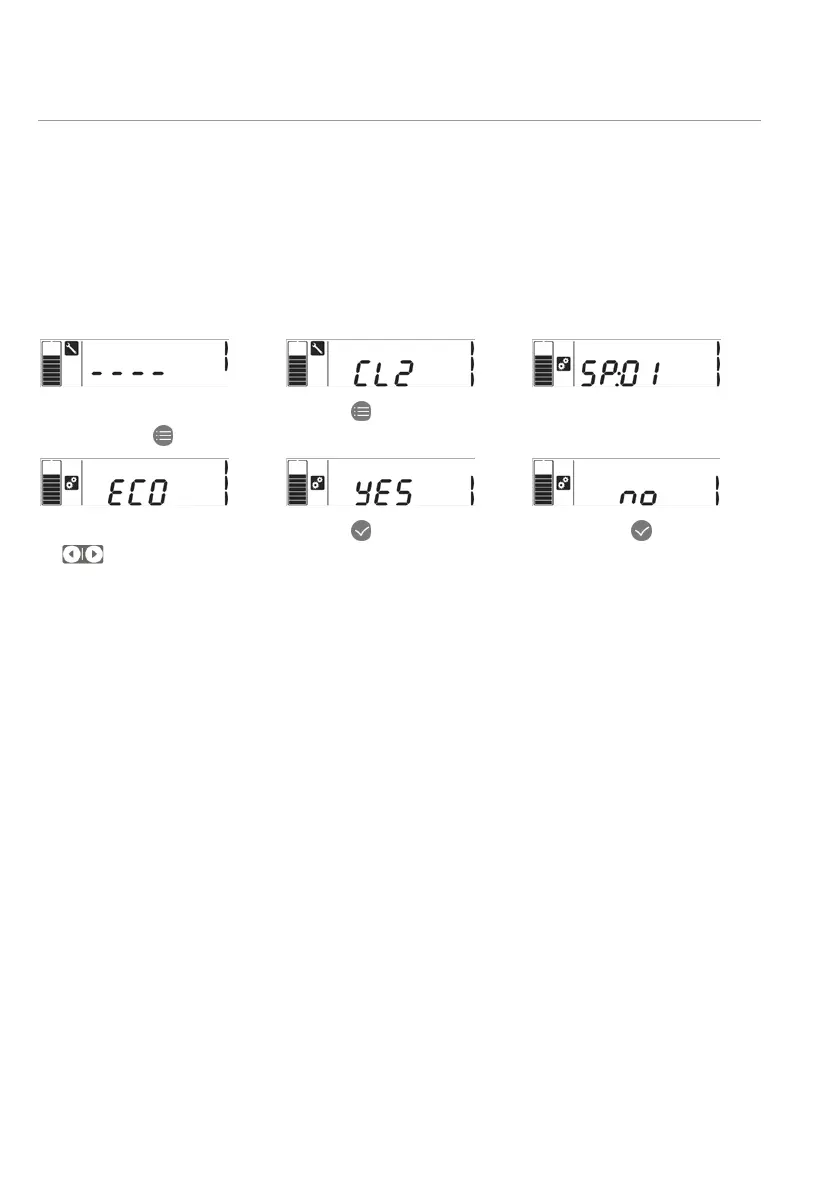
Configuring ECO mode
1- Put the system in Standby
by pressing
.
2- Press
once again.
3- You are in configuration
mode.
4- Press on right arrow
until you reach
5- Press
to change the
setting between YES or…
6- NO. Press
to confirm
and exit.






 To Next Page