Consumables replacement
26 Elix® Essential 3, 5, 10, 15 (UV) / RiOs™ Essential 5, 8, 16, 24
Replacing Progard® Pack
When the system shows the icon , order a new Progard® Pack.
When the system displays the yellow alert
, replace the pack.
Note:
it is recommended to replace the Vent Filter at this time. Additionally, it is
recommended to clean the feed water strainer.
Removing exhausted pack
fy or put the system in Standby by pressing - MODE key.
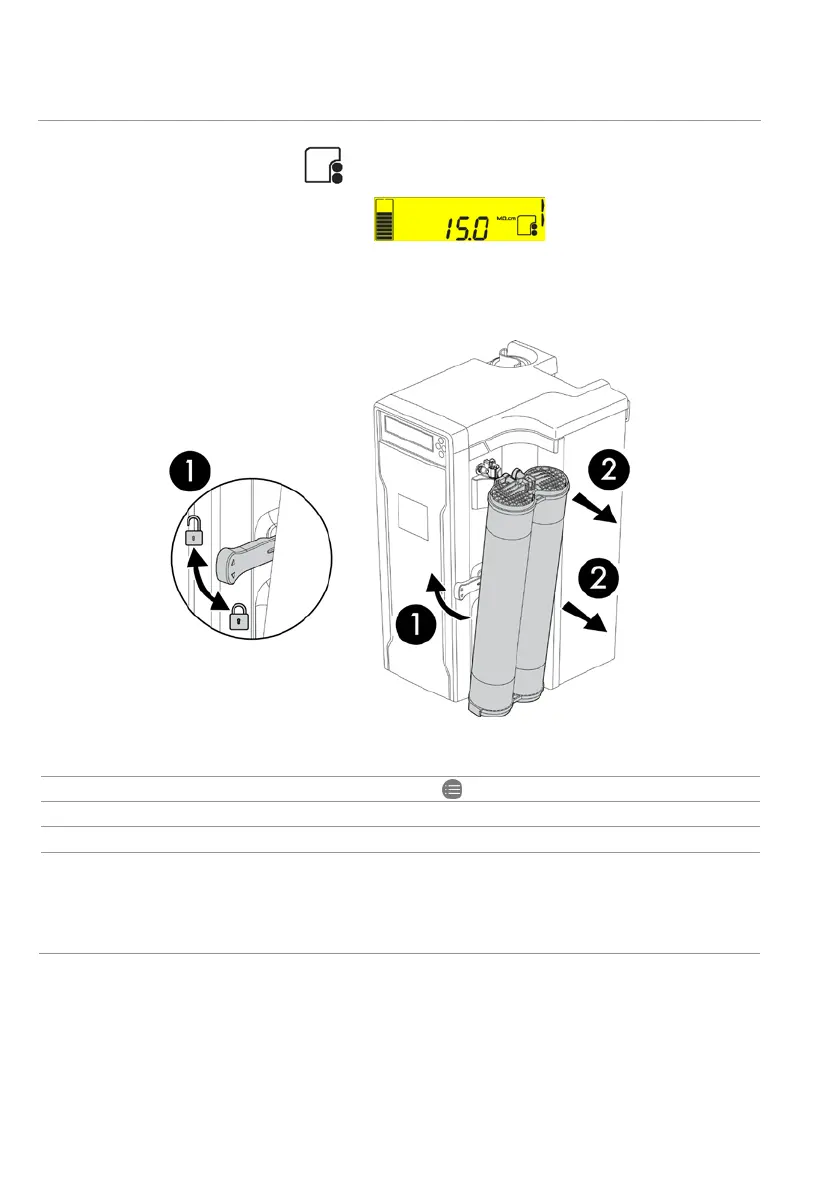
1 Unlock the locking handle by pulling up.
2 Pull out the pack.
Progard®
Pack is removed, a red color display appears. This is normal. This
will go away when a new pack is installed
.






 To Next Page