Specifications 2-9
Image operations
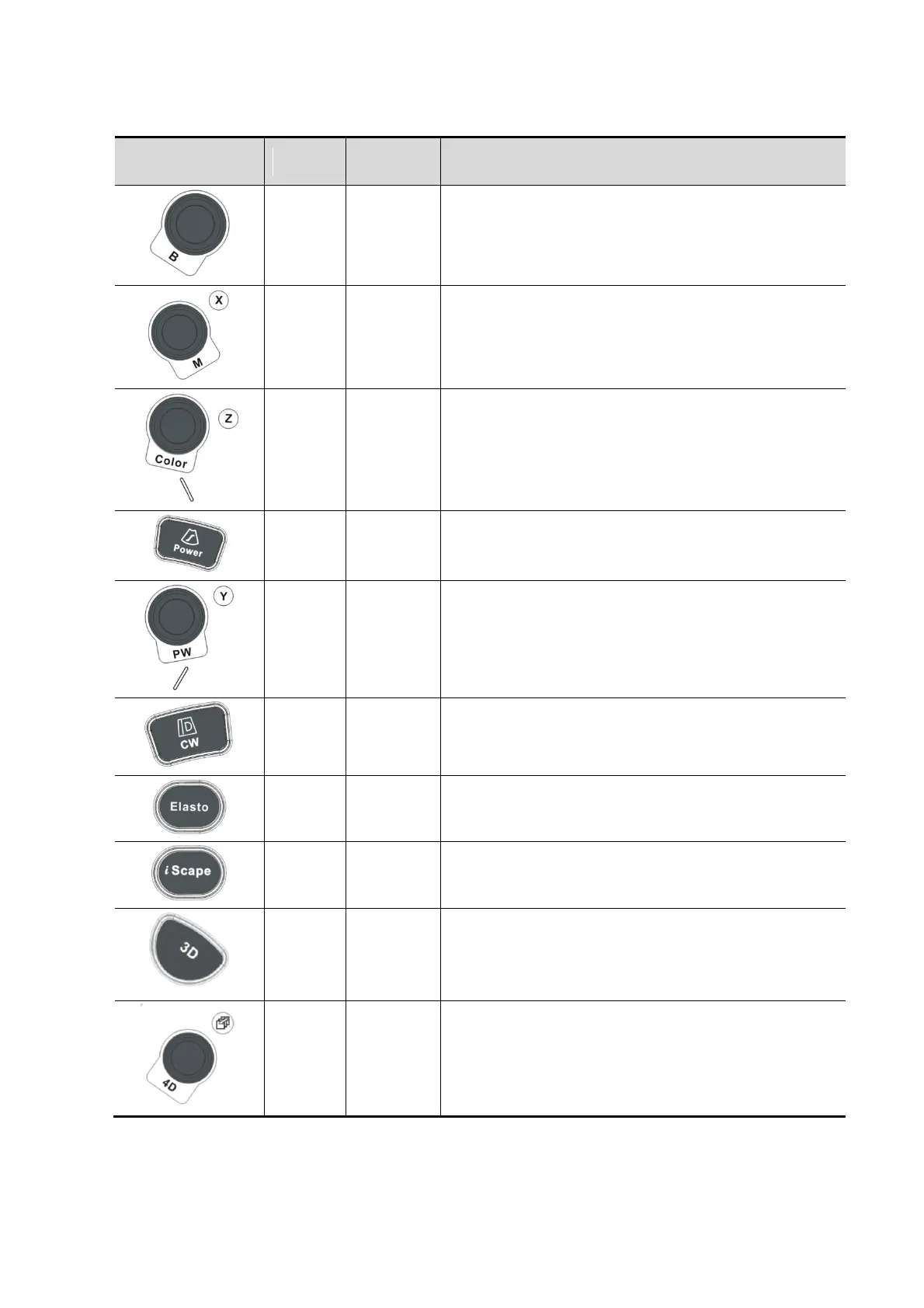
Press to enter B mode; Rotate to adjust B mode gain.
Press to enter M mode, and rotate to adjust M gain;
while in 3D/4D mode, rotate the knob to make the 3D
image to rotates around X axis.
Press to enter Color mode, and rotate to adjust Color
or Power gain; while in 3D/4D mode, rotate the knob
to make the 3D image to rotate around Z axis.
Press to enter PW mode, and rotate to adjust PW or
CW gain; while in 3D/4D mode, rotate the knob to
make the 3D image to rotate around Y axis.
Enter 3D imaging function: Smart 3D or Static 3D.
Press to enter 4D function; rotate to make the 3D
image rotation.



 To Next Page