Obstetrics 5-11
3. In the Obstetric report, select [Fetus A], [Fetus B], or [Fetus C] to switch among results of
different fetuses.
4. Click [Fetus Compare] in report page to see a visualized comparison result.
5. In the [Obstetric Growth Curve] dialog box, select [A], [B], or [C] on the lower part to display
the growth curves of different fetuses.
z Data of Fetus : Different symbols are used on the growth curves to identify measurement
data of different fetuses.
z History/ current data: Symbol size is used to distinguish them, with the history data
appeared in smaller symbol.
Tips: you can select whether to print multi-fetus data in one report via <Setup> -> [System
Preset] -> [OB].
5.7 Obstetric Exam Report
During or after a measurement, press <Report> on the Control Panel to browse the report.
See "5.6 Multi-fetus Exam" for multi-fetus exam report.
For details about report browsing, printing and exporting etc., see "1.7 Report".
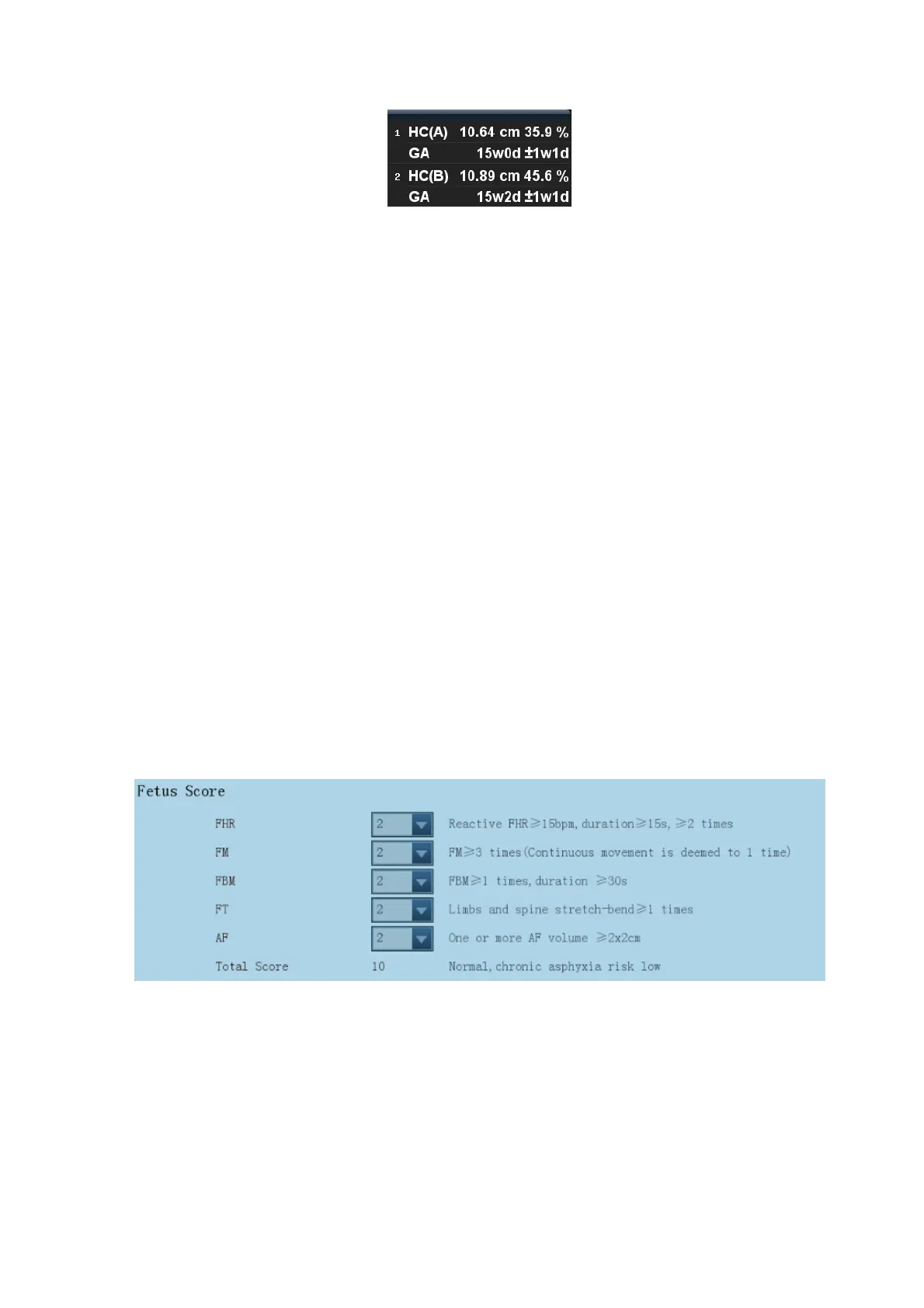
5.7.1 Fetal Biophysical Profile
Fetal Biophysical Profile means to first obtain a few indexes related to fetal growth through
experiment or measurement and then evaluate the hazardous situation that the fetus is facing by
grading these indexes respectively.
1. Click [Analyze] in the OB report page, the fetus Score is listed after the fetal analysis.



 To Next Page