System Connection
2-2
WARNING:
When the system is connected with other equipments, be
sure to connect their equipotential terminals before inserting
any of their power plugs into a receptacle, and also, be sure
to remove the power plugs from receptacles before
disconnecting the equipotential terminals.
2.3 Connecting Transducer
WARNING:
Use only transducers specified in this manual. Otherwise, the
system and transducer may be damaged or an accident such
as a fire may occur.
Ensure the transducer and its connector and cable are intact
before connecting it to the system. Using defective
transducers may cause electric shock.
NOTE:
Before connecting or disconnecting a transducer, be sure to turn off the
system or stop emitting (freeze the image). Otherwise, the system or
transducer may be damaged.
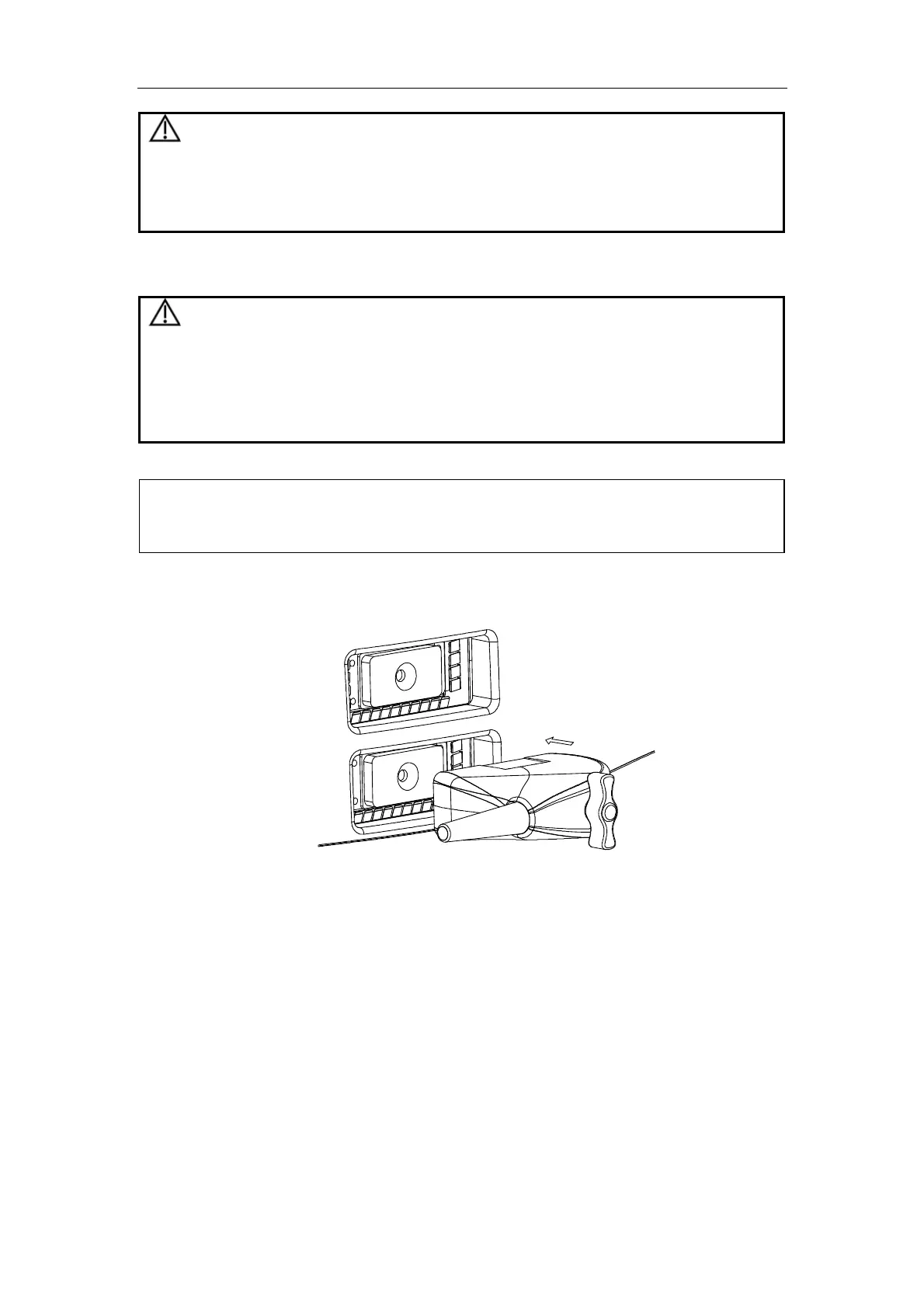
To connect a transducer
1 Turn off the system or freeze the image.
2 Put the lock handle to the position shown in the figure below.
3 Plug the transducer connector into the transducer socket on the system.
4 Turn the lock handle 90° clockwise.
To disconnect a transducer



 To Next Page