Chapter 5 Test and Material List
64
5.5 AG CALIBRATE
5.5.1 AG Check1、Using T-piece to connect the watertrap and Agent steel bottle well.
One of the T-piece ports must be vented to atmospheric pressure.
2、Select ‘MEASURE’ from work mode item in “AG SETUP” menu, then set pump rate ‘low’
and wait for 10 minutes after the warm up information disappears.
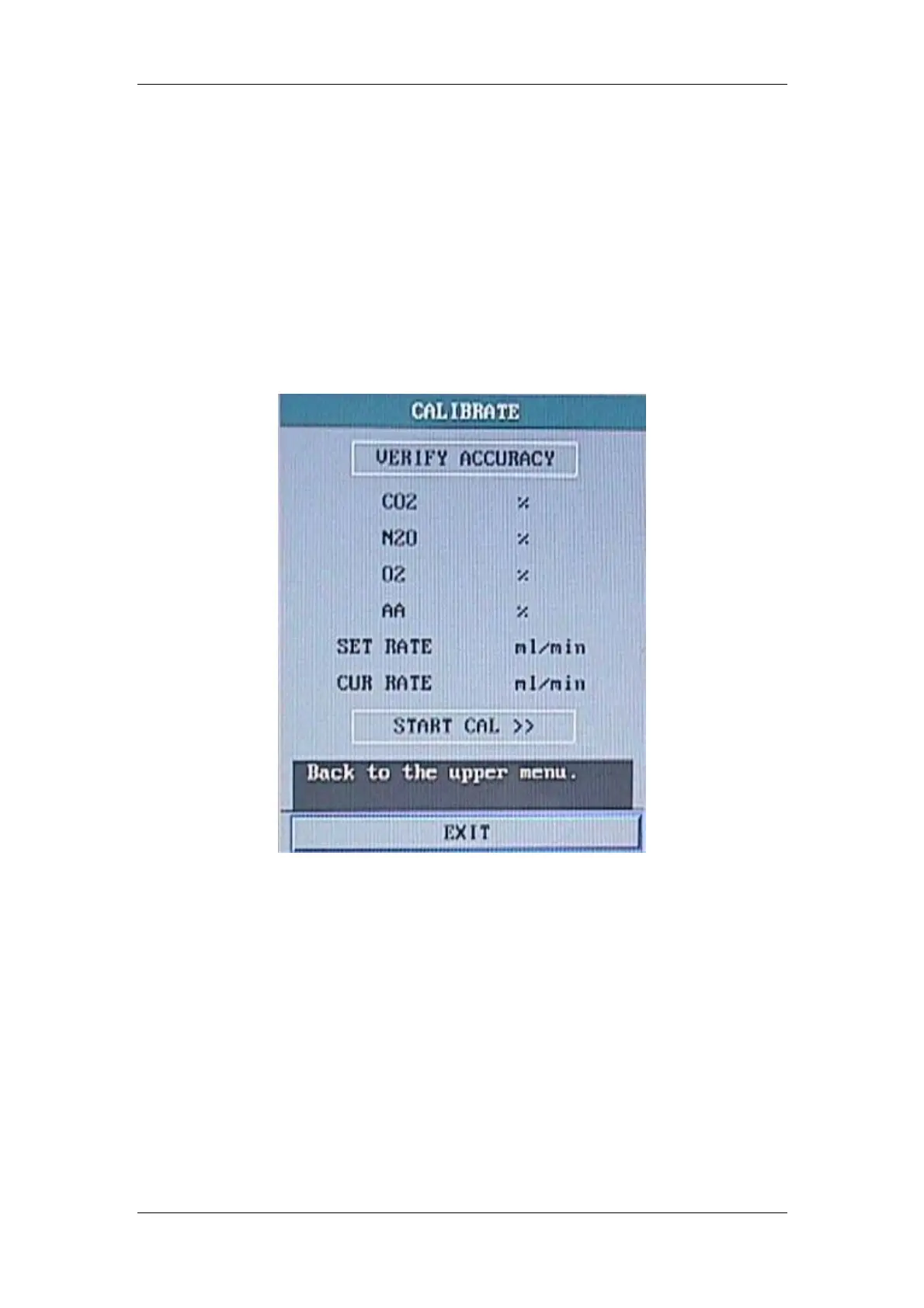
3、Enter ‘CALIBRATE’ menu, then open AG bottle and press the ‘VERIFY ACCURACY’ item.
Figure 5-9 AG Check Menu
4、Observe the display value after 1 minute. The agent concentration accurate should be less than
±5%.
5
、Choose other pump rate ‘middle’ or ‘high’,and repeat the previous procedures.
(pump rate definition: three pump rate under adult mode: 100/150/200ml/min; neonate:
70/90/110 ml/min)
6、If the accurate over range, please press ‘START CAL’.


 To Next Page