As soon as the gross weight exceeds range 1, the next highest range with the next highest
scale interval becomes valid (1->2->5->10->20->50).
Note:
During calibration, the multi-interval function is always switched o.
Example:
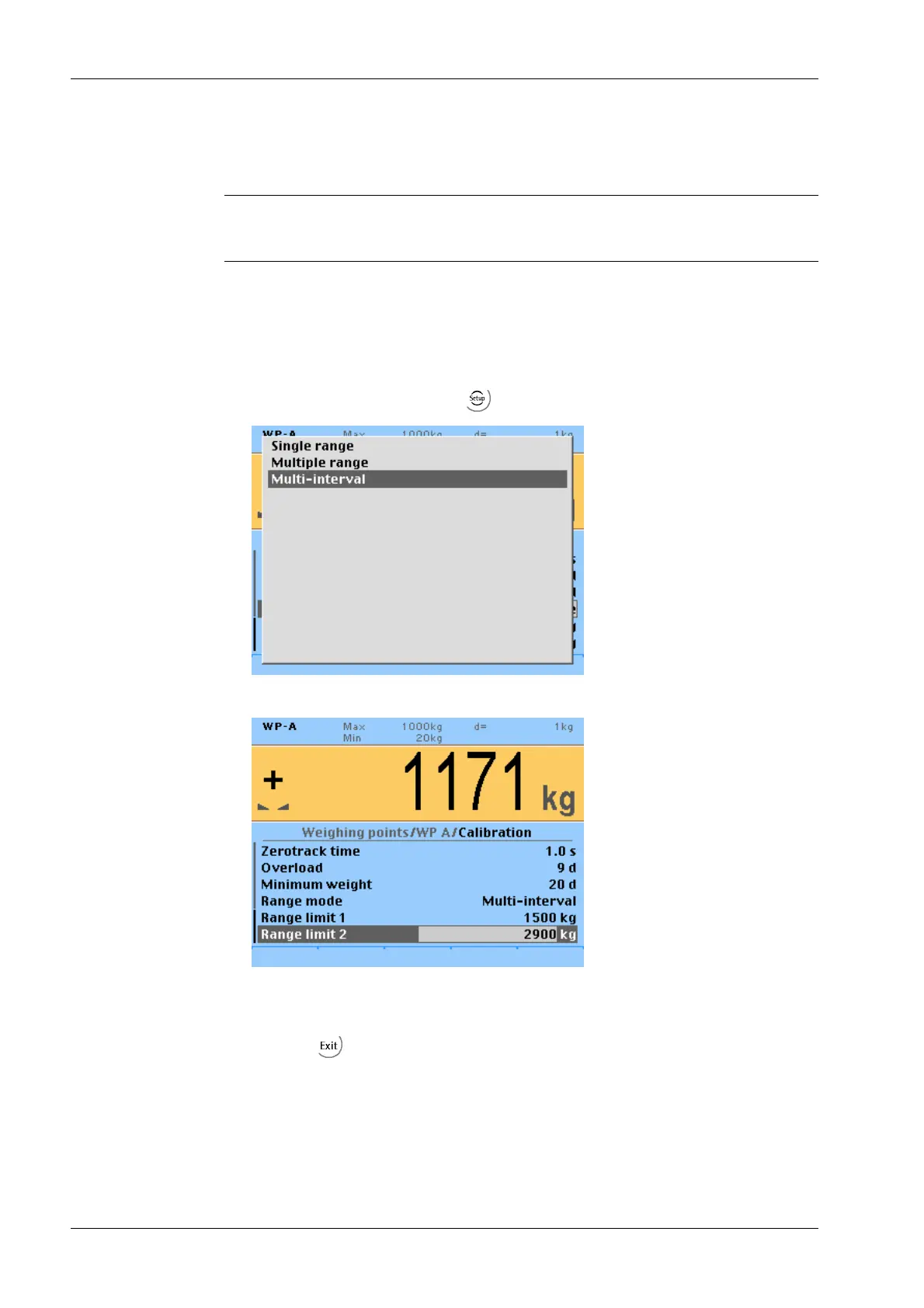
Range mode: "Multi-interval"
Interval range 1: 01500 kg (when calibrating set scale interval: 1 kg)
Interval range 2: 15002900 kg (next highest scale interval: 2 kg)
7.13 Calibrating xBPI-scale
7.13.1 General information
The legal-for-trade application of PR 5220 with a xBPI-scale is not possible.
1. Choose "Range mode" from the -[Weighing point]- [Calib]- [Param] menu.
2. Select "Multi-interval" and conrm.
3. Setting interval range 1: Enter "1500 kg" for range limit 1.
4. Setting interval range 2: Enter "2900 kg" for range limit 2.
5. Press the softkey to exit and save calibration.
Transmitter Series PR 5220 7 Commissioning
Minebea Intec EN-96



 To Next Page
 Loading...

