Mailboxes
You can add various types of mailboxes to the system for guests, front-desk
employees, and other users. For directions on setting up mailboxes, see Chapter 2.
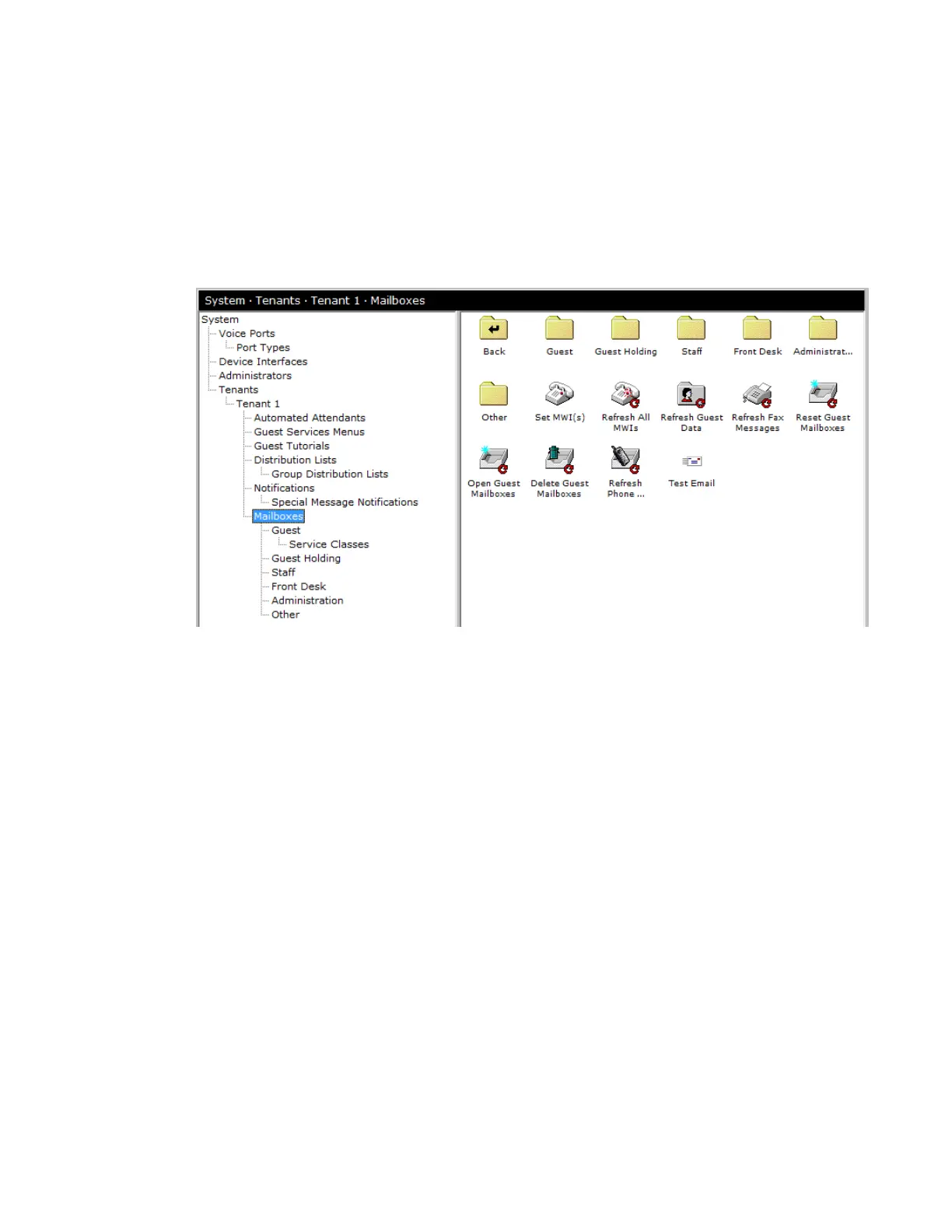
The Mailboxes area of the system tree controls various mailbox utilities. To reach
this area, click the Do button of the InnLine IP main screen, select Configure
System, and then click Mailboxes in the system tree. The following icons appear.
You have the following options in the Mailboxes area:
Set an MWI. This feature allows you to quickly test an extension’s message
waiting lamp. Enter the extension number you want to test, and then select the
indicator state (on or off). Note that if the PBX integration requires InnLine IP to
dial MWI feature access codes, you must have them programmed accurately in
the system’s “port type” before using this utility.
Refresh All MWIs. When activated, the system issues a light-on or light-off
command for each staff and guest mailbox in the system. Use this feature with
care. (If you have a 300-room hotel with 40 staff mailboxes and you issue this
command, you’ll create 340 message waiting events.)
Refresh Guest Data. Use this utility to send a resynchronization message to the
PMS device and update the data of checked-in and checked-out rooms.
Reset Guest Mailboxes. Use this utility to reset all guest mailboxes. Any guest
mailbox used for testing purposes is normally reset before “going live.”
Open Guest Mailboxes. Use this utility to change all closed guest mailboxes to a
checked-in or “open” state. Use this utility with caution on live systems. This
utility is helpful if the PMS interface will be off-line for an extended period.
Delete Guest Mailboxes. Using this utility will delete all guest mailboxes from
the tenant. Use this utility with care. Once deleted, guest mailboxes cannot be
recovered. This utility is normally used to clear mistakes during installation.




 To Next Page