141
CHAPTER 3 FUNCTIONS
3
3.8 Error Time Output Mode Setting
3.8 Error Time Output Mode Setting
This function determines the output mode (clear or hold) from the CPU module to the Q series-compatible output
modules, I/O combined modules, intelligent function modules, and/or interrupt module when a stop error occurs in the
CPU module.
(1) Error time output mode setting
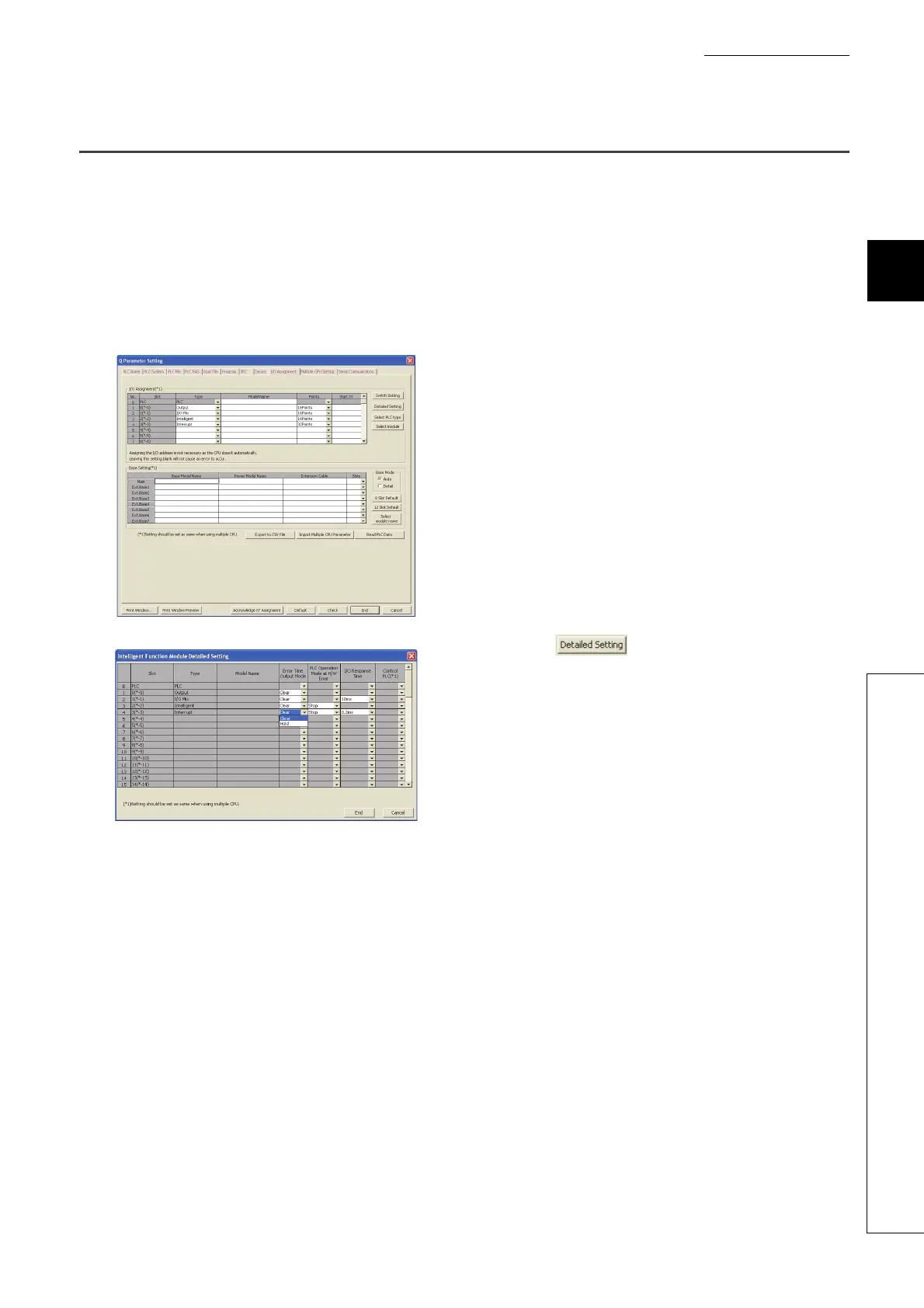
Set the error time output mode in the I/O Assignment tab of the PLC parameter dialog box.
(2) Precautions
The error time output setting will be enabled when:
• the CPU module is powered off and then on, or
• the CPU module is reset.
1. Set I/O assignment.
2. Click the button.
3. Select "Clear" or "Hold" for the slot where the error
time output mode is set. (Default: "Clear")


 To Next Page
 Loading...