EasyManua.ls Logo

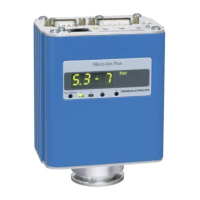
MKS 356 Micro-Ion Plus Series - User Manual

MKS 356 Micro-Ion Plus Series
76 pages
Print Icon
To Next Page IconTo Next Page
Loading...
Series 356
Instruction Manual
Series 356 Micro-Ion
®
Plus
Vacuum Gauge Module
Instruction manual part number 356007-GP
Revision D - April 2018

Questions and Answers

  • J
    Joshua HammondAug 1, 2025
    Why is my MKS 356 Micro-Ion Plus pressure reading inaccurate?
    • D
      Dustin CruzAug 1, 2025
      An inaccurate pressure reading on your MKS Control Unit can stem from several factors. It could be due to mechanical damage, contamination of the Micro-Ion gauge electrode structure, a vacuum leak in the chamber, or the Conductron gauge being out of calibration. If there is contamination, degas the Micro-Ion gauge or remove the gauge and sensor and bake out to 150 °C (302 °F). Calibrate the Micro-Ion Module at vacuum pressure if the Conductron gauge is out of calibration.
  • W
    William Bradley DDSAug 5, 2025
    What to do if my MKS Control Unit Micro-Ion gauge will not stay on?
    • T
      tamarastoneAug 6, 2025
      If your MKS Control Unit's Micro-Ion gauge isn't staying on, it might be due to several reasons. The vacuum chamber pressure may be too high, exceeding 2 x 10⁻² Torr (2.66 x 10⁻² mbar, 2.66 pascal). Ensure that you decrease the vacuum chamber pressure to less than this value. Also, if the filament is broken or mechanical damage has occurred, replace the gauge assembly. If contamination is present, degas the Micro-Ion gauge.
  • M
    Maureen ThomasAug 10, 2025
    What to do if the display reads 'OFF' on my MKS Control Unit?
    • S
      sandrawilsonAug 10, 2025
      If the display on your MKS Control Unit reads “OFF”, it could be because the gauge button has been pressed, and the Micro-Ion gauge is OFF. Turn ON the Micro-Ion gauge. Another potential cause is an open connection between pins 1 and 5 on the 15-pin connector. Check the circuit and cables.
  • A
    April StaffordAug 14, 2025
    What to do if my MKS Control Unit gauge indicator does not illuminate?
    • D
      Daniel SteeleAug 14, 2025
      If the gauge indicator on your MKS Control Unit isn't lighting up, here's what to check: * First, ensure the power supply is ON and adequate for the load. * If using a switching power supply, it may have shut down due to a current surge during power-up. Ensure the power supply can withstand the startup inrush current. * Inspect the power supply wiring for faults and replace or repair as necessary. * Verify the power supply connector is wired correctly; reconnect if needed.
  • K
    Karl HoAug 18, 2025
    Why does my MKS 356 Micro-Ion Plus Control Unit display read '0.3–9' when the Micro-Ion gauge turns ON?
    • J
      Jessica RogersAug 18, 2025
      If your MKS Control Unit displays '0.3–9' when the Micro-Ion gauge is turned on, it could be due to a coated Micro-Ion gauge collector. Perform the Micro-Ion gauge continuity test. Alternatively, the electrometer in the module may be faulty, in which case you should replace the gauge assembly.
  • K
    Kayla ValenzuelaAug 22, 2025
    What to do if process control trip point does not function properly on my MKS 356 Micro-Ion Plus?
    • R
      Robert BergerAug 22, 2025
      If the process control trip point isn't functioning correctly on your MKS Control Unit, it might be due to incorrect wiring of the trip point connector. Reconnect the wiring to the trip point connector. Another possible reason is that the trip points are set to invalid values; reconfigure the trip points.
  • C
    Christian LopezAug 27, 2025
    What to do if the vacuum chamber pressure is less than 20 mTorr but the pressure display is greater than 20 mTorr and the Micro-Ion gauge will not turn ON in my MKS Control Unit?
    • A
      ashley54Aug 27, 2025
      If the vacuum chamber pressure is less than 20 mTorr, but the pressure display reads greater than 20 mTorr, and the Micro-Ion gauge won't turn on, the Conductron sensor offset may not be set correctly (out of calibration). Calibrate the Micro-Ion Module at vacuum pressure.

Summary

Introduction to the Series 356 Micro-Ion Plus Vacuum Gauge Module

Caution and Warning Statements

Details hazard and unsafe practice statements to prevent injury or property damage.

System Grounding and Safety Precautions

Emphasizes correct grounding and explosion/implosion safety for vacuum systems.

Technical Specifications and Characteristics

Details measurement range, emission current, physical specs, outputs, and indicators.

Instruction Compliance and Customer Service

Stresses instruction compliance, warnings, using recommended parts, and contacts for service.

Installation of the Micro-Ion Plus Vacuum Gauge Module

Installation Procedure Overview

Outlines the steps for installing the module, including relief devices, wiring, and calibration.

Module Mounting and Connections

Guidelines for module location, attaching to chamber, and connecting power/output cables.

Electrical and Grounding Procedures

Covers relay wiring, module grounding, power supply, and output wiring for operation.

Sensor Calibration and Interference Mitigation

Procedures for Conductron sensor calibration and eliminating radio frequency interference.

Operation of the Micro-Ion Plus Vacuum Gauge Module

Module Operation Basics and Theory

Steps to prepare the module for operation and understand its theory of operation.

Gauge and Filament Control

How to set emission current, filament modes, and turn the gauge ON/OFF.

Pressure Reading and Output Interpretation

How to read vacuum pressure from the display and analog output.

Degassing, Calibration, and Trip Points

Procedures for degassing, calibrating, and setting relay trip points.

RS-485 Communication and Control

Overview of RS-485 interface, setup, commands, and error handling for module control.

Maintenance and Troubleshooting

Customer Service and Product Returns

Information on contacting customer support, returning products, and general troubleshooting.

Gauge Continuity Testing and Replacement

Procedures for continuity testing, replacing the gauge assembly, and returning for service.

Appendix A: Filament Operation

Filament Operation Modes and States

Describes filament modes (Auto, Alt, Man) and gauge/LED/filament states.

Filament Switching Logic

Visual flow charts illustrating automatic, alternating, and manual filament switching behavior.

MKS 356 Micro-Ion Plus Series Specifications

General IconGeneral
BrandMKS
Model356 Micro-Ion Plus Series
CategoryControl Unit
LanguageEnglish

Related product manuals