© MOBATIME 12 / 120 800652.11
3.7.1 Overview of the main functions
The main MOBA-NMS functions for DTS devices and network clocks are listed below:
automatic device scan over multicast or IP range
device management using user-defined device groups see chapter „3.7.2 Device
management“
intuitive user interface with input check for the device configuration
status / alarm request and display on the device group level
device firmware update for one or several devices (parallel)
support for device commands, e. g. reset, restart etc.
back-up / recovery of DTS devices
transfer of the whole DTS configuration to another device
user management with different access rights
monitor for NTP and time zone packages
editor for time zone files
online help
etc.
3.7.2 Device management
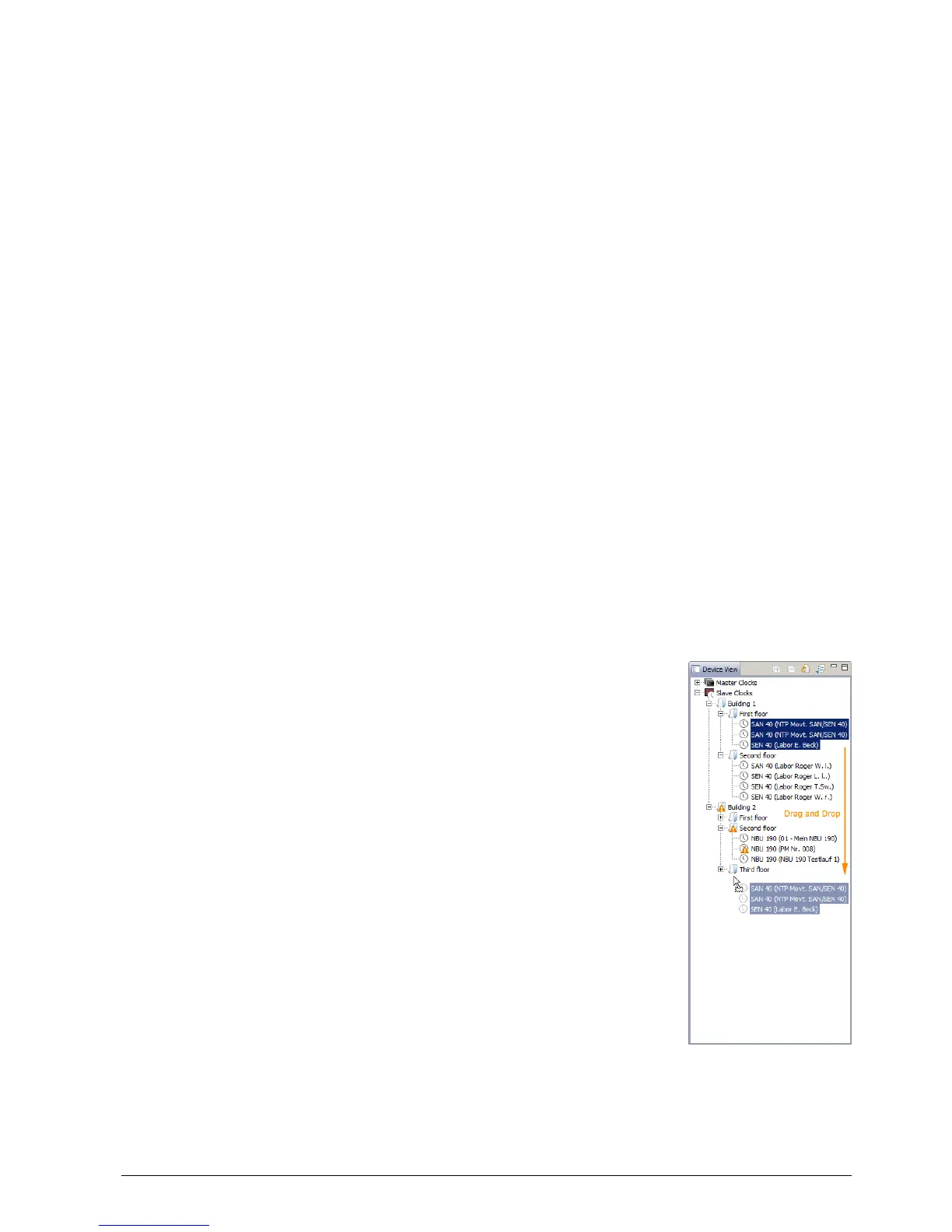
All MOBATime network devices are displayed in the so-called device view. Here, the
devices can be grouped according to user-defined criteria. For this, the individual
devices can simply be moved to the according groups and sorted using drag and drop.
There is no limit to the number of groups and sub-groups.
Besides the organizational advantages (easier locating, better
overview), a device group has the following advantages:
commands and device updates can be applied to the whole
group (including sub-groups).
Alarms and errors of included devices are displayed on the
group level.
Complete groups can be moved / sorted among
themselves.
The content of the device view can be saved and opened at a
later time. The created structure and breakdown into groups is
preserved.



 To Next Page