© MOBATIME 22 / 120 800652.11
6.4 Status menu
The status menu consists of 2 pages.
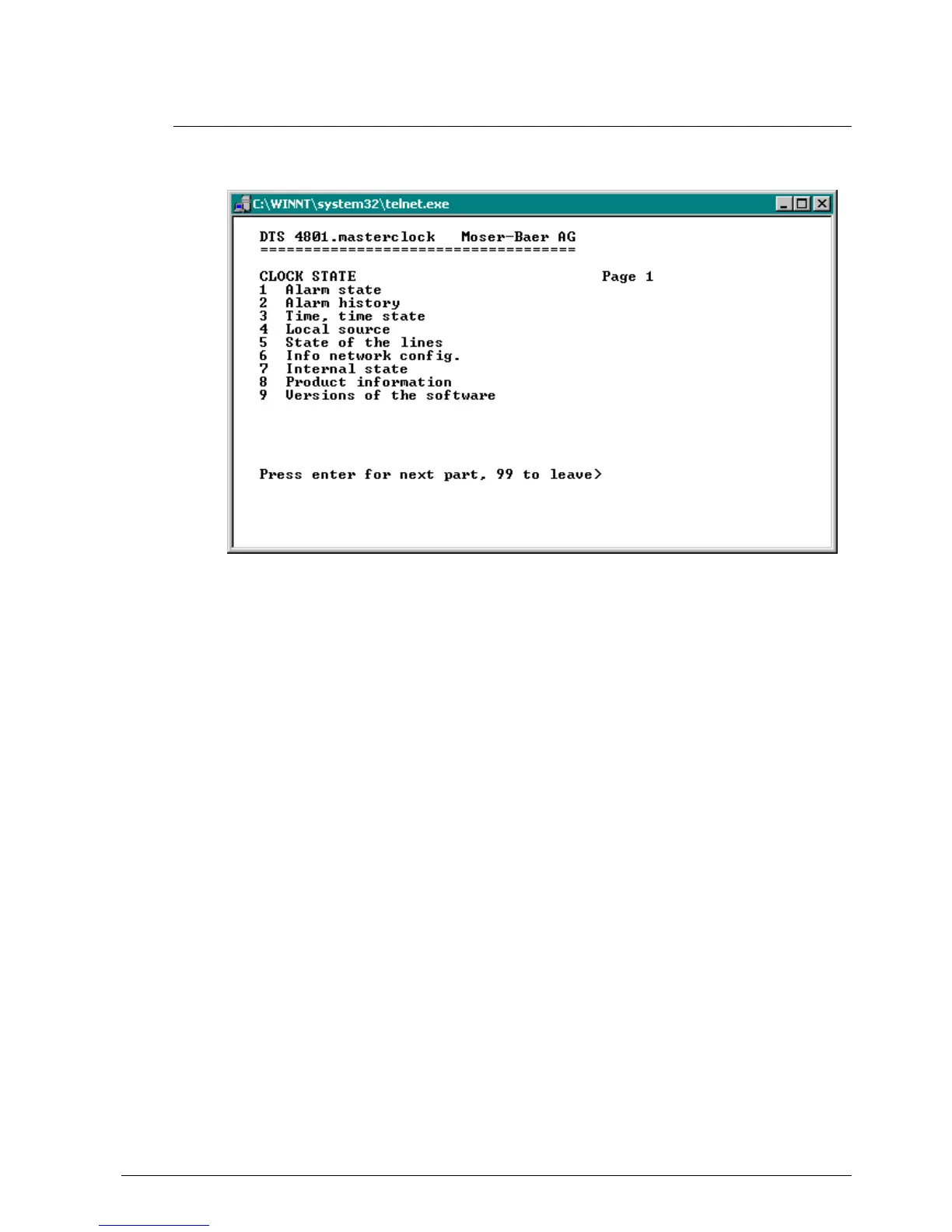
Status menu page 1:
The menu shows various information on the current operating status.
1. Requesting alarm status, display of all the DTS 480x active errors.
Display of the DTS 480x alarms (64) on 4 pages. The ALARM DETAIL menu pages
can be scrolled through with ENTER. Active alarms are displayed with a *. The
ALARM DETAIL menu page can be exited with 99. All DTS 480x active alarms are
displayed, masking (e-mail, traps, relay) only occurs later.
2. Alarm history display.
Display of the DTS 480x alarm record, newest alarm first. The ALARM RECORD
menu pages can be scrolled through with ENTER. The ALARM RECORD menu
page can be exited with 99.
Max. length of error report: 240 messages.
3. Current time and status display. See Chapter "6.4.1 Time information and status "
4. Time source information display. See Chapter "6.4.2 Time source information "
5. Line information display (line time, status, line current)
6. Current network configuration display. With ENTER, a second page can be
displayed with network information.
7. Internal system information display (internal status,..). This information is for
support purposes only.
8. Product information's like serial number, firmware version etc.
9. All several software versions of the DTS 480x.



 To Next Page