© MOBATIME 37 / 120 800652.11
Menu RS 485 Clock line
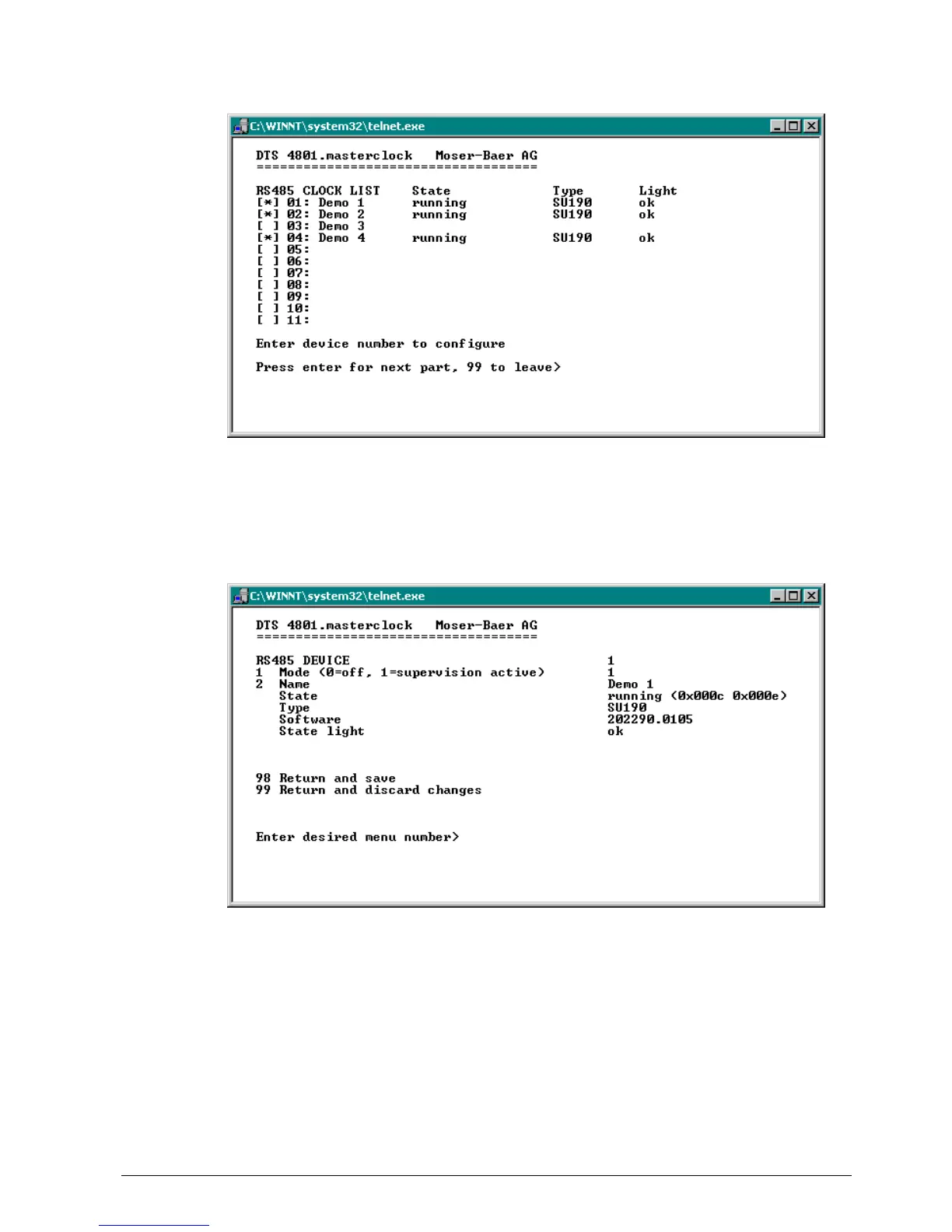
Display of all the slave clocks (31) in the RS485 clock line on 3 pages. The different
pages can be scrolled through by clicking ENTER. A monitored clock is displayed with
an [*]. [ ] shows an unmonitored clock. In addition, the name, status, type and state of
the light monitoring is displayed.
By entering the clock number, the page changes to that of the required slave clock:
1. Select clock function: Clock monitored on or off
2. Clock name for identifying the clock / clock location
Status of the clock: “operation“, “no connection“, “wrong time“, “comm. error“,
“equipment error“, “unknown“,
(Comm. error: e.g. if 2 clocks have the same address)
In brackets behind the status: Info for support
Type of clock, e.g. SU 190, DMU 140, DMU 350, DC 57/100/180
Software and software version of the clock
Status of light monitoring



 To Next Page