90
EN
B CLASSIC / B FUTURA / S CLASSIC - TECHNICAL MANUAL
SYSTEM RESET
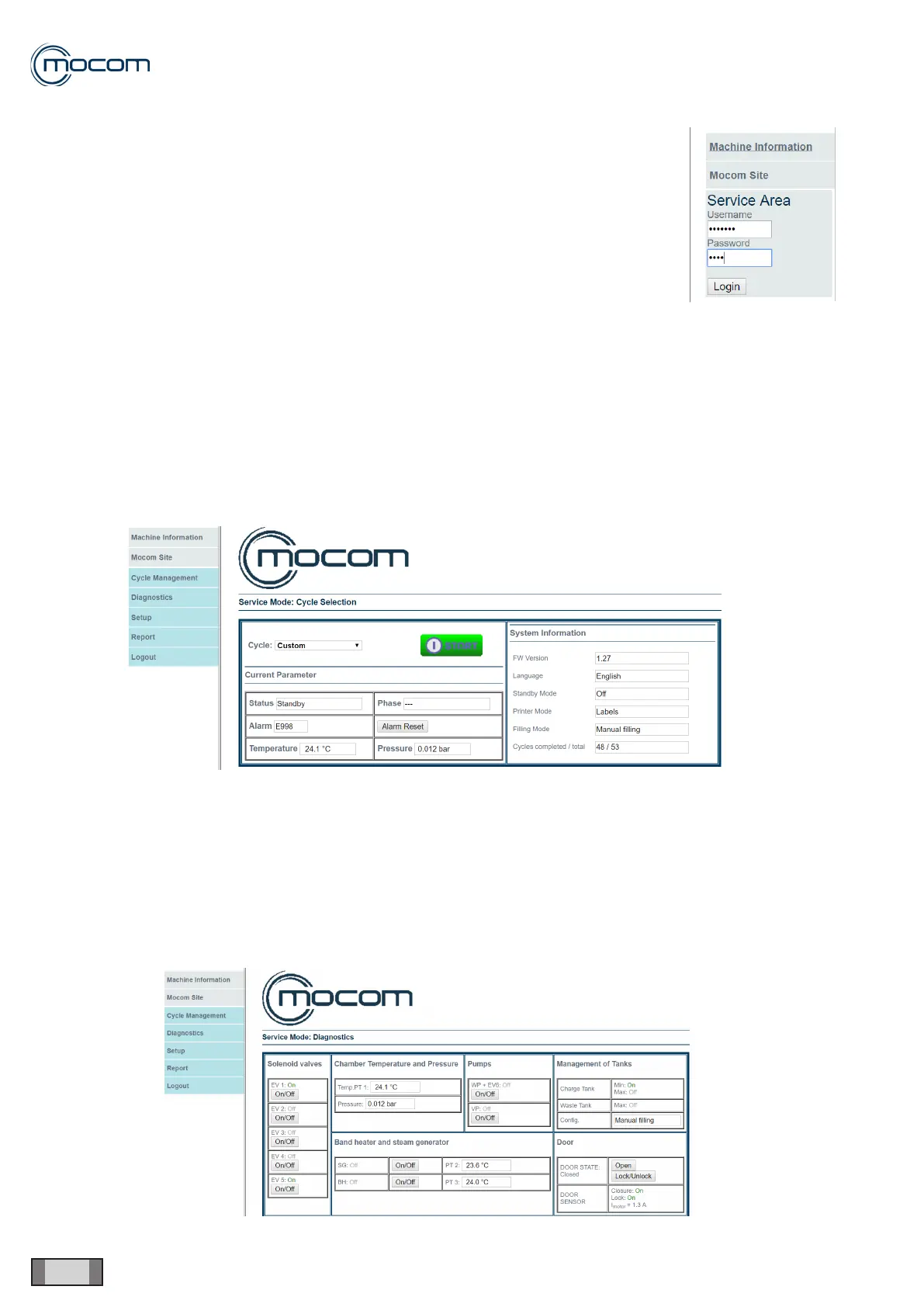
Service Login
To access the Service Login section, use the following data:
- Username: Service
- Password: 0829
If values are entered correctly, the following options, listed before, will be displayed.
Cycle Management
The technician can select the type of cycle among those available on the autoclave, and start it from remote only after
manually closing the autoclave door.
The following information will be displayed:
- Current Parameters
- Status
- Alarm and relevant Reset button
- Stage
- Temperature
- Pressure
- System information
- FW version
- Language
- Standby mode
- Print
- Water lling
- Valid/Total cycles
Diagnosis
The technician can check the internal components from the autoclave and view sensor parameters to check their cor-
rect operation:
- Solenoid valves
- Chamber Temperature and Pressure
- Pumps
- Tank management
- Band heater and steam generator
- Door



 To Next Page