EMC INDUSTRIAL GROUP LTD Communications & Display
MW93A_IM_ALL_SV6.09f_en 47/59
transmitter currently in use, and optionally shows the time or current alarm number.
Q25652 main line options 8668, g14 1
Controls the main display.
Add up the numbers in the following table to change the display as described.
Value Display Description
1
display bar graph
2 kg/h show units
4 112 show alarm number
8 123456 kg display total (not flowrate)
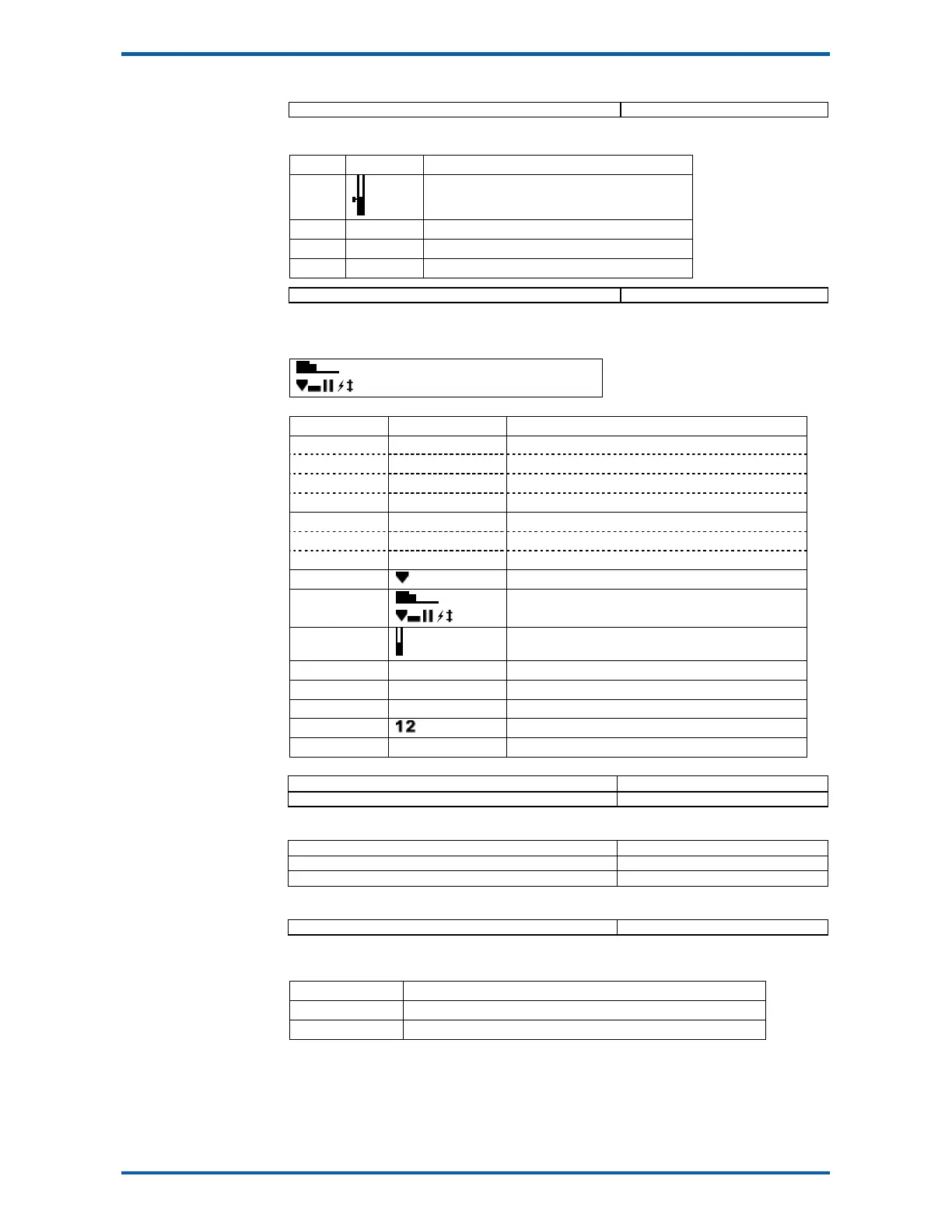
Q25653 secondary line options 8648, g14 0
Controls the secondary line, below the main large display.
Add up the numbers in the following table to change the display as described.
Secondary line
N2U2 (123456kg) N1U1 (100kg/h)
Value Display Description
0 N1U1 100kg/h display current setpoint
1 N1U1 hide current setpoint
2048 N1U1 654321kg display running total (in place of current setpoint)
2049 (1+2048) N1U1 2000kg display batch weight (in place of current setpoint)
0 N2U2 123456kg display total/batch weight
2 N2U2 hide total/batch weight
8192 N2U2 100kg/h display flowrate (in place of total)
4
hide feed icon
8
hide speed demand bar graph and icons
16
hide hopper level graph
32 kg/h hide setpoint (flowrate) units
64 kg hide total/batch weight units
128 total weight include total name
256
include limit icons
1024 do not display secondary line
Q25654 display select sourceA 8600, g14 0
Q25655 display select sourceB 8602, g14 0
The above two settings allow up to two additional settings to be added to the items displayed in the
bottom line of the display. These items are selected during normal use with the DISPLAY key.
Q25656 menu sourceA 8604, g14 0
Q25657 menu sourceB 8606, g14 0
Q25658 menu sourceC 8594, g14 0
The above three settings allow up to three additional settings to be added to the operator menu.
These items will appear in the menu shown when the MENU key is pressed during normal operation.
Q25659 display select options 8678, g14 0
Controls the select line at the bottom of the display.
Add up the numbers in the following table to change the display as described.
Value Description
1 permanently hide the whole line
2 hide the logo
Softkey customisation
These settings set the functions of each of the soft keys A, B, C, D and E.



 To Next Page