EMC INDUSTRIAL GROUP LTD Connections
MW94A_IM_ALL_SV6.09f_en 15/53
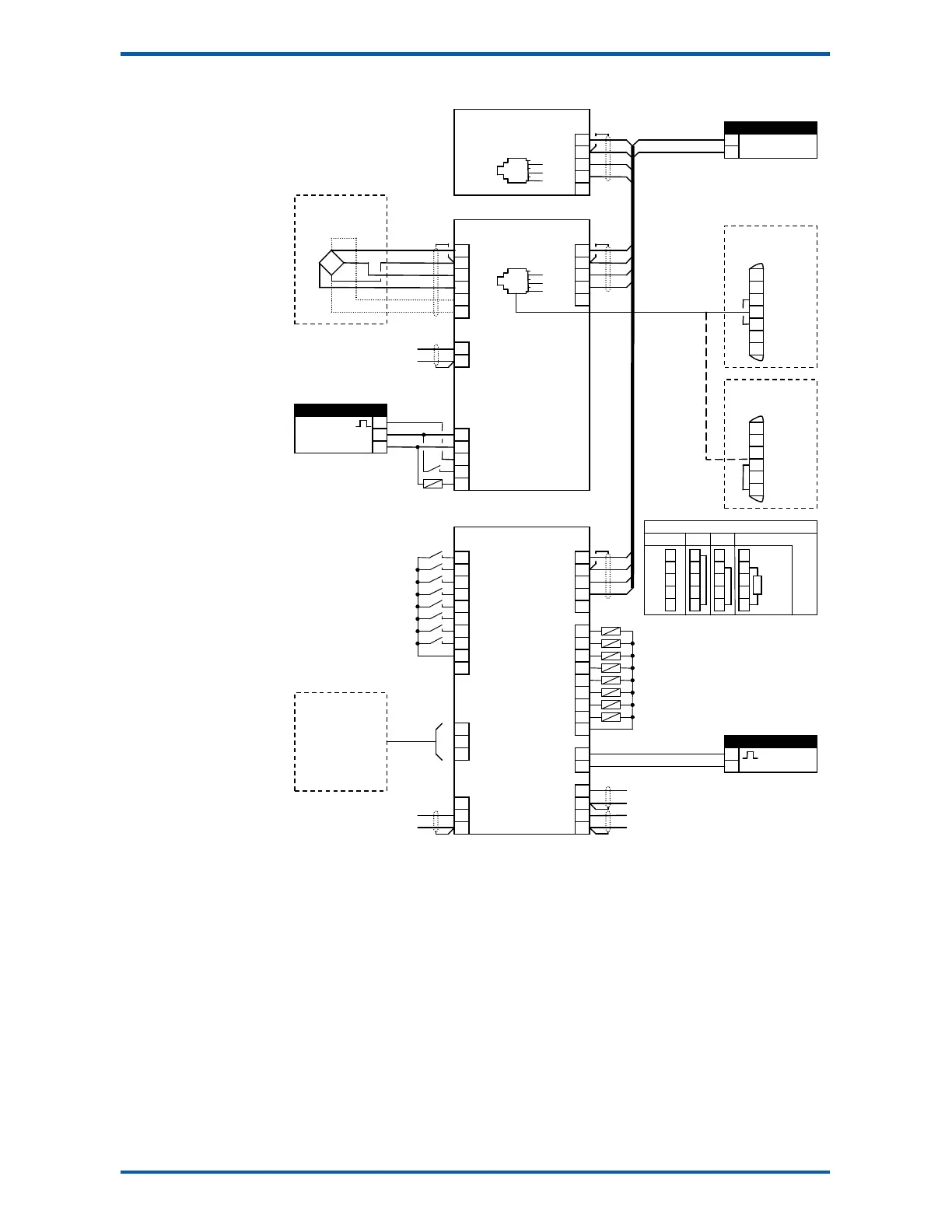
Connection Diagram – MT3
Loadcell Connections
The loadcell(s) may be wired directly to the loadcell terminals or connected together in the field with a
junction box and connected to the ModWeigh unit with a single cable.
When connected to the terminals only a 4-wire connection is used, and digital corner adjustments are
possible. (MT1 only)
When connected with one cable and a junction box no corner adjustments are possible. It is preferable
to use a 6-wire connection as this eliminates voltage drop errors in long cables caused by cable resis-
tance.
pulse output
running
run motor
healthy
weight fault
paused
flowrate enabled
alarm alert
L1
7
8
6
7
20
DB9F
DB25M
PC, PLC
or
ModWeigh Display
MD1,MD2
weight
flowrate
no function
enable flowrate
run
reset total
print
print total
stop
pause
optional sense for 6 wire
connection
1
1
1
1
2k2
4k7
10k
22k
47k
100k
5
6
7
8
9
10
J1
J2
enable flowrate
run motor
Keep all wiring separated
from mains wiring.
Use shielded cable where
indicated.
Display and transmitter can
alternatively be connected
COM1 to COM1 using an MAC
cable.
MT3 bus address set with
ADS pin or a setting.
MR1 bus address set with
ADS pin and must be same
as MT3.
Fit an MAT terminator to
each end of COM2 cable if
length exceeds 50m.



 To Next Page