EMC INDUSTRIAL GROUP LTD Setup
MW94A_IM_ALL_SV6.09f_en 19/53
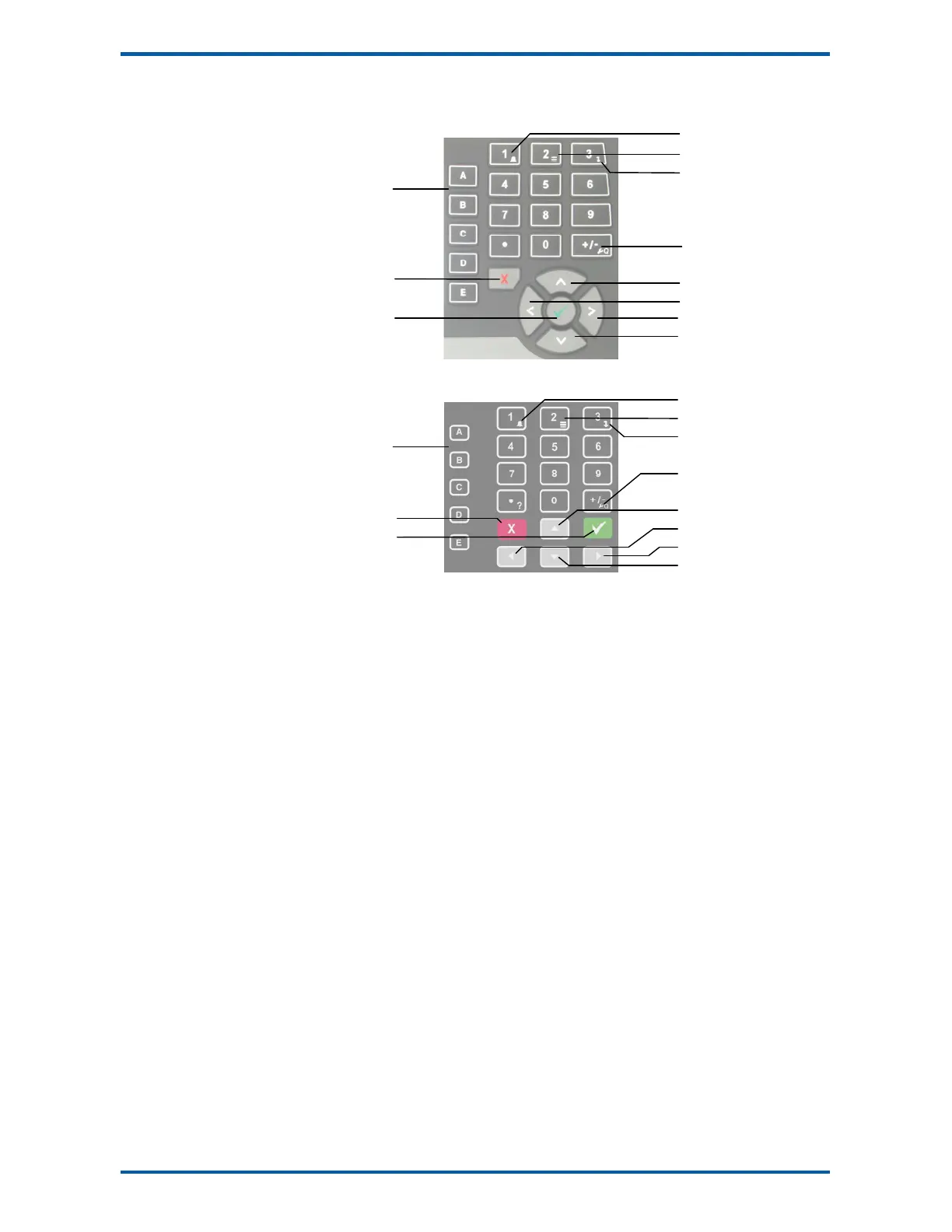
Keypad
MD1,MP1 Keypad
MD2,MP2 Keypad
SOFT keys
The function of the 5 soft keys is indicated on the display.
ALARM key
Used to access the alarm list menu.
SELECT key
Used to select a system to display if more than one unit is connected on the network.
DISPLAY key
Allows the operator to select the display layout.
SETUP key
Press to view the setup menus.
ALPHANUMERIC keypad
Used to enter numerical data values.
UP and DOWN keys
Use these keys to move up and down a menu, or to increase or decrease a setting when editing is en-
abled.
LEFT and RIGHT keys
Used to step thorugh macros and the selection of some other items.
ENTER key
Use this key to move forwards through the menu, or to confirm a change to a setting.
BACK key
Use this key to move backwards through the menu, or to cancel a change to a setting. Hold the key to
exit completely out of the menus and back to normal operation.
Displaying the Setup Menus
Press the SETUP key (Q) to display the setup menus.
Selecting a Menu Item
To the left of each menu item is a single digit. This is the Quick Key number. Simply key in this number
to select the corresponding menu item. Items which have a + to the left will then display a sub-menu in
the same format. Continue pressing Quick Keys to navigate to the desired setting. Refer to the Setup
Summary for the sequence of Quick Keys to go directly to each setting.
Alternatively, repeatedly press the ENTER key to step through all the menus, sub-menus and settings in
turn.
ALARM
SELECT
DISPLAY
SETUP
UP
LEFT
RIGHT
DOWN
SOFT KEYS
BACK
ENTER
SOFT KEYS
BACK
ENTER
ALARM
SELECT
DISPLAY
SETUP
UP
LEFT
RIGHT
DOWN



 To Next Page