EMC INDUSTRIAL GROUP LTD Keys
MW94A_IM_ALL_SV6.09f_en 50/53
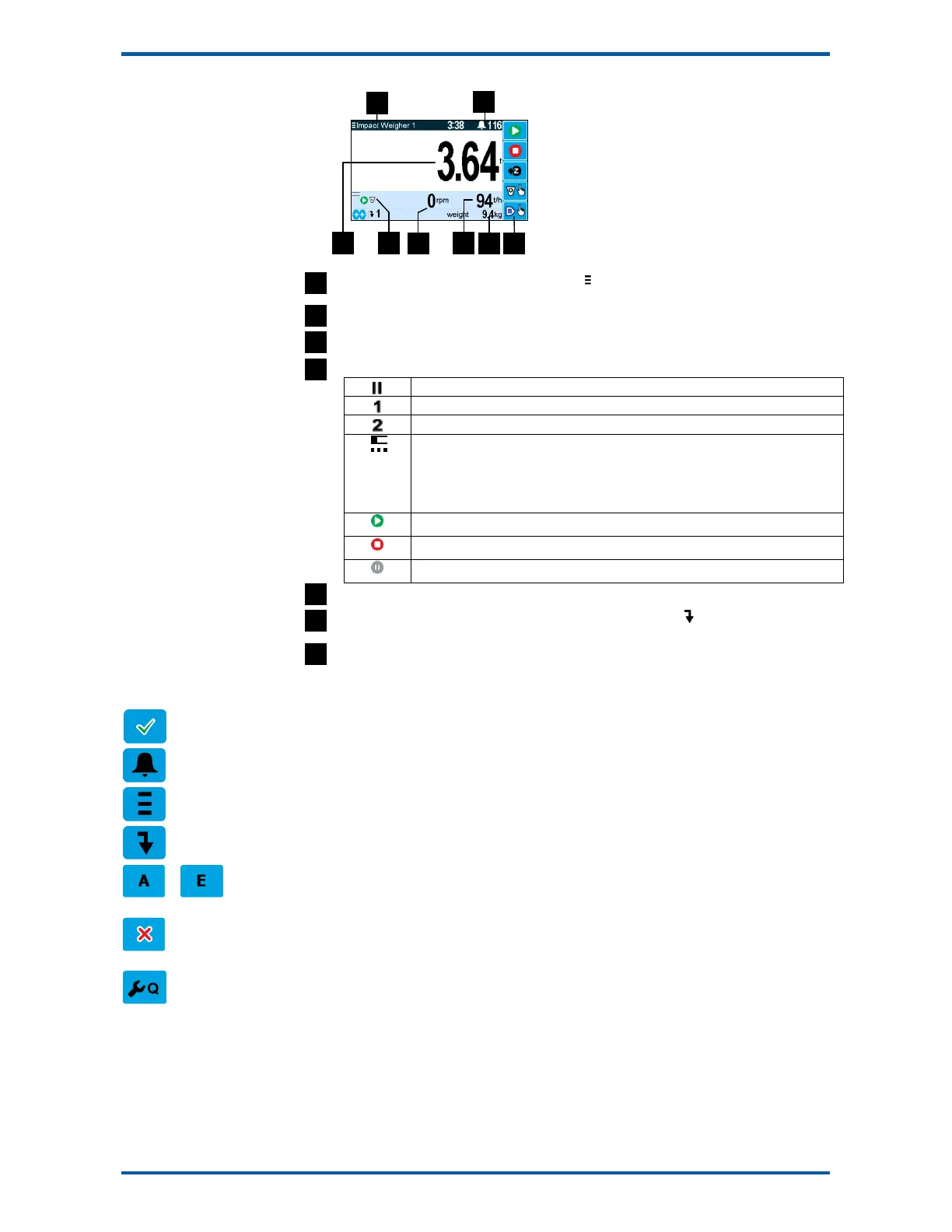
Identification of selected unit. Press SELECT ( ) to view and select another unit from list of
units connected.
Alarm Symbol flashes when an alarm is present.
Main display of measured value. Normally weight.
A group of annunciators described below.
Paused.
Limit 1 active.
Limit 2 active.
Zeroing status.
The bar graph displays a 10 second time interval. The dots show that the
weight was within the zero band for each of the last 3 averages. The absence of
a dot indicates the weight was outside the band.
The system is running.
The system is stopped.
The system is paused.
Displays speed in RPM.
Secondary display shows one of a selection of values. Press the key to scroll through the
list.
Shows functions of soft keys A to E.
Keys
operator menu
Press the OK (tick) key to reach the operator menu. See the Operator Menu section below for details.
alarm menu
Press the ALARM key to reach the alarm menu. See the Alarm Menu section below for details
system select menu
Press this key to view and select another unit from list of units connected.
scroll display
Press this key to select the next line at the bottom of the display.
soft keys A – E
The function of the soft keys is shown in the display. These are shortcuts to items in the operator
menu.
cancel
Press this key to cancel an entry or back up a menu. When in any of the menus, holding this key down
for 2 seconds will exit back to the operator status display.
setup menu
The setup menu is used to calibrate and setup the system. Refer to the Instruction Manual.
Operator Menu
The operator menu allows selection of one of several actions or settings.



 To Next Page