EasyManua.ls Logo

Monitor GF1800 - Operation Stop; Check of Gas Leakage; Installation of Manifold Plug

Default Icon
74 pages
Print Icon
To Next Page IconTo Next Page
To Previous Page IconTo Previous Page
Loading...
MONITOR
HEATING SYSTEM
Section
2:
Installation
Table-2
GF3800
GF1800
GAS
NAT
LP
NAT
LP
Installation
Extension
kits
up
to 20"
Exceeding
20"
up
to 20"
Exceeding
20"
up
to 20"
Exceeding
20"
up to 20"
Exceeding
20"
Manifold
Pressure W.C.
High
burn
3.5"
3.7"
3.4"
3.58"
3.15"
3.19"
Low
burn
1.38"
1.42"
1.38"
1.44"
1.34"
1.42°
3.
Operation Stop
•Stop
operation,
by
pressing
the
(ON/OFF]
button after
the
completion
of
setting
up the
gas
pressure.
4.
Installation
of
Manifold Plug
Remove
the
threaded hose
fitting,
turning
it
counter-clockwise with
a
wrench.
To
prevent
gas
leakage,
reapply sealant tape
to the
threads
of the
manifold
plug.
Then, screw
in
the
manifold plug
and
tighten with
a
wrench.
Note:
Do not
touch
the
combustion
chamber
nor
the
heat exchanger
to
avoid
the
risk
of
burn.
[B]
Check
of Gas
Leakage
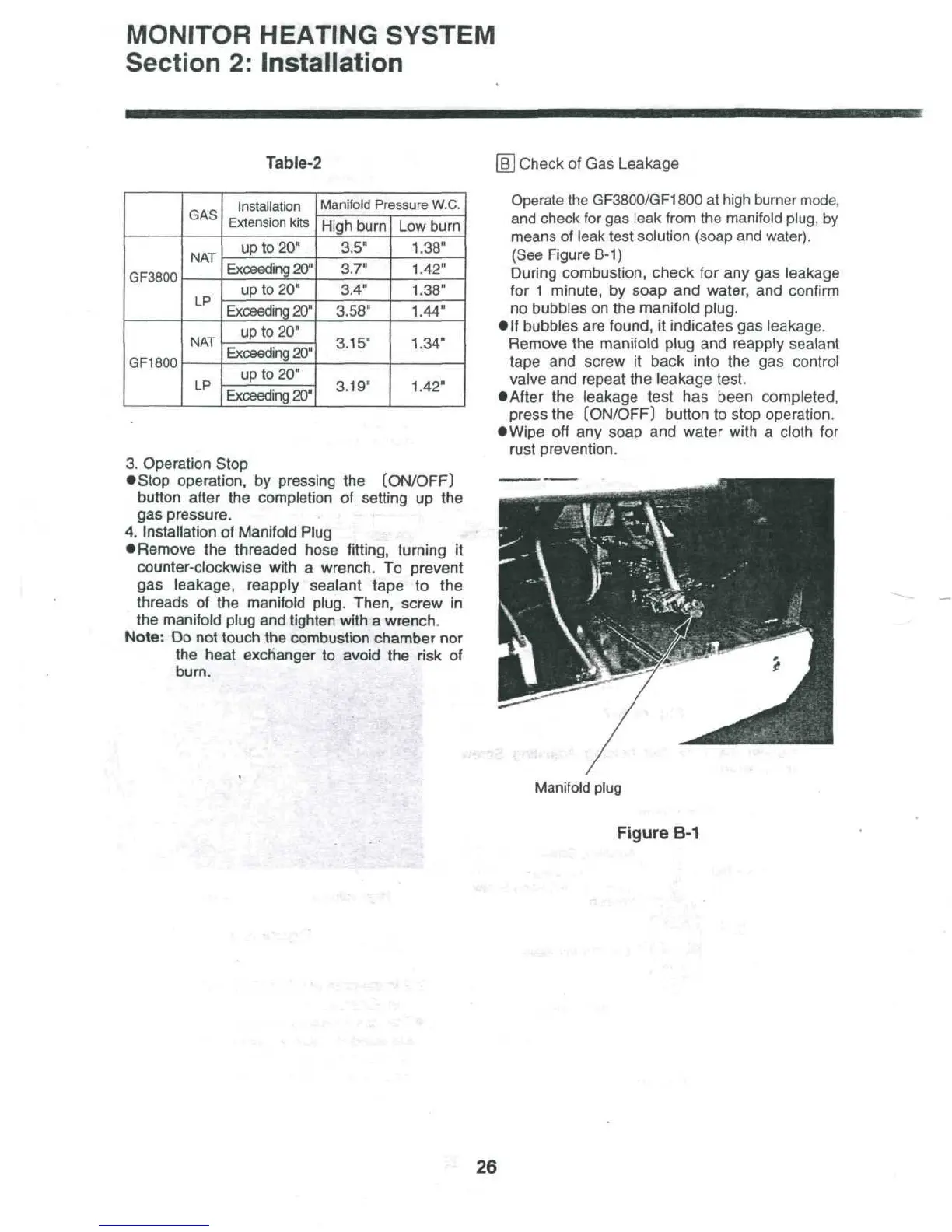
Operate
the
GF3800/GF1800
at
high burner
mode,
and
check
for gas
leak from
the
manifold plug,
by
means
of
leak
test
solution (soap
and
water).
(See
Figure
B-1)
During combustion, check
for any gas
leakage
for
1
minute,
by
soap
and
water,
and
confirm
no
bubbles
on the
manifold plug.
If
bubbles
are
found,
it
indicates
gas
leakage.
Remove
the
manifold
plug
and
reapply sealant
tape
and
screw
it
back into
the gas
control
valve
and
repeat
the
leakage test.
After
the
leakage test
has
been completed,
press
the
[ON/OFF]
button
to
stop operation.
Wipe
off any
soap
and
water with
a
cloth
for
rust
prevention.
/
Manifold
plug
Figure
B-1
-
26

Table of Contents

Related product manuals