EasyManua.ls Logo

Monitor GF1800 - Page 35

Default Icon
74 pages
Print Icon
To Next Page IconTo Next Page
To Previous Page IconTo Previous Page
Loading...
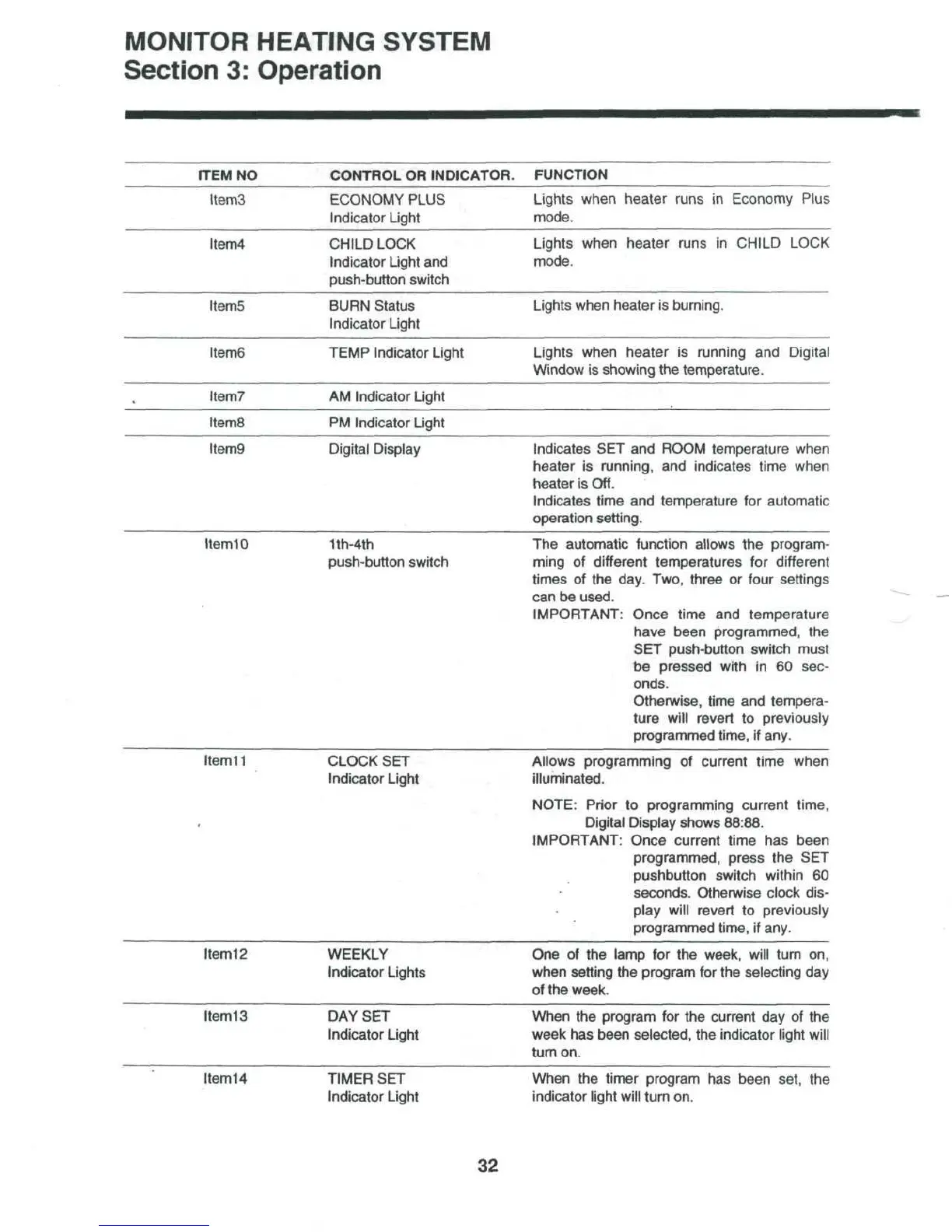
MONITOR
HEATING SYSTEM
Section
3:
Operation
ITEM
NO
CONTROL
OR
INDICATOR.
FUNCTION
Item3
ECONOMY
PLUS
Indicator
Light
Lights
when heater runs
in
Economy Plus
mode.
Item4
CHILD
LOCK
Indicator
Light
and
push-button switch
Lights
when heater runs
in
CHILD LOCK
mode.
ItemS
BURN
Status
Indicator
Light
Lights when heater
is
burning.
Item6
TEMP
Indicator Light
Lights when heater
is
running
and
Digital
Window
is
showing
the
temperature.
Item?
AM
Indicator Light
ItemS
PM
Indicator Light
Item9
Digital Display
Indicates
SET and
ROOM temperature when
heater
is
running,
and
indicates time when
heater
is
Off.
Indicates time
and
temperature
for
automatic
operation setting.
Item
10
1th-4th
push-button switch
The
automatic
function
allows
the
program-
ming
of
different temperatures
for
different
times
of the
day. Two, three
or
four
settings
can
be
used.
IMPORTANT:
Once time
and
temperature
have been programmed,
the
SET
push-button switch
must
be
pressed with
in 60
sec-
onds.
Otherwise, time
and
tempera-
ture
will
revert
to
previously
programmed time,
if
any.
Item
11
CLOCK
SET
Indicator Light
Allows
programming
of
current time when
illuminated.
NOTE: Prior
to
programming current time,
Digital
Display
shows 88:88.
IMPORTANT:
Once current time
has
been
programmed, press
the SET
pushbutton switch within
60
seconds. Otherwise clock dis-
play
will
revert
to
previously
programmed time,
if
any.
Item12
WEEKLY
Indicator Lights
One of the
lamp
for the
week, will turn
on,
when
setting
the
program
for the
selecting
day
of
the
week.
Item
13
DAY
SET
Indicator Light
When
the
program
for the
current
day of the
week
has
been selected,
the
indicator light will
turn
on.
Item14
TIMER
SET
Indicator Light
When
the
timer program
has
been set,
the
indicator
light will turn
on.
32

Table of Contents

Related product manuals