NOTE: Do not allow system to remain pressurized and stable below 20 mmHg. The monitor
will remove this pressure as a zero offset and this will affect the validity of the calibration
check.
NOTE: The following are required to perform this test: NIBP simulator or
sphygmomanometer along with a Y-cable and a hand inflation bulb.
Pressure Accuracy Test: Via the Service settings, put the NIBP in to calibration mode. Set
the pressure to 25 mmHg and 225 mmHg respectively and verify that the pressure values
reported by the Surveyor patient monitor matches ((±2 mmHg) of that reported on the
simulator or sphygmomanometer. Release pressure.
Overpressure Test: Inflate cuff to 300 mmHg. Verify that the pressure is automatically
dumped at 300 +/- 30 mmHg.
Leak Test: Inflate a cuff to 150 mmHg. Allow cuff pressure to settle (thermal effect). Verify
that the pressure drops less than 4 mmHg in 1 minute. Verify that the pressure is
automatically dumped after 180 seconds.
Set the NIBP back to normal mode. Power cycle the monitor.
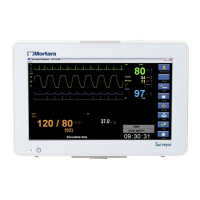
Measurement Accuracy Test: Connect to Patient Simulator and take a NIBP measurement.
Verify proper NIBP value at 120/80 (+/- 5 mmHg).
Connect static pressure sources at 20 and later at 100 mmHg to IBP sensors P1-P4.
Verify correct pressure is displayed for each (+/- 2 mmHg).
Connect a patient simulator with dynamic IBP waveform for radial artery of120/80.
Verify correct pressure waveform and values are displayed (+/- 2 mmHg).


 To Next Page